Since the Pay type is linked to your employee setup, ensure you select an employee, not a vendor, when creating a timesheet, Ralph.
The Pay type will be visible in weekly timesheets in QuickBooks Online (QBO) as long as it is enabled.
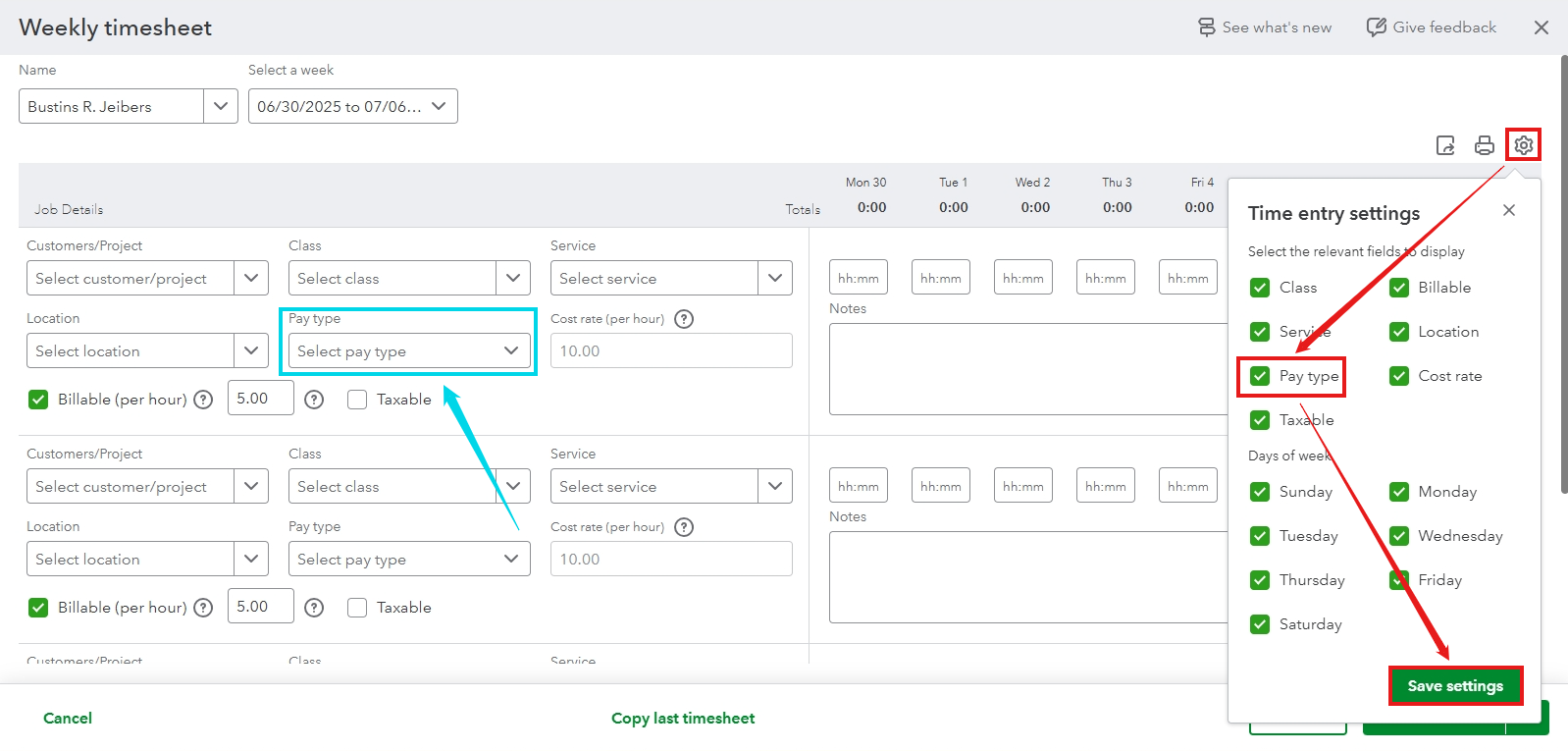
Also, please ensure that the Name you choose from the dropdown is an employee, and confirm that the employee has an assigned pay type available for their timesheets.
You can follow these steps to check if you have set up a Pay type for your employee:
- In the Payroll menu, select Employees.
- Double-click the employee to view the details.
- Scroll to the Pay type section and verify the setup.
Visit this article to set up or have additional pay items in QuickBooks: Add or change pay types.
Once done, you can then create and record checks for your employees to pay them for their work.
For even more ease, consider Explore QuickBooks Payroll for a smooth and straightforward payroll process. Give it a try and see how it can add convenience to your day!
If you need any further assistance with managing your payroll items, don't hesitate to leave a reply below. We're always here to help you out.


