Hello and welcome to the Community forum, info2335.
You can manually add a single-time entry for the customer in QuickBooks.
When you create an invoice for that customer, you’ll then have the option to add the existing billable time entry directly to the invoice. This approach ensures the billable hours are accurately reflected, along with their corresponding bill rate.
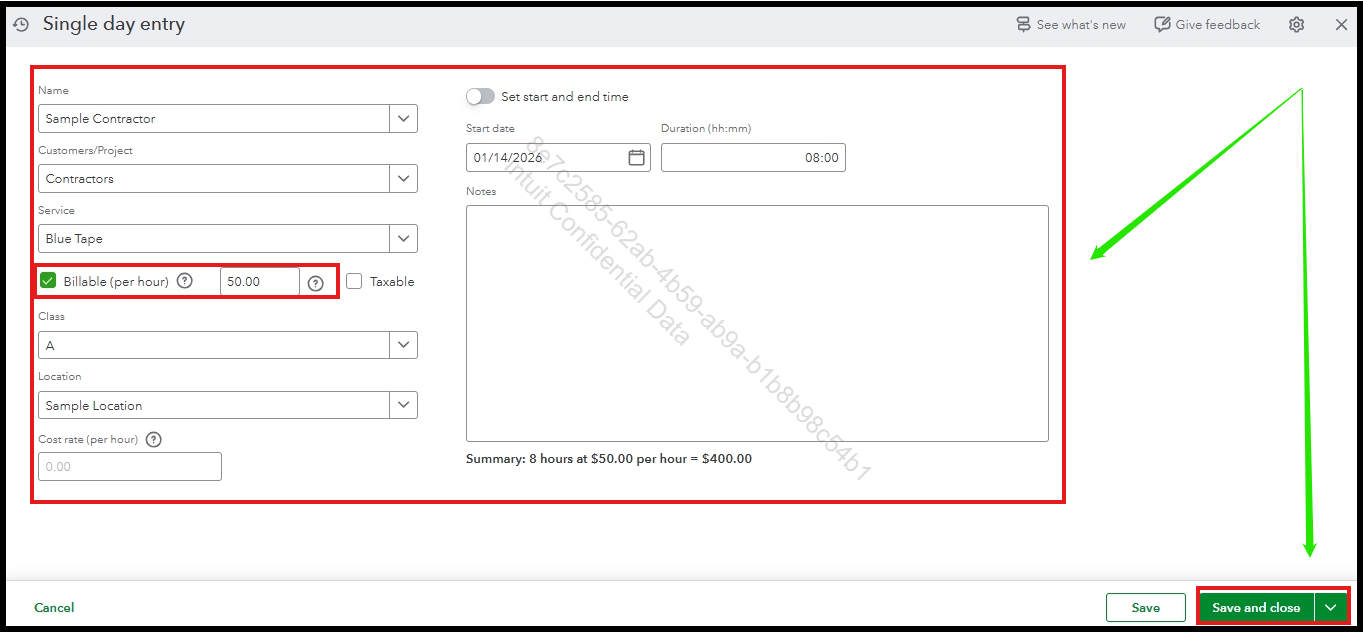
To create a single-day activity,
- Navigate to the + Create menu and select Single-time activity.
- On the entry screen, fill out all necessary information. Be sure to check the Billable (per hour) checkbox.
- Once completed, click Save and close.
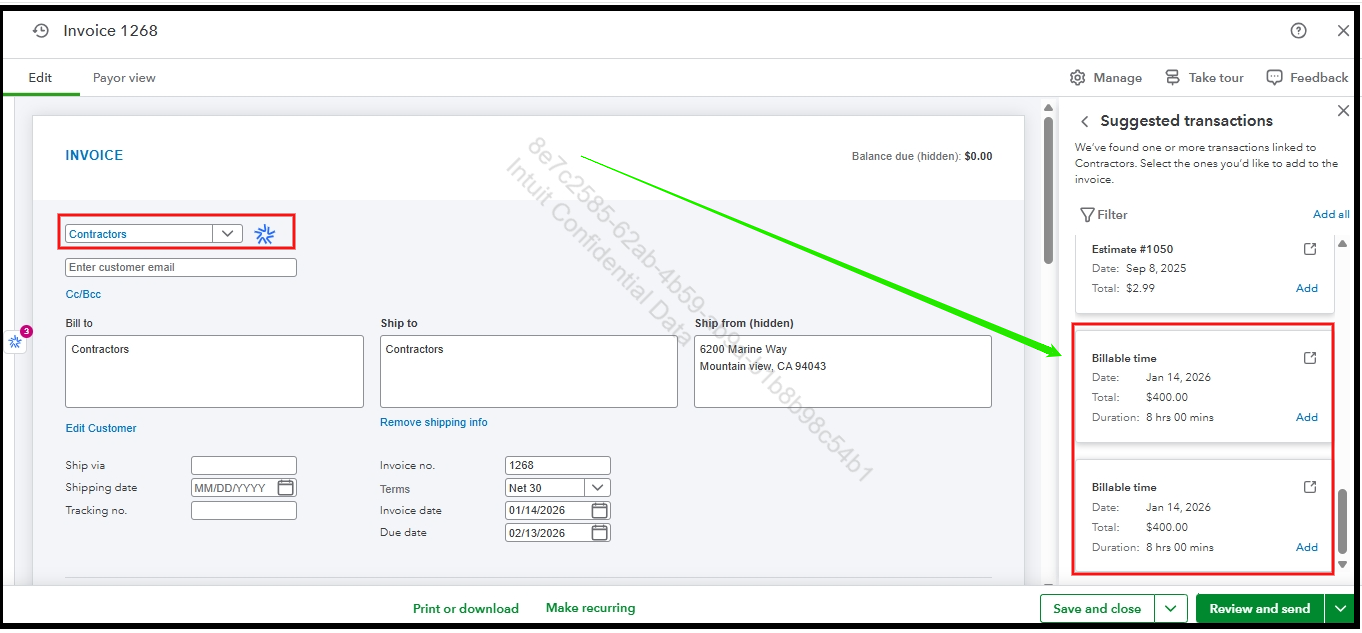
After that, you can create the invoice. When doing so, you can automatically include the existing billable time. Please note that the existing billable time will only appear after you select that specific customer.
You can refer to this picture below:
If you have any further questions or require additional assistance, please add a comment below. We are here to help.


