Hello there, Sharon.
You don't need to mark the invoice as pending to prevent it from showing as an outstanding amount in your books. Instead, you can record the payment in the Undeposited Funds account in QuickBooks. This allows you to hold the payment temporarily before depositing it into your real-life bank account.
The Undeposited Funds account acts as a holding account where you can store payments and combine them into a single record. This ensures QuickBooks matches your bank records accurately.
Here's how to record a payment in Undeposited Funds:
- Go to the Receive Payment screen and select your Customer and Payment date.
- In the Deposit To option, choose Payments to Deposit instead of selecting a bank account.
- Select the specific invoice to record the payment.
- Click Save and Close.
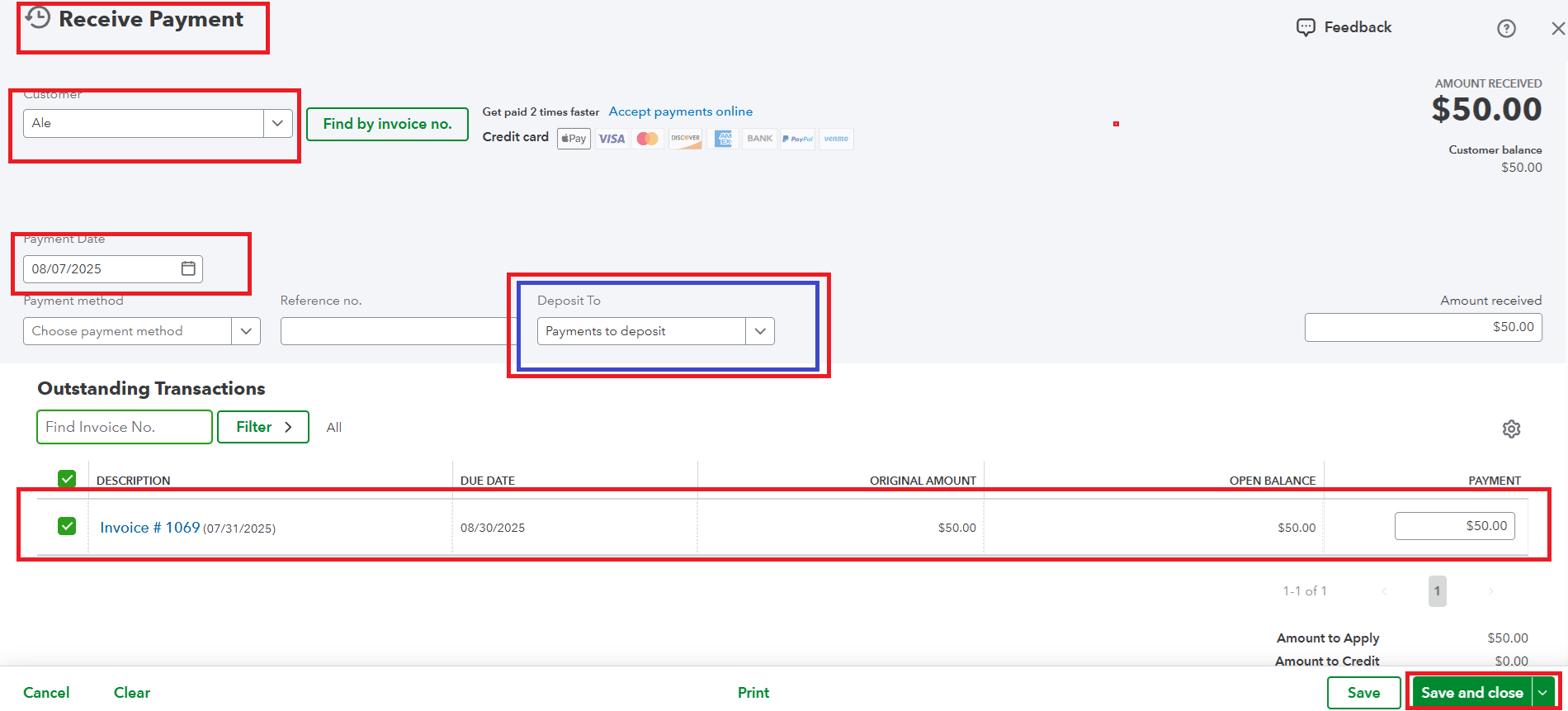
Now, the payments are in the Undeposited funds accounts, and if you have decided to deposit them to the bank. Here's how:
- Select +Create.
- Click on Bank Deposit.
- From the Account dropdown, select the account you want to deposit the money into.
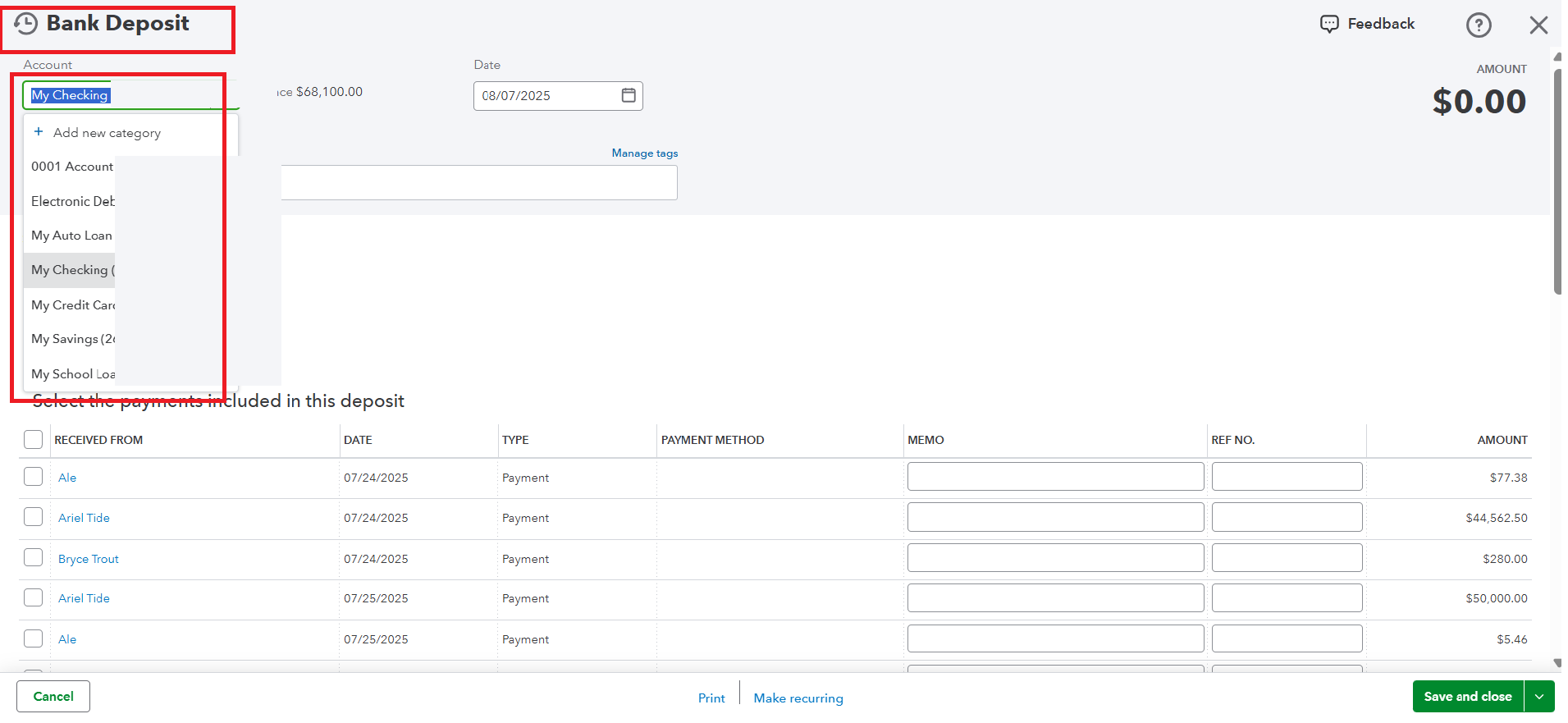
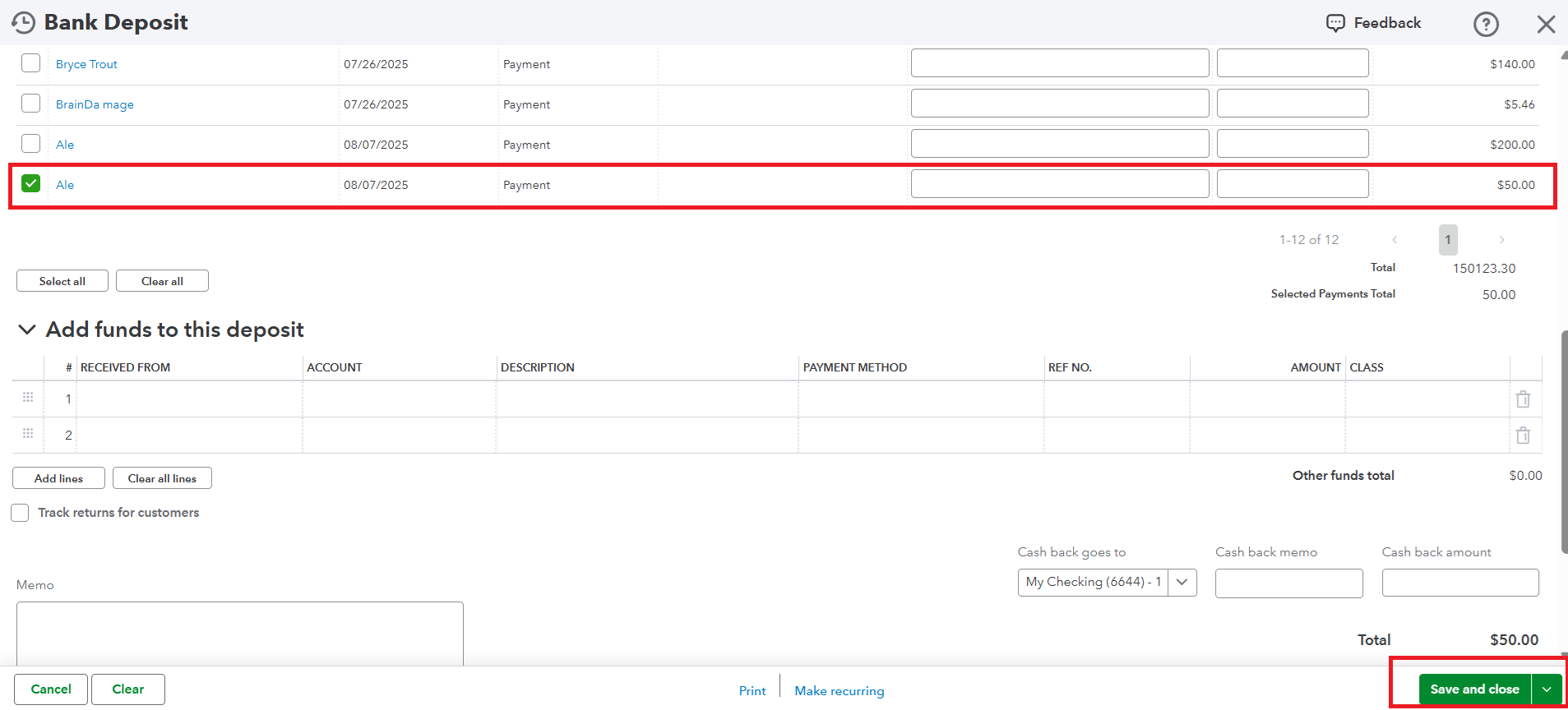
- Check the box next to each transaction you'd like to deposit.
- Make sure the total of the selected transactions matches your actual bank deposit slip.
- Select Save and close or Save and new.
For more details about recording a bank deposit and combining the payments in QuickBooks, refer to this article: Record and make a bank deposit in QuickBooks Online.
Need help managing your books? Our QuickBooks Live Expert Assisted team has your back. We have dedicated bookkeepers who assist you with streamlining your accounting process.
Feel free to let us know if you have any other questions or concerns about QuickBooks by clicking the Reply button below.


