Turn on suggestions
Auto-suggest helps you quickly narrow down your search results by suggesting possible matches as you type.
Showing results for
Get 50% OFF QuickBooks for 3 months*
Buy nowI’ve made some test transactions on the QBSE app, to experiment and learn how to use it. I would like to delete these transactions now to keep the place organised and tidy. These were scanned receipts. There doesn’t seem to be an option to delete the transactions, only to exclude them. They’re just nonsense transactions so I don’t want them sitting around on my profile even if they are excluded. Is there anyway to permanently remove them. Again, not excluded, I’d like them totally gone.
many thanks,
Mike
Solved! Go to Solution.

Hi there, MikeyJay85. I can share some insights for removing a transaction after scanning a receipt in QuickBooks Online.
When you scan a receipt, QuickBooks enters the details for you. All you need to do is categorize it. If you don't need them, you can simply exclude these transactions since we don't have the option to remove them. You can only delete transactions you've added manually.
Don't worry, any excluded transactions will have no effect on your account. You can check out this link to learn more: Exclude or delete transactions in QuickBooks Self-Employed.
Let me know if you have other concerns about managing your transactions. I'll make sure to get back to you as soon as possible. Have a great weekend!
Hi there, MikeyJay85. I can share some insights for removing a transaction after scanning a receipt in QuickBooks Online.
When you scan a receipt, QuickBooks enters the details for you. All you need to do is categorize it. If you don't need them, you can simply exclude these transactions since we don't have the option to remove them. You can only delete transactions you've added manually.
Don't worry, any excluded transactions will have no effect on your account. You can check out this link to learn more: Exclude or delete transactions in QuickBooks Self-Employed.
Let me know if you have other concerns about managing your transactions. I'll make sure to get back to you as soon as possible. Have a great weekend!
Thanks for your help, Archie!
How do you delete a transaction manually in your profit and loss report
Let me help you delete your transactions to deduct the amount from your Profit and Loss, Causer1.
First, it's important to note that in QuickBooks Self-employed (QBSE), only the income and expenses amount are shown. If you've downloaded transactions, you cannot delete them; however, you can exclude them. By doing this, QuickBooks will remove these transactions from financial reporting calculations.
Here's how:
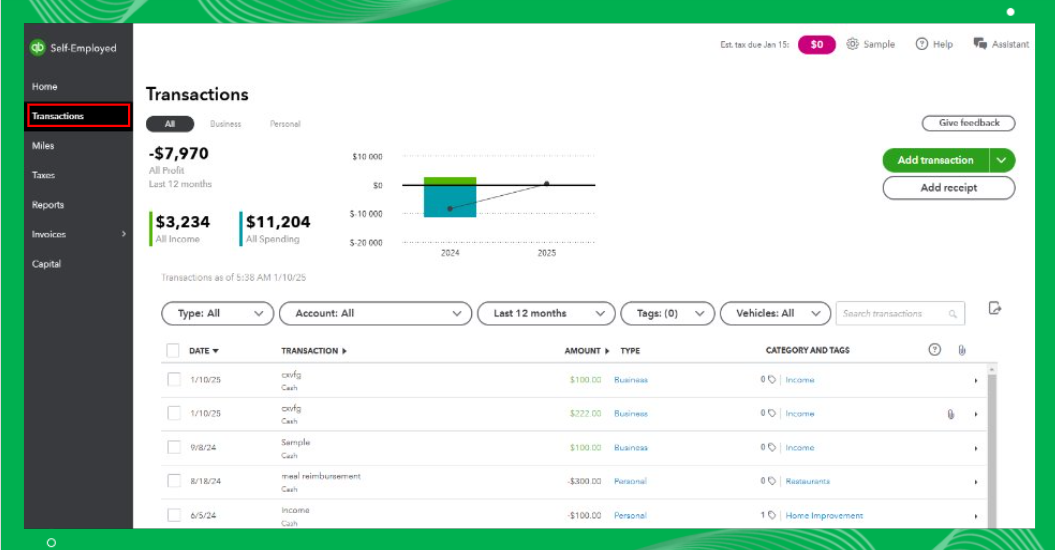
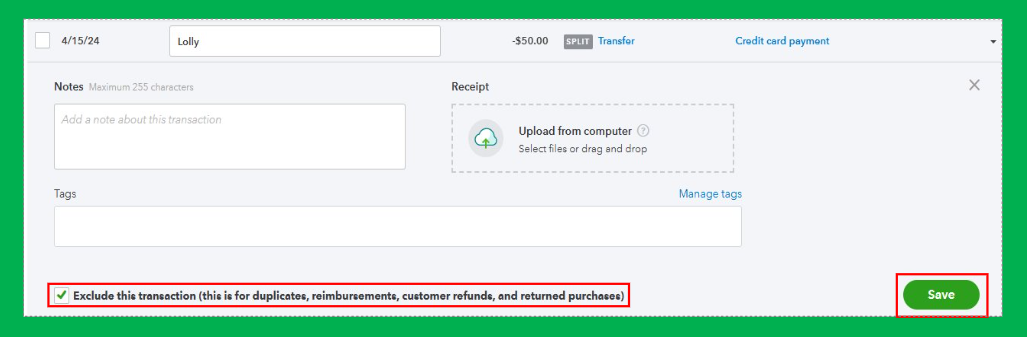
On the other hand, if you have manually created transactions, you can directly delete them. Here's how:
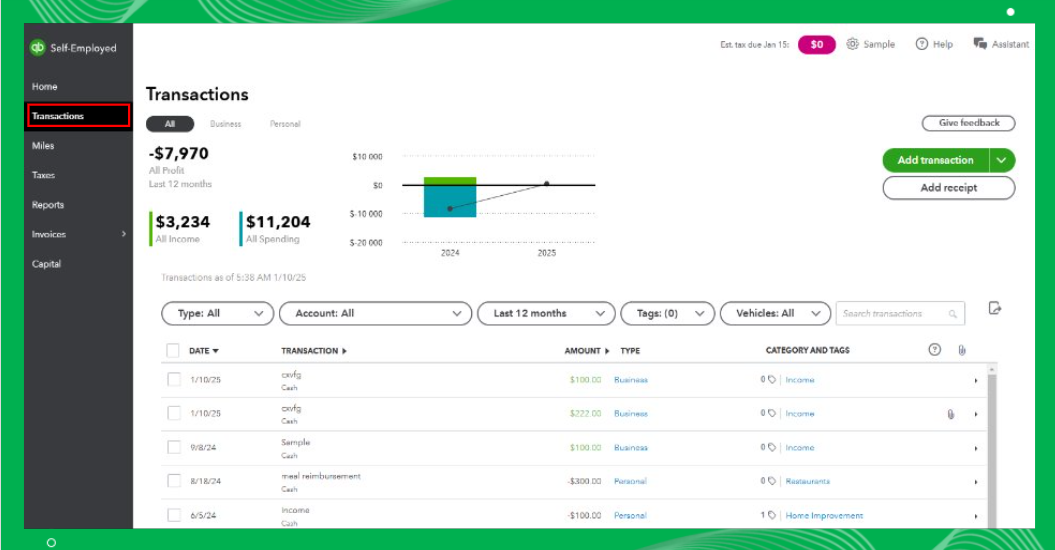
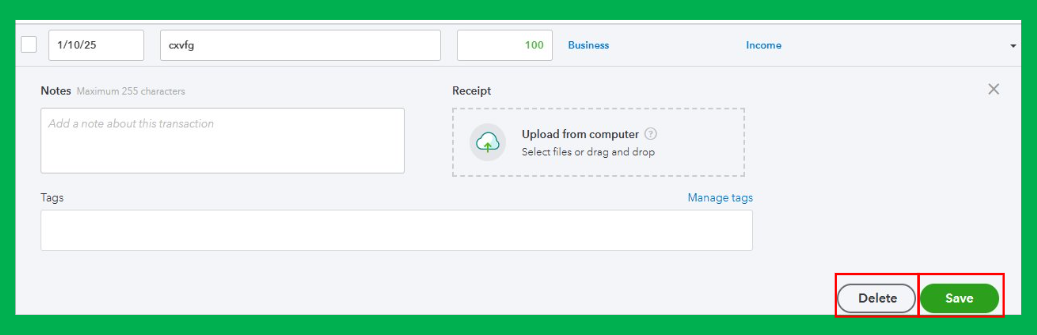
Moreover, you can check out this article for detailed steps about excluding and deleting transactions on the mobile app: Exclude or delete transactions in QuickBooks Self-Employed.
Furthermore, I've added this article about the changes to expense categories in QBSE: Updates to expense categories in QuickBooks Self-Employed, for your future reference.
Let us know if you have other concerns or questions about deleting transactions within QuickBooks Self-employed. The whole community is here to help at any time.
@GenmarieM "If you've downloaded transactions, you cannot delete them; however, you can exclude them."
And exactly which rocket scientist came up with that idea?
That is ridiculous on a staggering number of levels.


You have clicked a link to a site outside of the QuickBooks or ProFile Communities. By clicking "Continue", you will leave the community and be taken to that site instead.
For more information visit our Security Center or to report suspicious websites you can contact us here


