Welcome to QuickBooks Community, Craigandbarbara.
QuickBooks Online feels different after working with QuickBooks Desktop. While the interface has some changes, many features like manually entering checks and debit card transactions into Bank Register remain available.
Here's how to enter them manually:
- Open your QuickBooks.
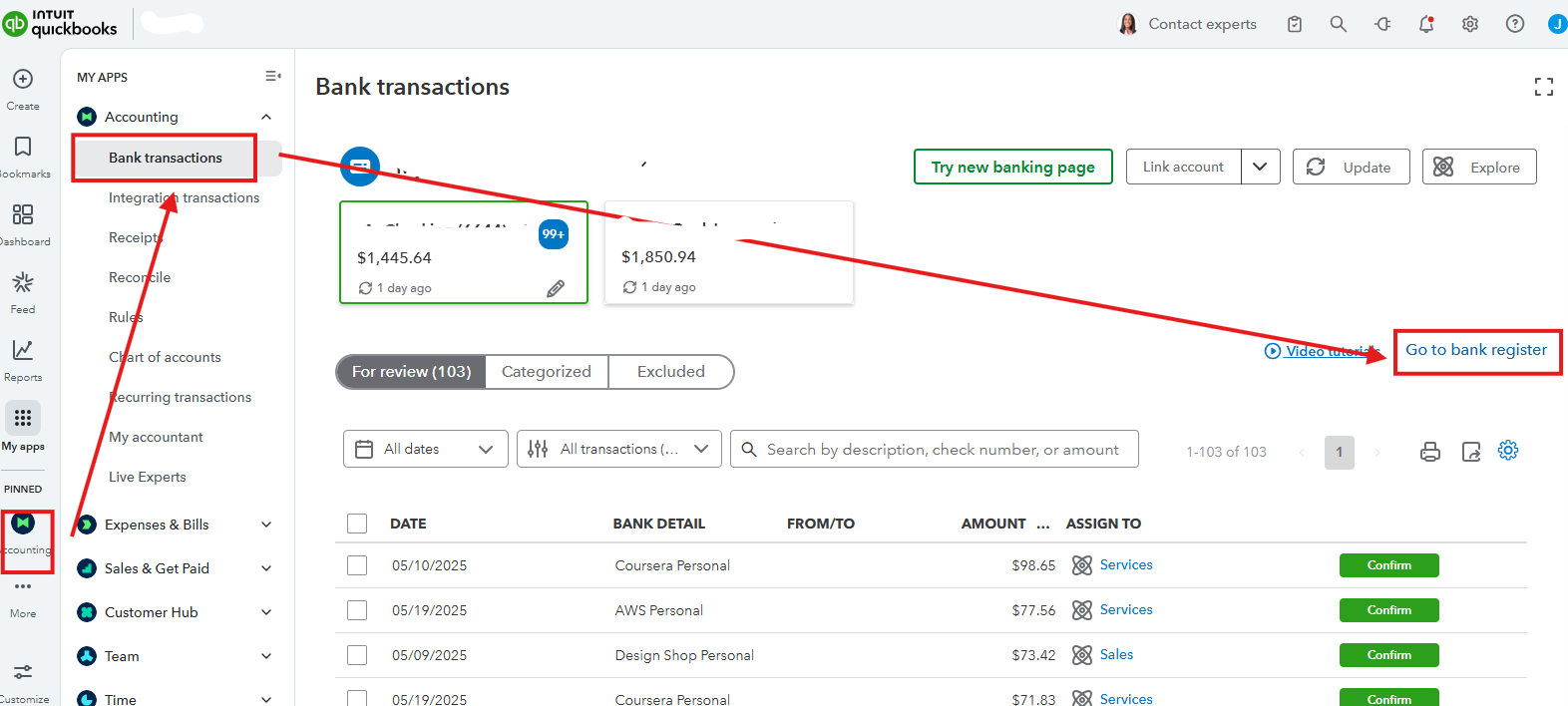
- Go to the Accounting menu.
- Select Bank Transactions, then Bank Register.
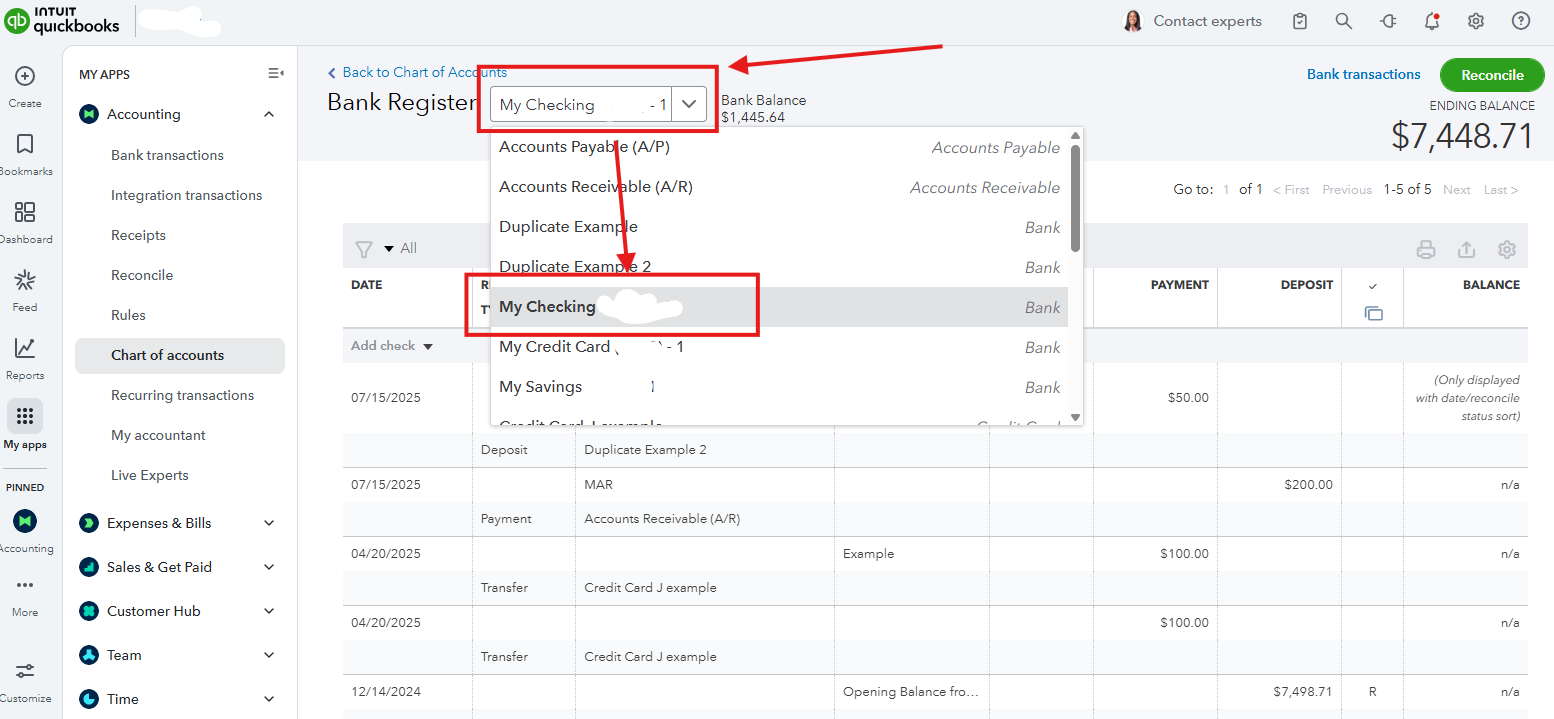
- In the Accounts dropdown, choose the specific accounts you want to enter the check and debit cards.
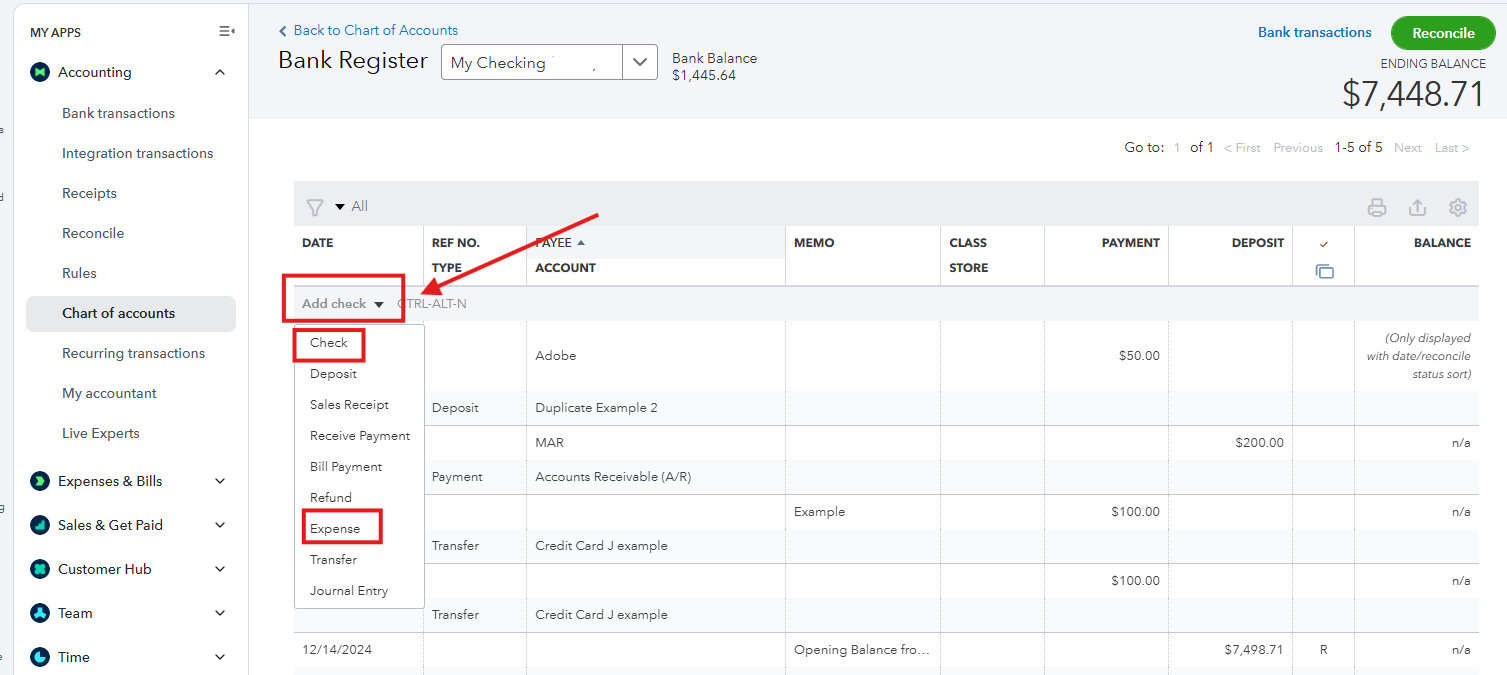
- In the Add dropdown, click Check to enter checks and Expenses for debit card payments.
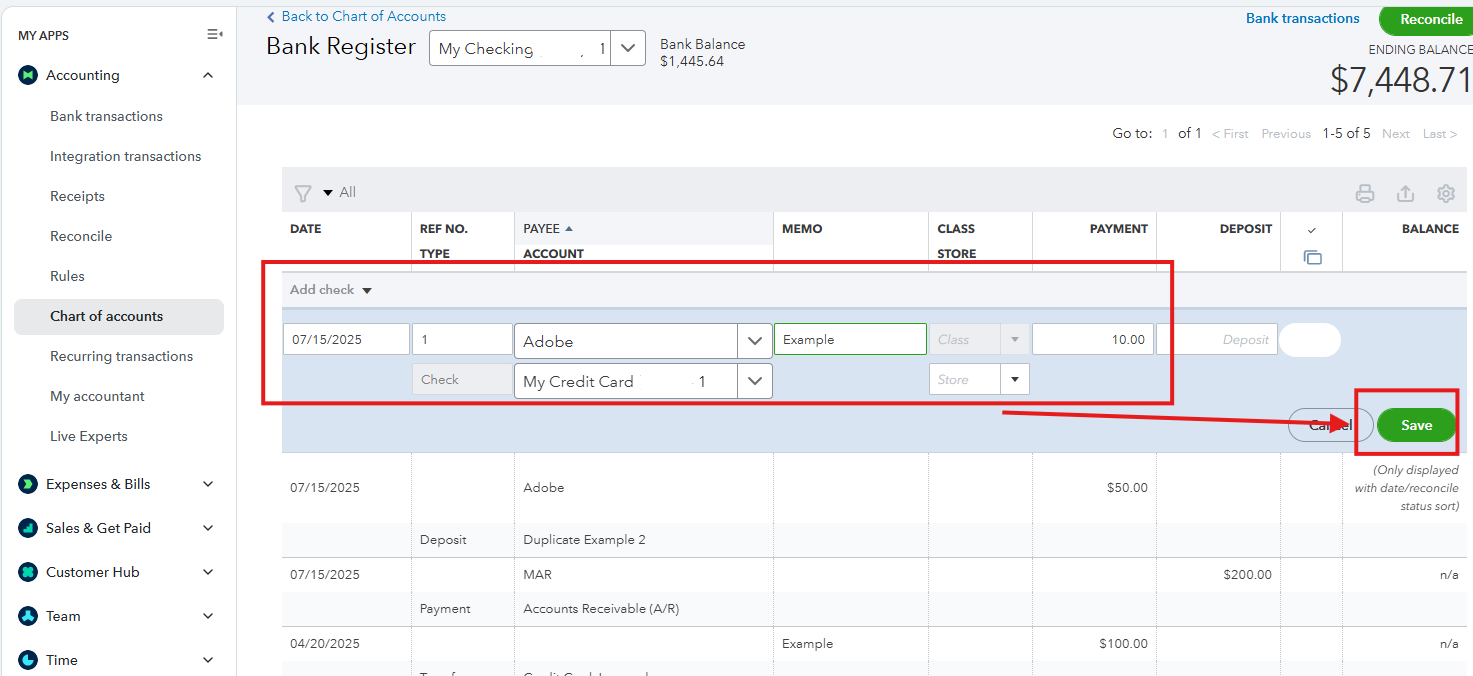
- Enter the necessary details, then Save.
Let us know in the comments below if you have any other queries about QuickBooks.


