In QuickBooks Online, filters in reports help you focus on specific data, allowing you to quickly find insights, which are easier to interpret, especially in complex reports.
If you want to set the report by week, you can change it in the Report Period. Here's how:
- Go to Reports.
- In the search bar, type Profit and Loss.
- From the Report Period, select the This week option to adjust the date.
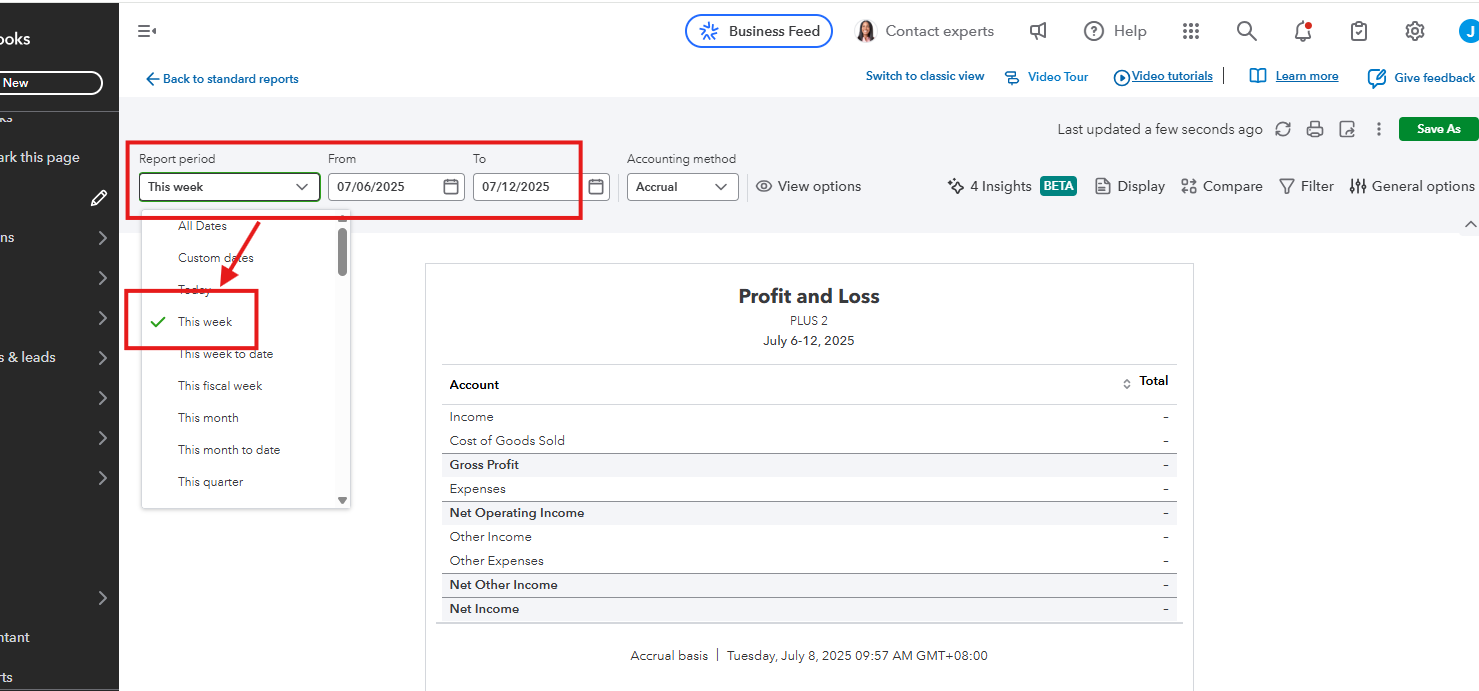
If the This week option still does not appear, I recommend clearing your Intuit-specific cookies and trying to log in using QuickBooks-supported web browsers to ensure a smooth and error-free when generating a report.
Let us know in the comments below if you have any other questions about running reports in QuickBooks.


