Hi @reimerjn,
While there isn't a direct way to add sub-categories to the services line item in a budget, you can create detailed accounts in your Chart of Accounts under the main service category. Then, you can select these sub-accounts to allocate budget amounts when creating a budget.
Here's how to create a sub-account in the Chart of Accounts:
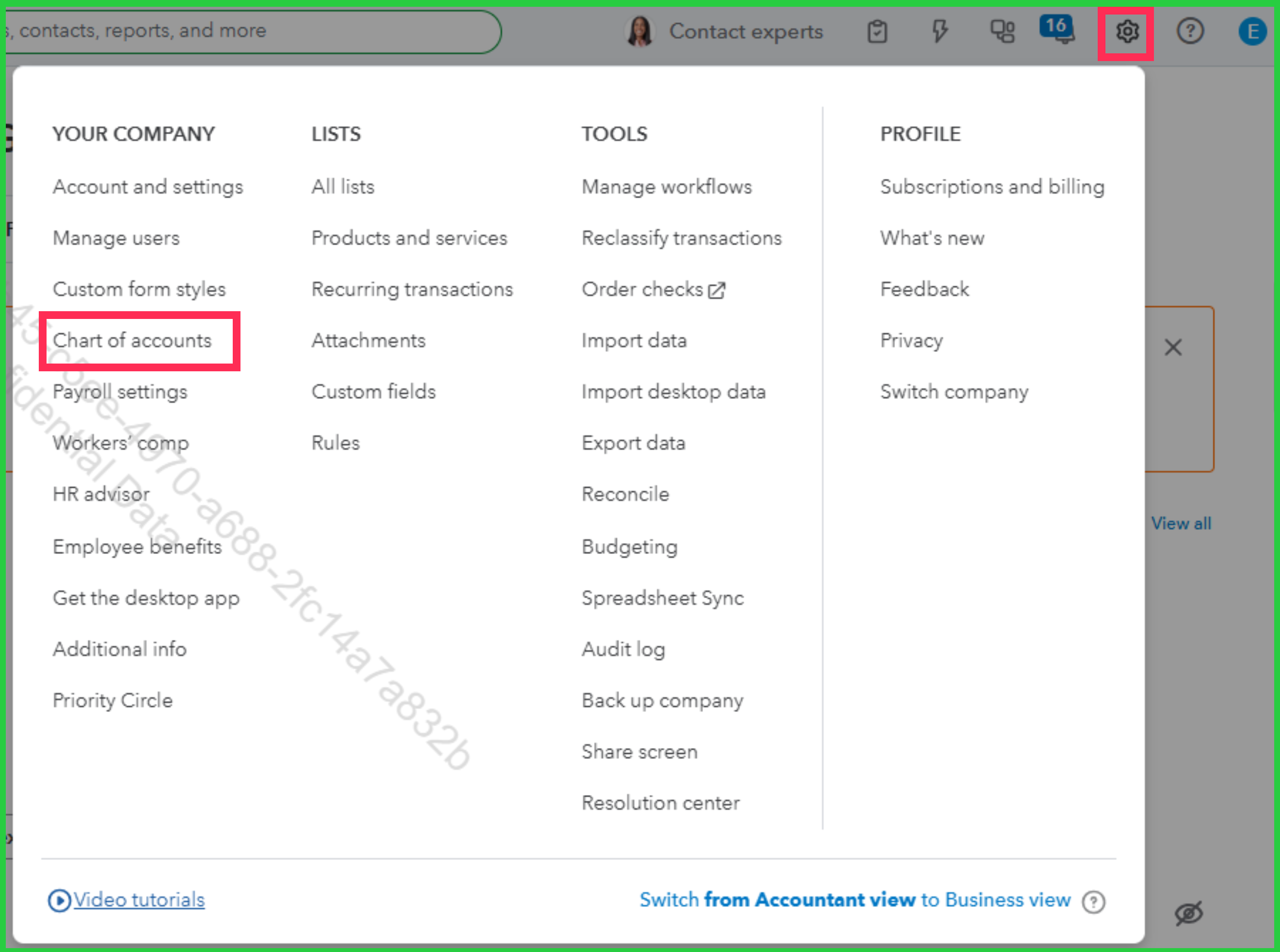
- Go to the Gear icon, and select Chart of Accounts.
- Click the New account option.
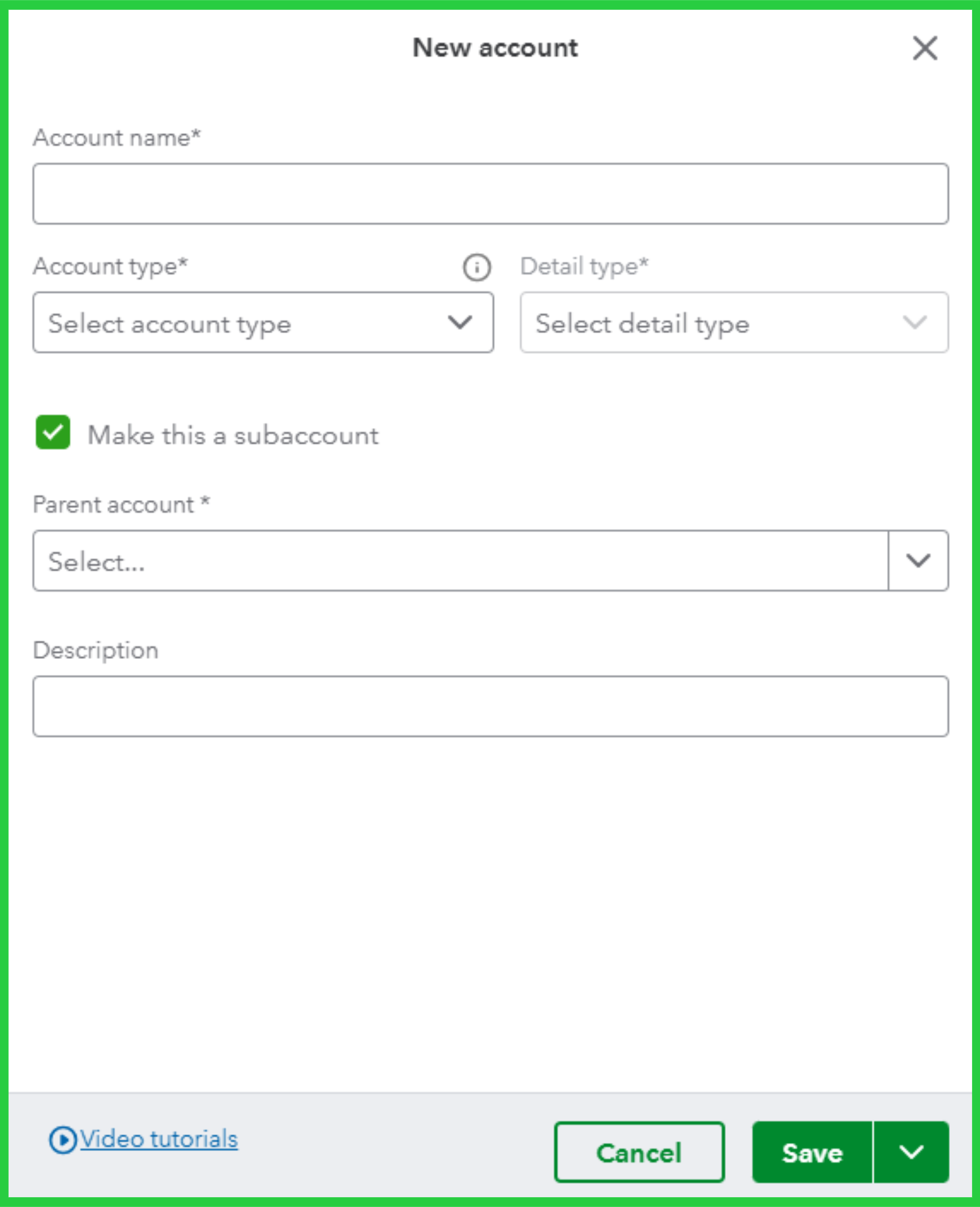
- Fill out the Account name field, then choose the appropriate Account type and Detail type from the dropdown menu.
- Tick the box for Make this a subaccount, and select its corresponding Parent account from the dropdown menu.
- Click Save to finish.
Once completed, you'll be able to view and allocate budget amounts to these sub-accounts under the main service line item when creating budgets.
Feel free to comment below if you have any additional questions or concerns.


