We can unlink the payment from the transaction to keep your invoice marked as unpaid, Bryan. This way, we can prevent any confusion when your customer makes the payment.
Please note that invoices will not be automatically paid or have existing credits applied if the Automatically apply credits feature is disabled.
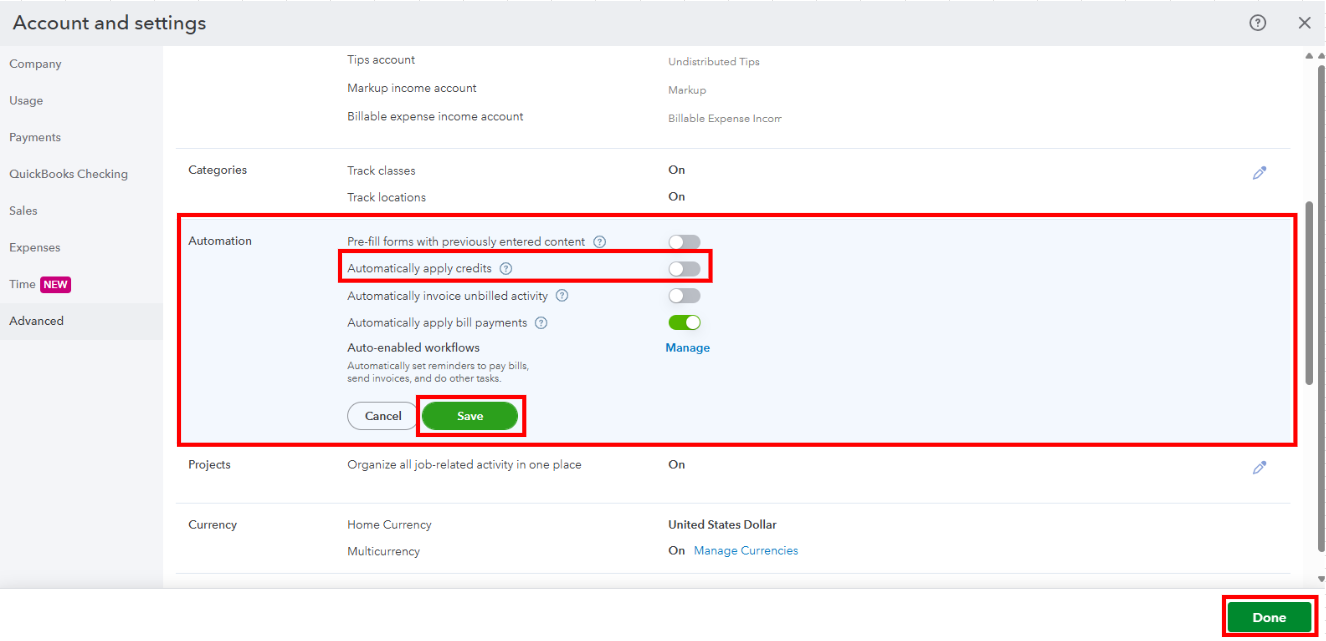
Therefore, we can configure your QuickBooks Online (QBO) account first to prevent this from happening again. Here's how:
- Go to the Account and Settings and select the Advanced tab.
- In the Automation section, toggle off the Automatically apply credits option.
- Click Save and Done to finish.
Once done, follow these steps to unlink the payment from your invoice:
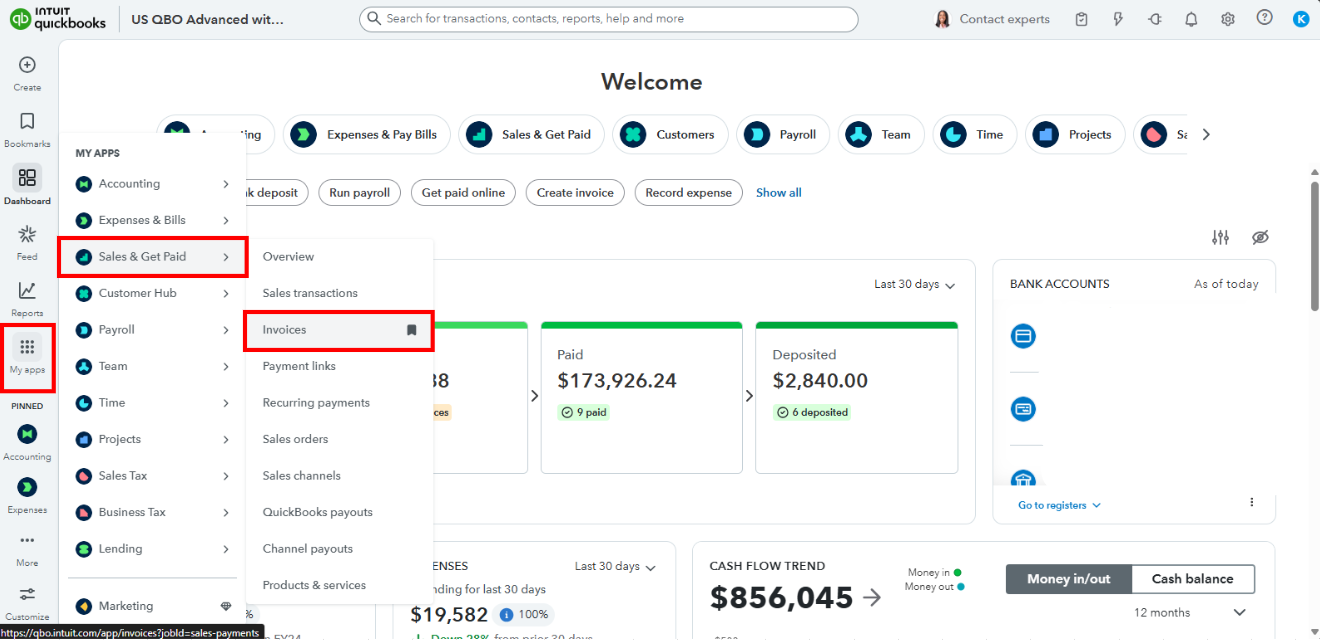
- From the sidebar menu, go to My Apps.
- Select Sales & Get Paid, then click on Invoices.
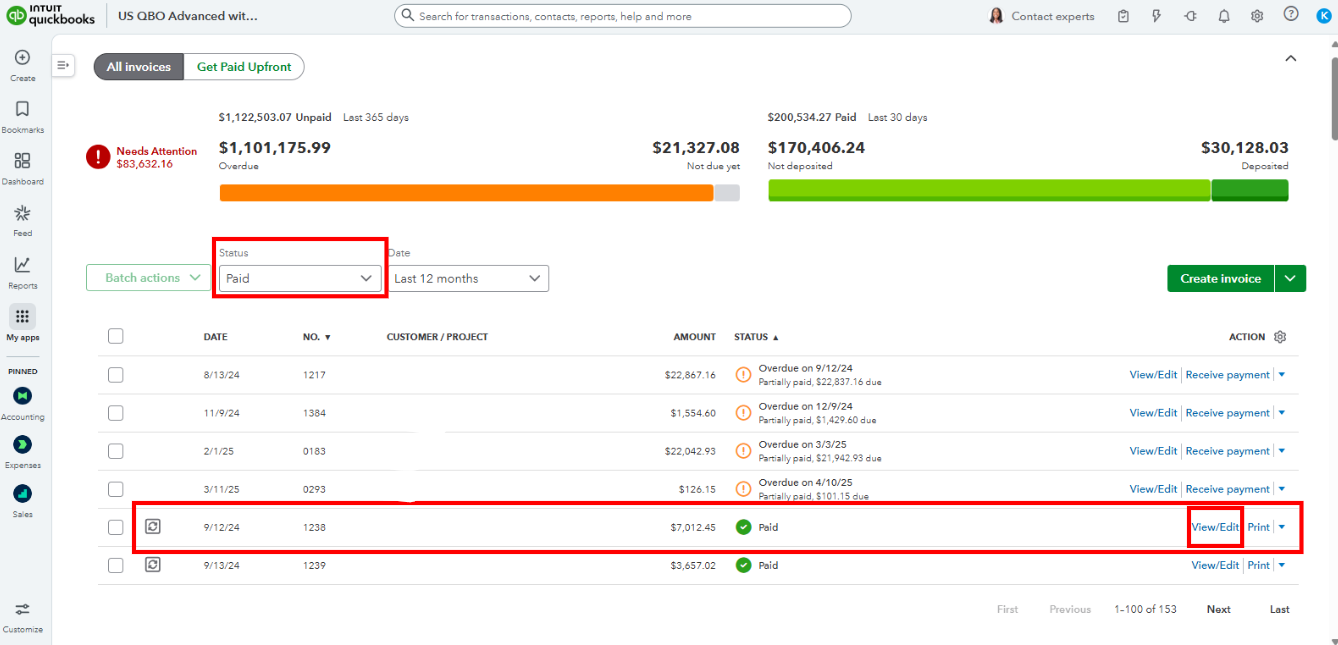
- Filter the Status to Paid and locate the transaction.
- Click View/Edit under the Action column.
- In the upper corner, click the Receive Payment button.
- In the Receive Payment window, please scroll to the bottom and click Clear Payment to unlink them.
- Click Record and Close to finish.
Feel free to reply if you require additional help managing your sales transactions. I'm just a post away to assist you.


