SALE EXTENDED 70% OFF QuickBooks for 3 months*   Ends 12/8

Buy now
cancel
Showing results for 
Search instead for 
Did you mean: 
Announcements
Simplify payday and set payroll to run automatically on QuickBooks. Explore QuickBooks Payroll
blfranko-acctg
Level 1

How do I generate a report without cents? When I use "Classic View", the screen freezes.

 
2 Comments 2
RhoiceW
QuickBooks Team

How do I generate a report without cents? When I use "Classic View", the screen freezes.

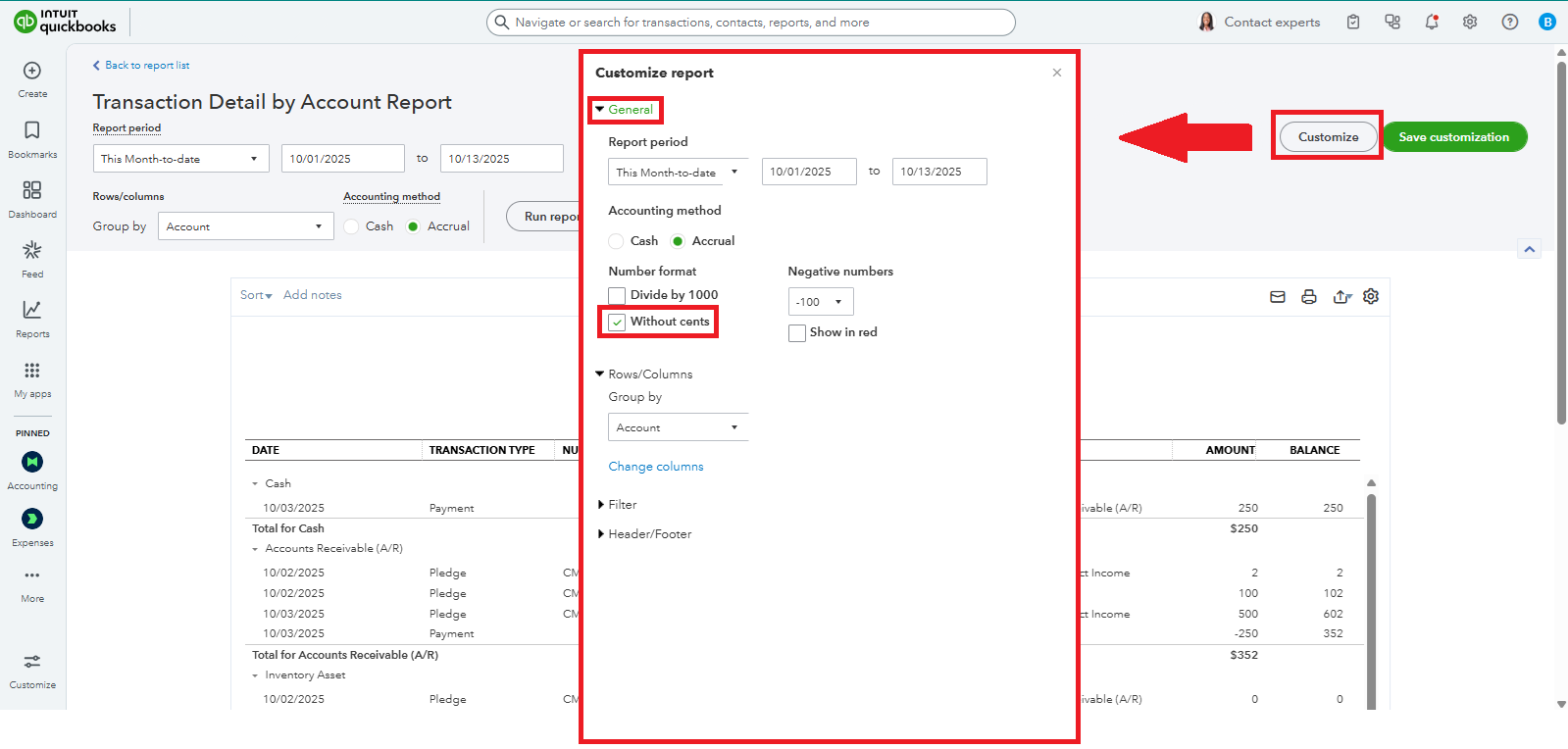
You can customize your report and enable the Without cents feature to round off the amounts to the nearest whole number, blfranko.


First, let's address the freezing issue. We can start by refreshing your browser by clearing its cache. This is often the reason for screen freezes when using the Classic View interface.


Once that's done, you can proceed with customizing your report. Here's how:


  1. Open a report and switch to Classic View.
  2. Click Customize in the top right corner of the page.
  3. In the General section, mark the check box for Without cents.
  4. Click Run report.


If there's anything else you'd like to be assisted with, don't hesitate to reply to this thread. We're here to help.

ShyMae
QuickBooks Team

How do I generate a report without cents? When I use "Classic View", the screen freezes.

Hi Blfranko,

I just wanted to follow up to check if the resolution we provided helped resolve your issue.

Please let us know if everything is now working as expected or if you’re still experiencing any issues.

We’ll be glad to assist further if needed.  

Need QuickBooks guidance?
Log in to access expert advice and community support instantly.

Need to get in touch?

Contact us