A vendor transaction will post into a different AP account depending on how you recorded it, Mike. If you write it as a bill or expense entry and assign a category, you can simply go to the original transaction and edit it.
Keep in mind that QuickBooks Online (QBO) has a default AP account, which supposedly all your vendor transactions will fall into. To make sure that we can edit the transactions that were posted incorrectly, we can pull up the Transaction List by Vendor report.
Here's how:
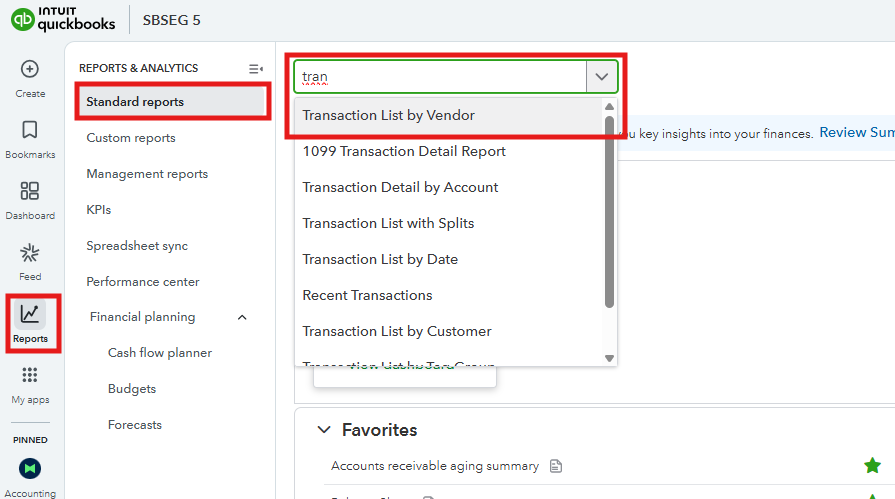
- Go to Reports.
- Choose Standard Reports. In the search field, enter the report title and click it once it shows in the list.
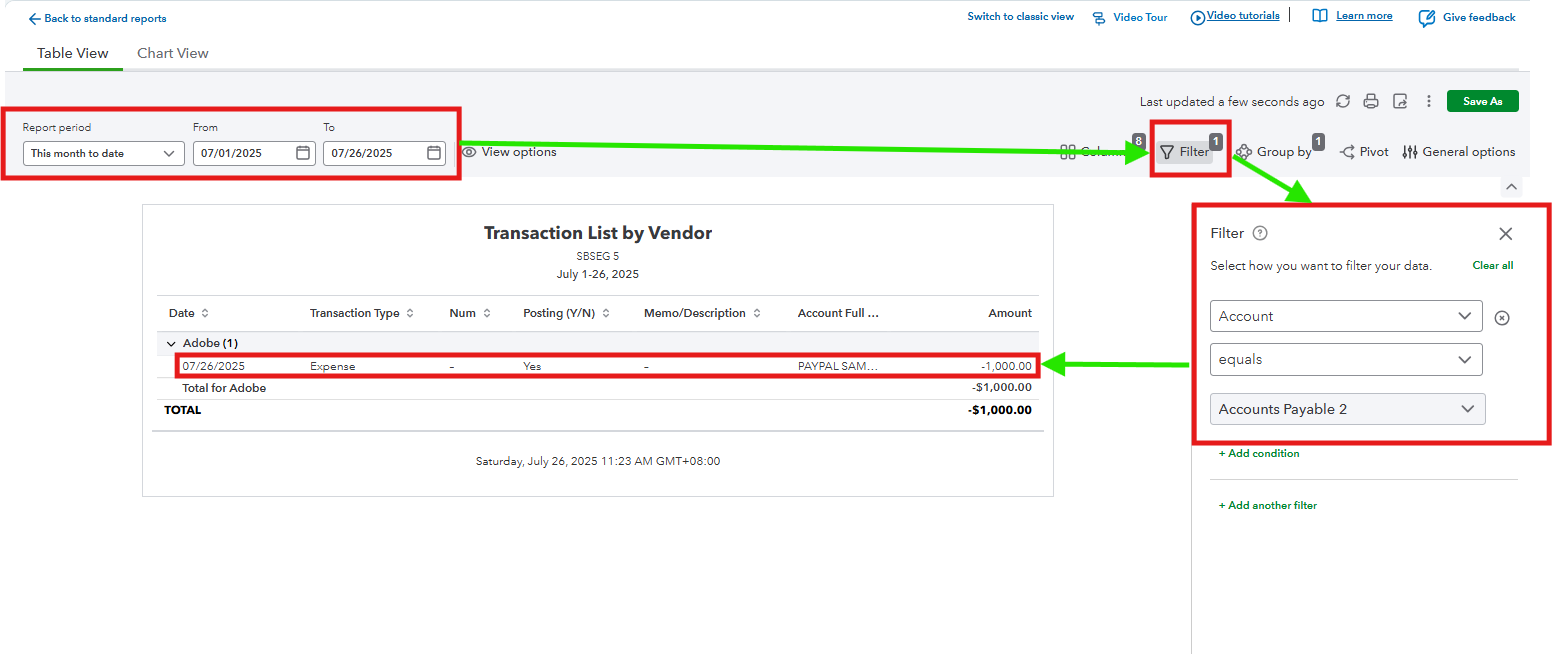
- Edit the Report period in which the transaction falls.
- Move to the Filter tab, and three boxes will show. In the first one, choose Account, second equals, and the last is the AP account where the vendor transaction was posted incorrectly.
- A transaction list will show on the report. Find the entry you want to change the account for by tapping it using your mouse cursor to route you to the original transaction.
- In the Category Details section, edit it to the accurate AP account.
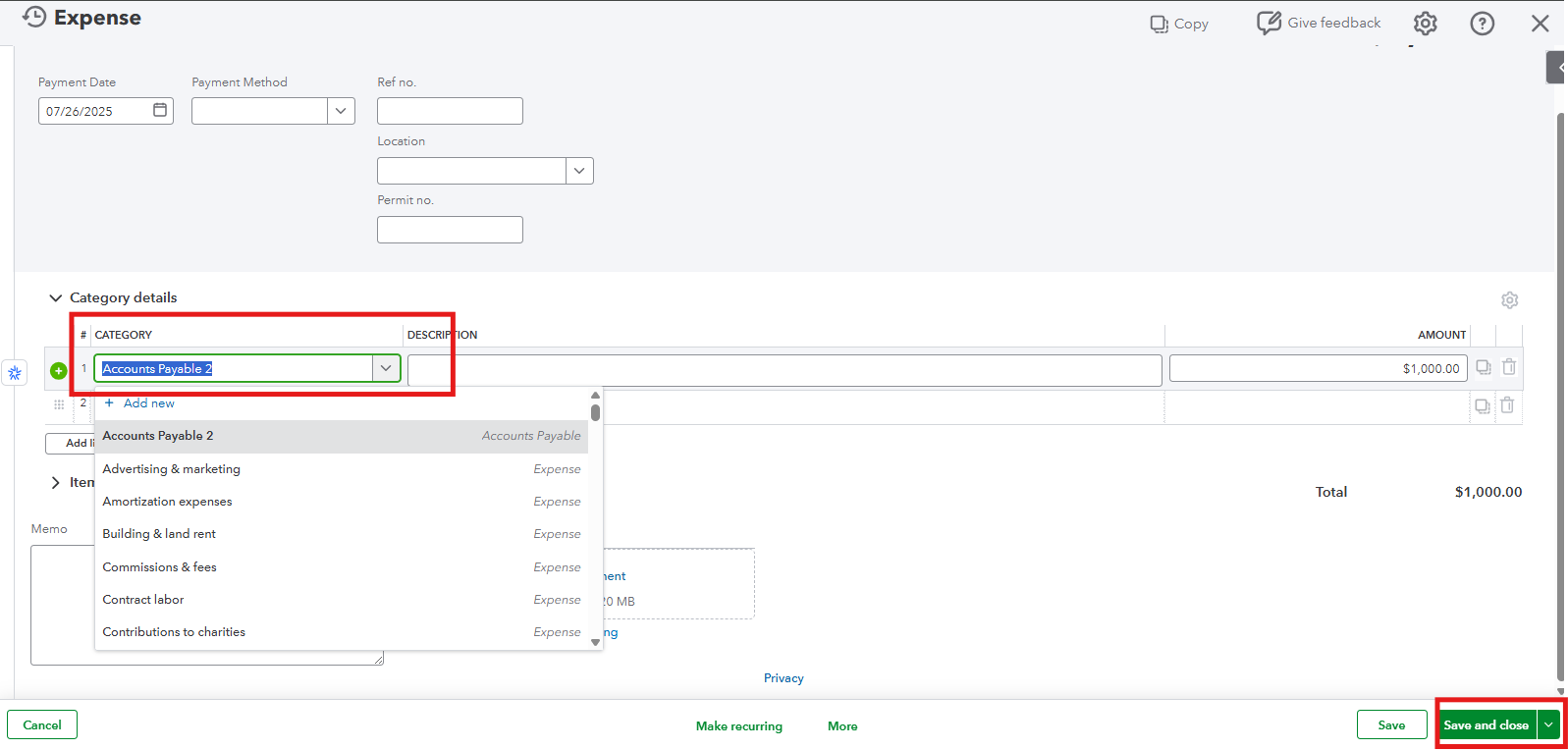
- Once done, Save and Close it.
If you recorded it as a journal entry, you can go to the posting account, click the transaction, and you will be directed to the original entry. Change the AP account, then Save and Close.
If your situation is not in the scenario I shared, feel free to return here by leaving a reply.


