You'll only have to invite the primary admin of that accounting firm, Virginiah1. Once accepted, the other accountants of that firm will also have access to your QuickBooks Online (QBO) Company.
Here's how:
- Log in to your QBO as an admin.
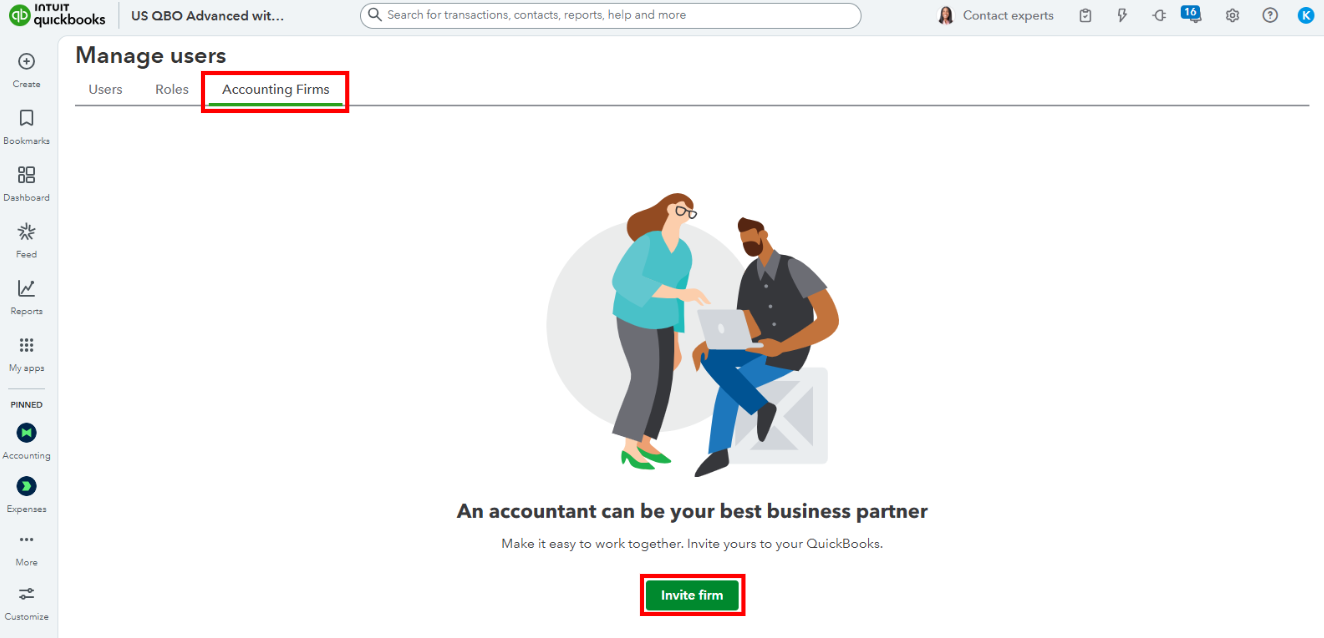
- Go to the Gear icon and select Manage users.
- Navigate to the Accountants or Accounting firms tab.
- Select Invite or Invite firm.
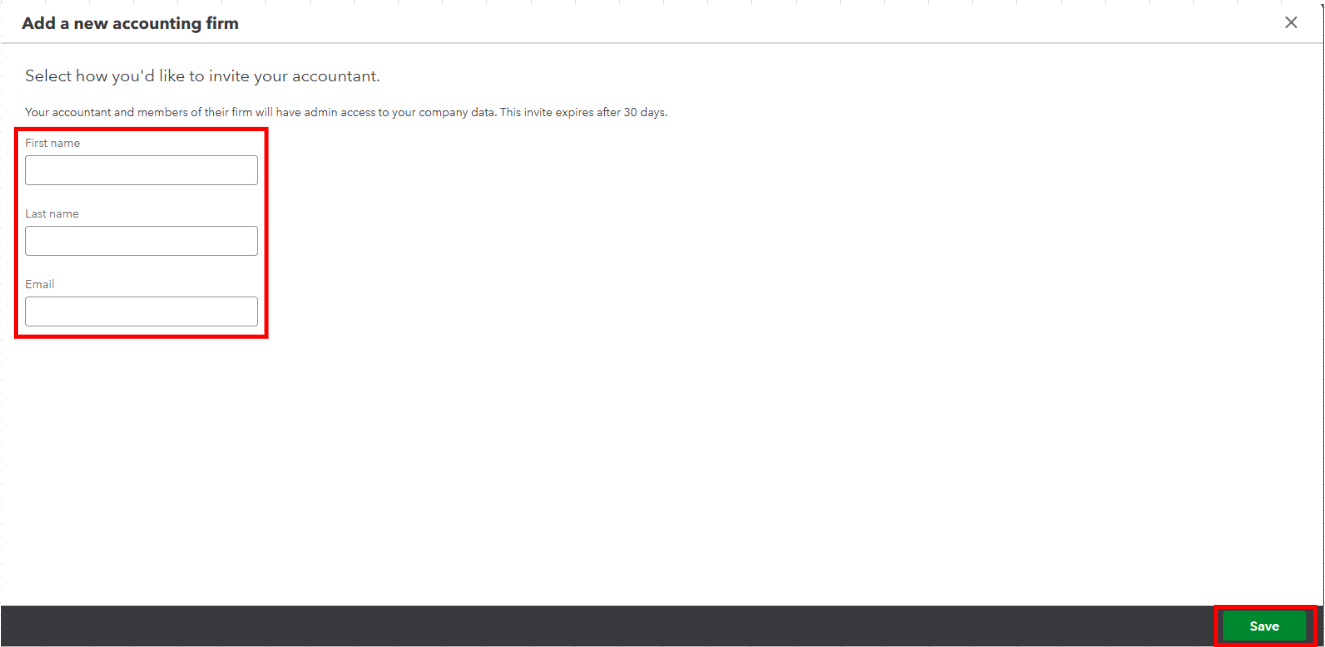
- Enter your accountant's First Name, Last Name, and Email.
- Click Save to finish.
Once they've accepted it, you can share this article with them to help grant access to other users in their accounting firm for managing your company.
Let me know if you need additional help managing users in your company. The Community always has your back.


