Turn on suggestions
Auto-suggest helps you quickly narrow down your search results by suggesting possible matches as you type.
Showing results for
Get 50% OFF QuickBooks for 3 months*
Buy nowI use "??" in the Memo section for any questions I may have for my clients, but now in QB Online, when I search for ? or ??, nothing comes up.
We want to ensure we're providing the information you need to navigate through this in QuickBooks Online (QBO), @tami24.
Before anything else, we'd like to know if you're referring to customer transactions or information regarding your client's details. If so, you can visit their profile to gather the data needed. Here's how:
For visual reference, see the image below.
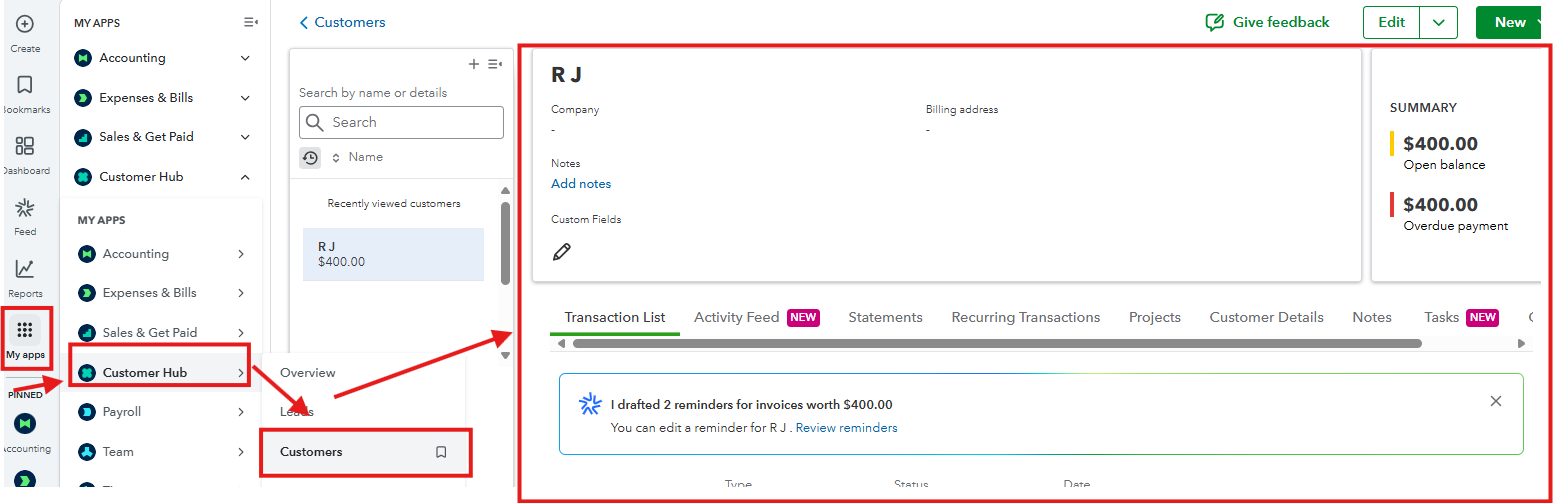
If you mean reaching out to your customers directly through QuickBooks for other inquiries, that feature isn’t available. You’ll need to contact them outside the software.
In case you’re referring to something else, please share more details in the comment section. This will help us respond quickly and give you the information needed to address your concern.
What I am referring to is, say, I enter a check or expense but I want to confirm with my client that I'm assigning it to the correct customer. In QB Desktop, I would put "??" in the Memo field of the check and do a search for "??" later, which would pull up all transactions that I needed clarification on. Now, in QB Online, if I put "?" or "??" in the Memo filter when I "search transaction" and add "?" or "??," it will not show up. Why?
I appreciate you taking the time to clarify your concern, Tami.
To locate your check or expense successfully, we can use a descriptive text-based marker such as CheckSample or ExpenseSample, or any words instead of special characters like "??".
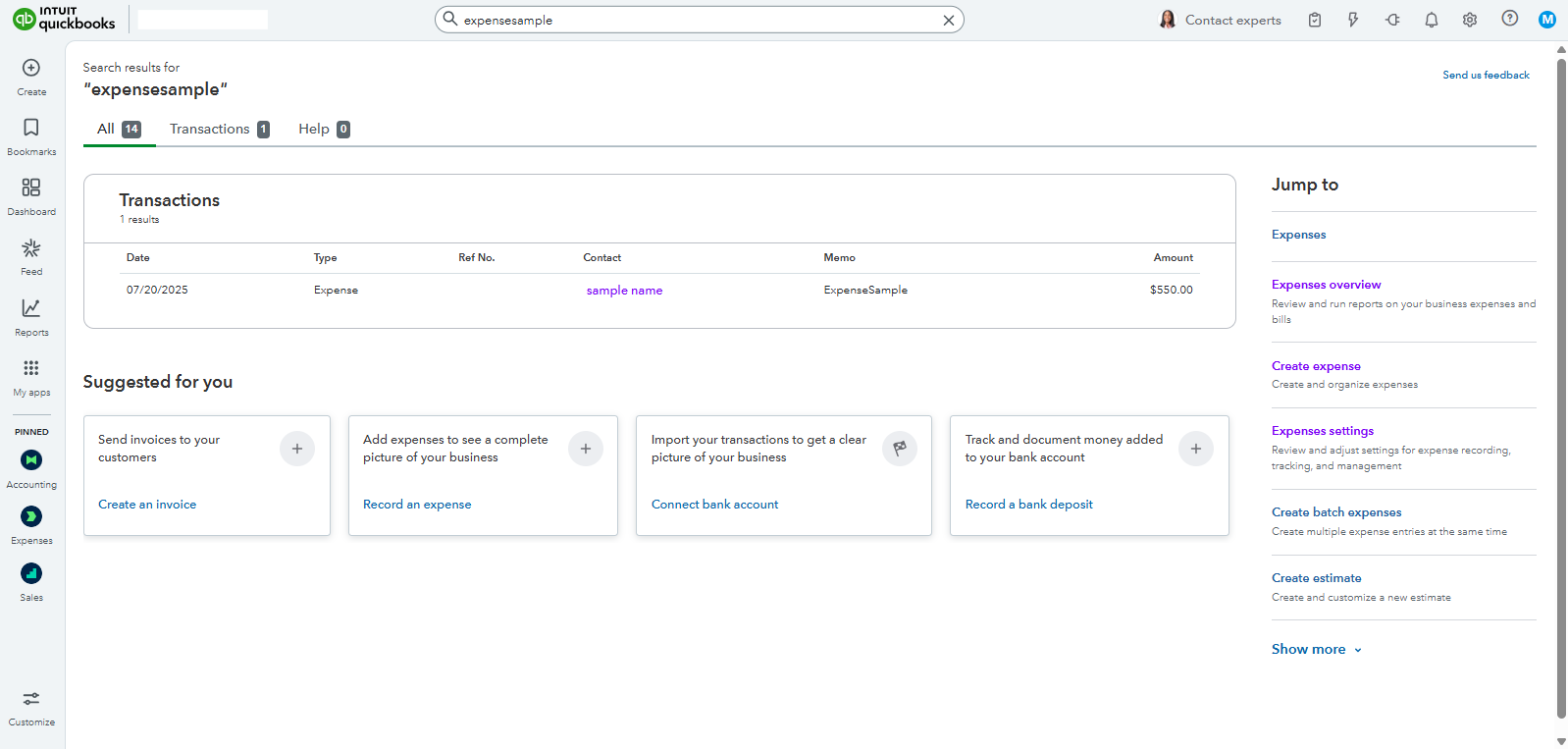
Adding this marker during the process will make searches more reliable.
In addition, you can efficiently track vendor payments within a specific date range by reviewing this article: Run a report with vendor totals.
For further questions or concerns, please don't hesitate to let me know in the comments below. I'm here to help.
@MoiraskyeT RE: To locate your check or expense successfully, we can use a descriptive text-based marker such as CheckSample or ExpenseSample, or any words instead of special characters like "??".
1) That is not an answer to the question.
2) Question marks are not special characters. They are standard punctuation.
It seems you did not read the question. Here it is again for your enjoyment:
In QB Online, if I put "?" or "??" in the Memo filter when I "search transaction" and add "?" or "??," it will not show up. Why?
The question is why? Why does QuickBooks Online not work properly.
The problem is that when I switched from QB Desktop to QB Online, this was not specified to me, so I now have to go to each transaction to see if it has a "?" in it and change it to a word if I want to keep track of questions. I reported this issue before and was told it would be something Intuit would look into and "fix" -- hasn't happened yet. Thank you for your prompt attention to this matter.



You have clicked a link to a site outside of the QuickBooks or ProFile Communities. By clicking "Continue", you will leave the community and be taken to that site instead.
For more information visit our Security Center or to report suspicious websites you can contact us here


