Thank you for joining us here in the Community, edv1. The feature to flag duplicate bills is such a great idea to avoid overpayments. While this is unavailable, let's explore some workarounds below.
To identify duplicate bills that have been entered in QuickBooks Online, you can run the Unpaid Bills report. Here's how:
- Hover your cursor over Reports in the left menu.
- Select the Standard tab and use the search field to locate and open the Unpaid Bills report.
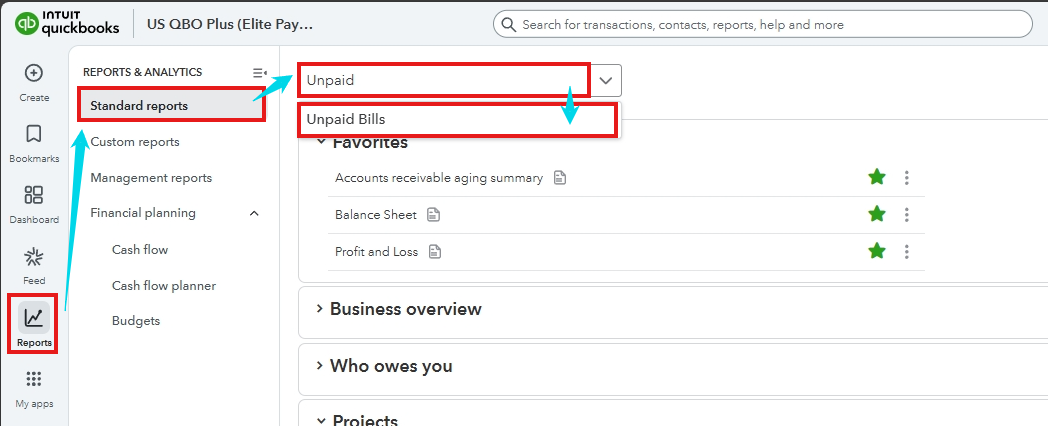
- Once launched, specify the appropriate report period and review the information carefully.
- If you found a duplicate, click the transaction to open and delete it.
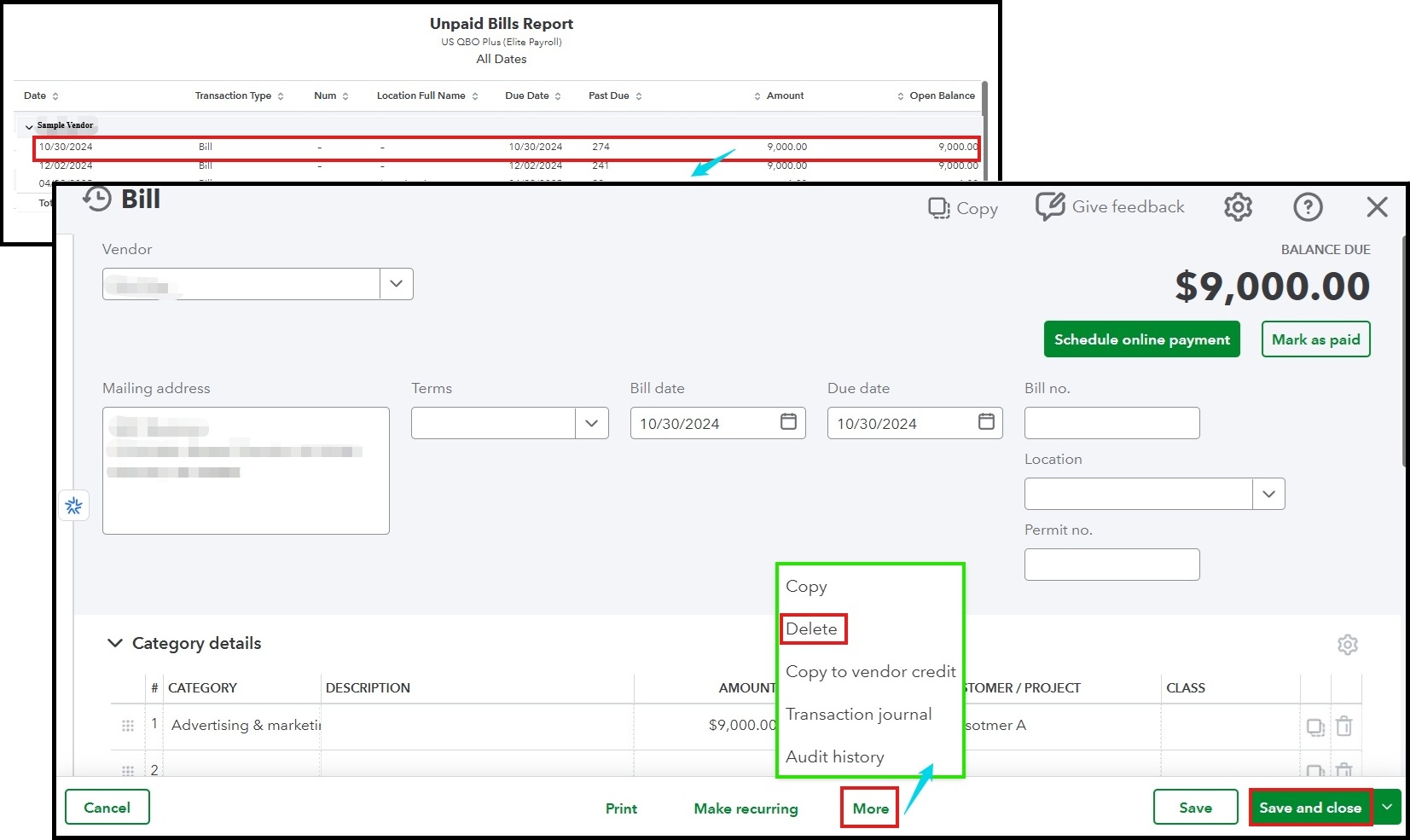
To avoid entering duplicate bills in the future, you can use a transaction number and enable the Warn me if I enter a bill number that’s already been used for that vendor option. This helps you keep track of your payables and maintain an accurate record.
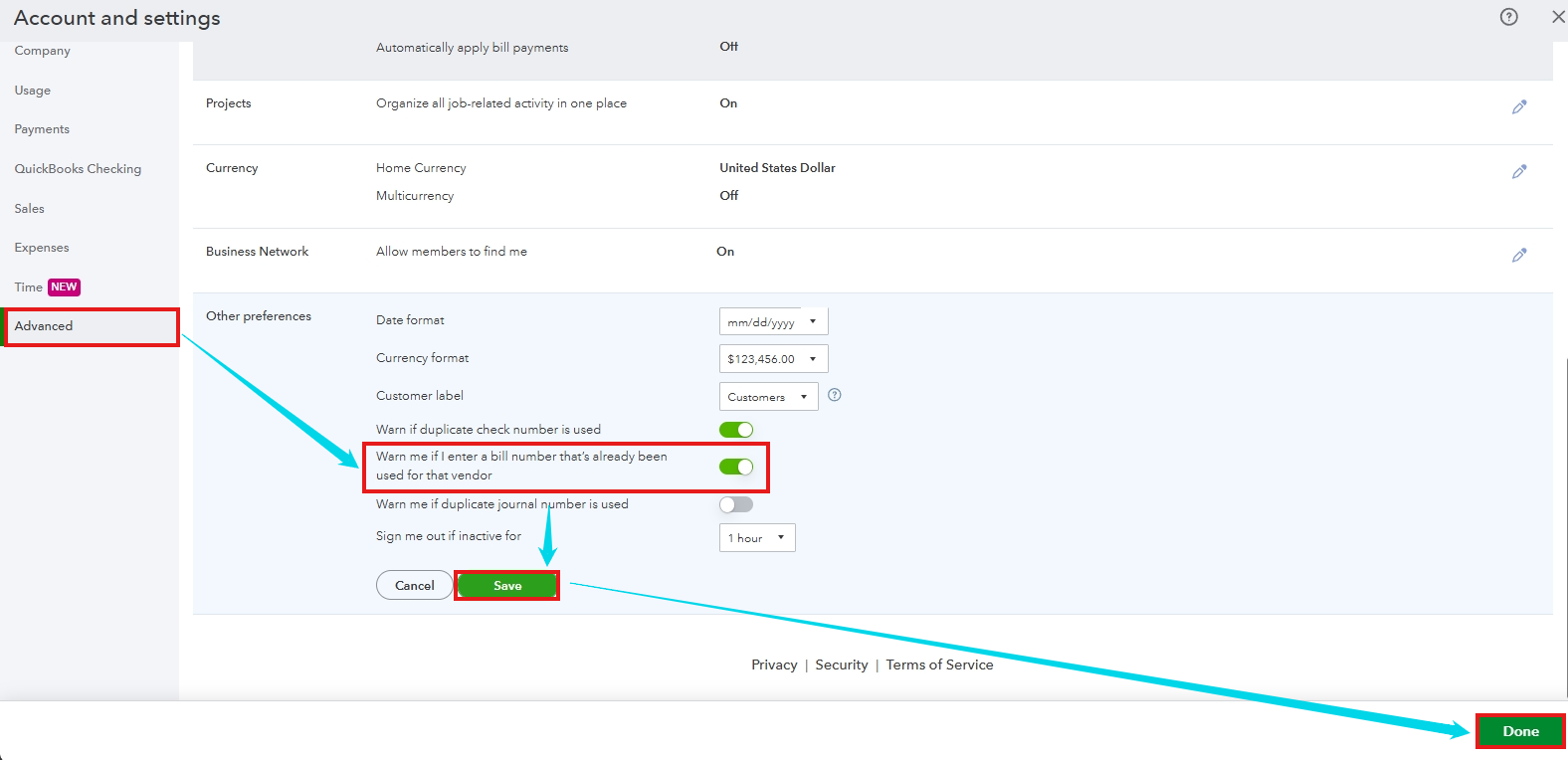
Here's how to enable the warning:
- Click the Gear icon, then the Account and settings.
- Proceed to the Advanced tab and hit the Pencil icon in the Other preferences section.
- Toggle on the Warn me if I enter a bill number that’s already been used for that vendor option.
- Select Save, then Done.
I hope the steps above help you catch any duplicate entries and save you from paying the same bill twice. Feel free to pop back into this thread if you have more questions or need help with anything QBO-related—we’re always here to help! Have a great day.



