Turn on suggestions
Auto-suggest helps you quickly narrow down your search results by suggesting possible matches as you type.
Showing results for
SALE EXTENDED 70% OFF QuickBooks for 3 months* Ends 12/8
Buy nowIt's good to have you here, @info2288.
Before anything else, I'd like to know how you track the cost rate of your project. This way, we will be able to determine why the cost rate isn't showing up and being calculated.
This issue occurs when you enter the cost of your project as a Billable rate instead of a Cost rate in the Time entry section, resulting in the unavailability of the calculation of your labor expense.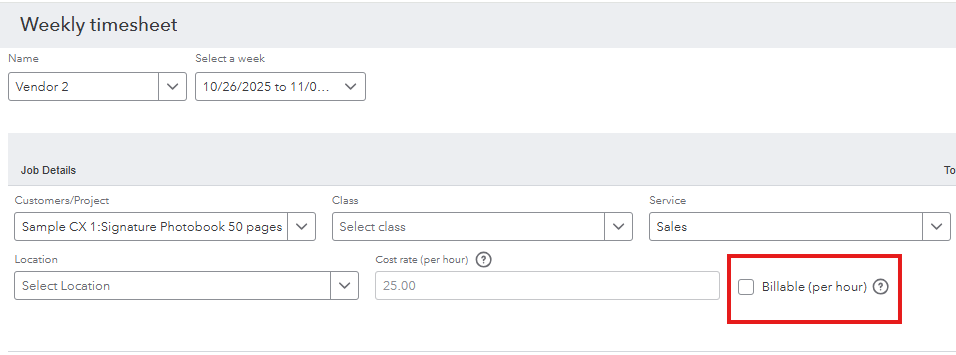
To avoid this from happening in the future, you can leave the Billable rate unchecked and manually add a cost rate to your workers assigned for that project, whether you add them as an employee, vendor, or contractor. You can achieve this by visiting each of their profiles. Here's how:
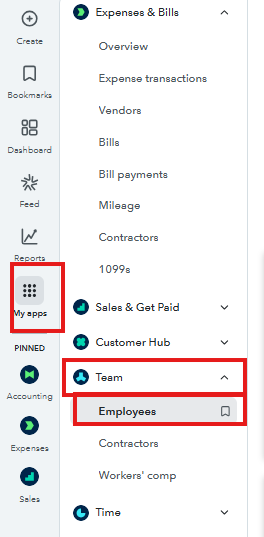
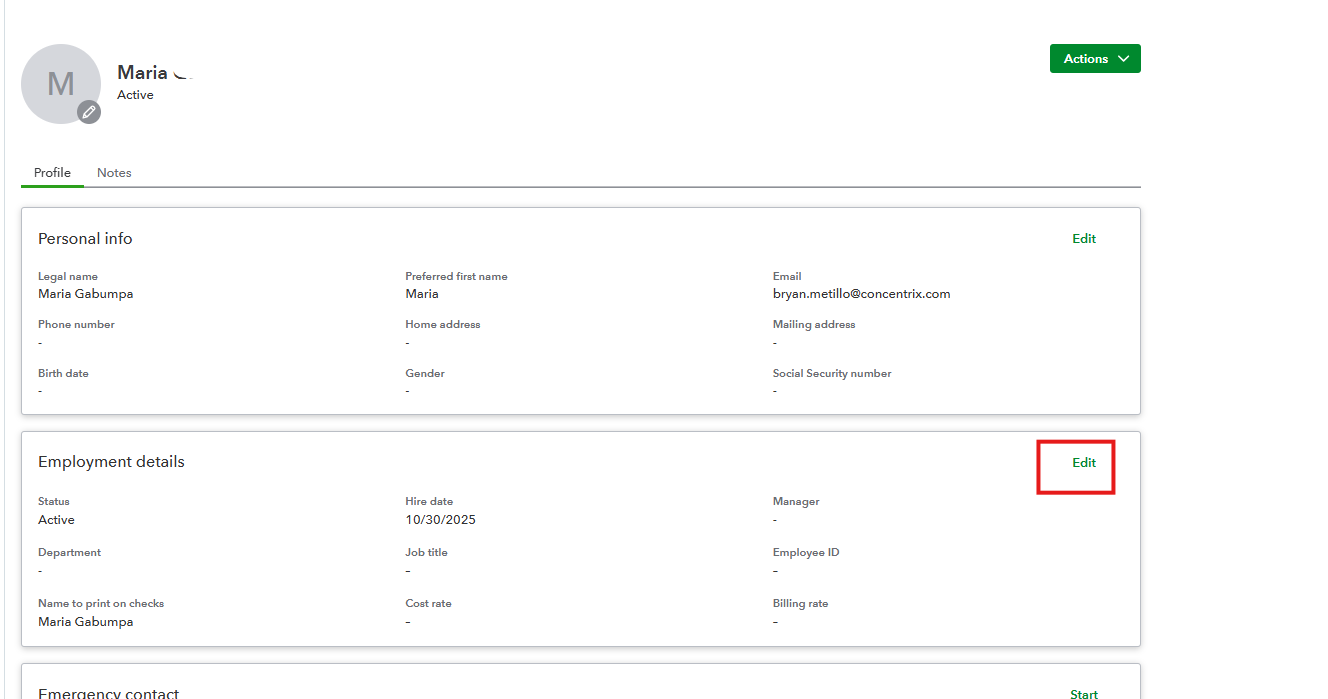
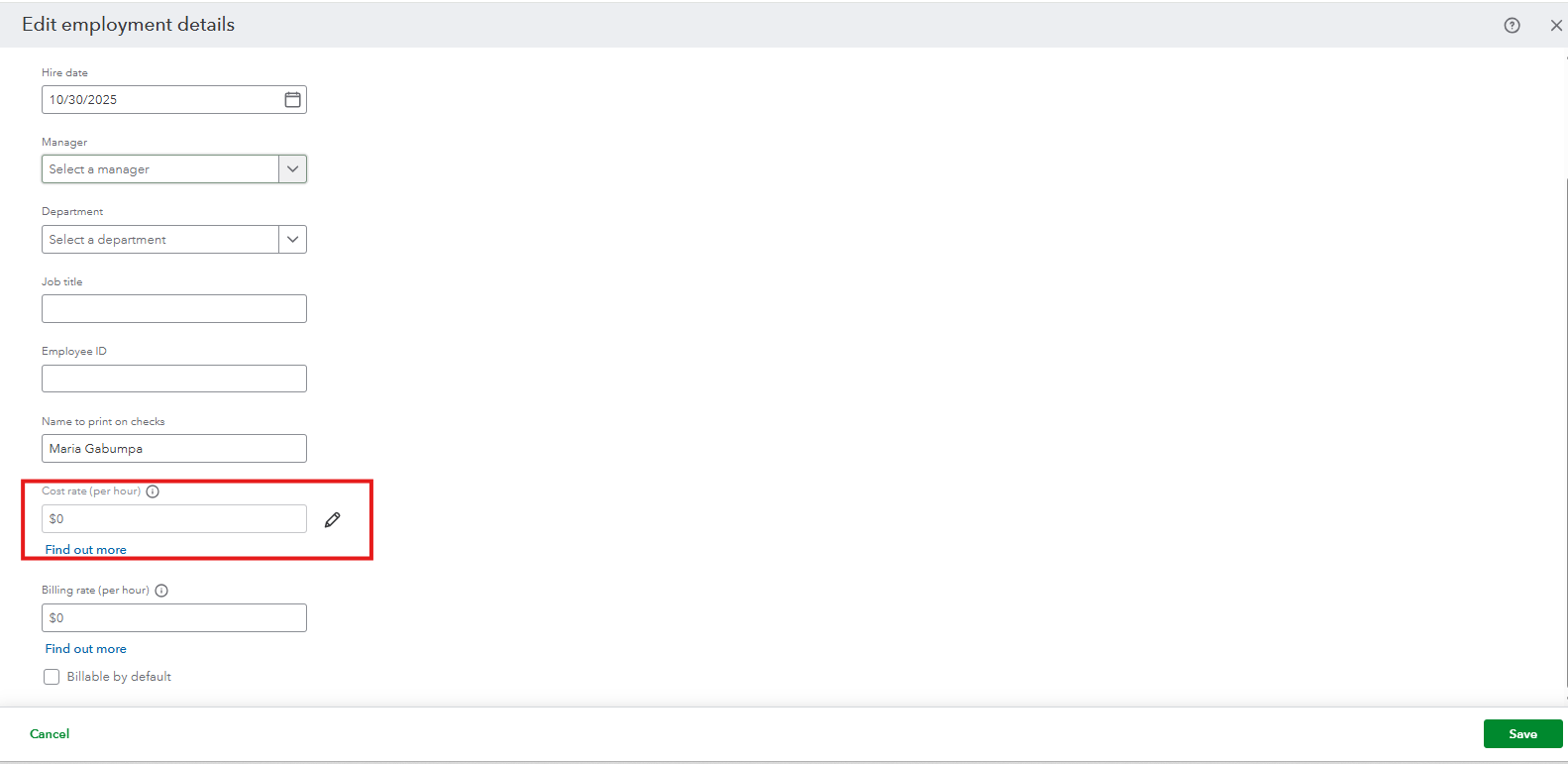
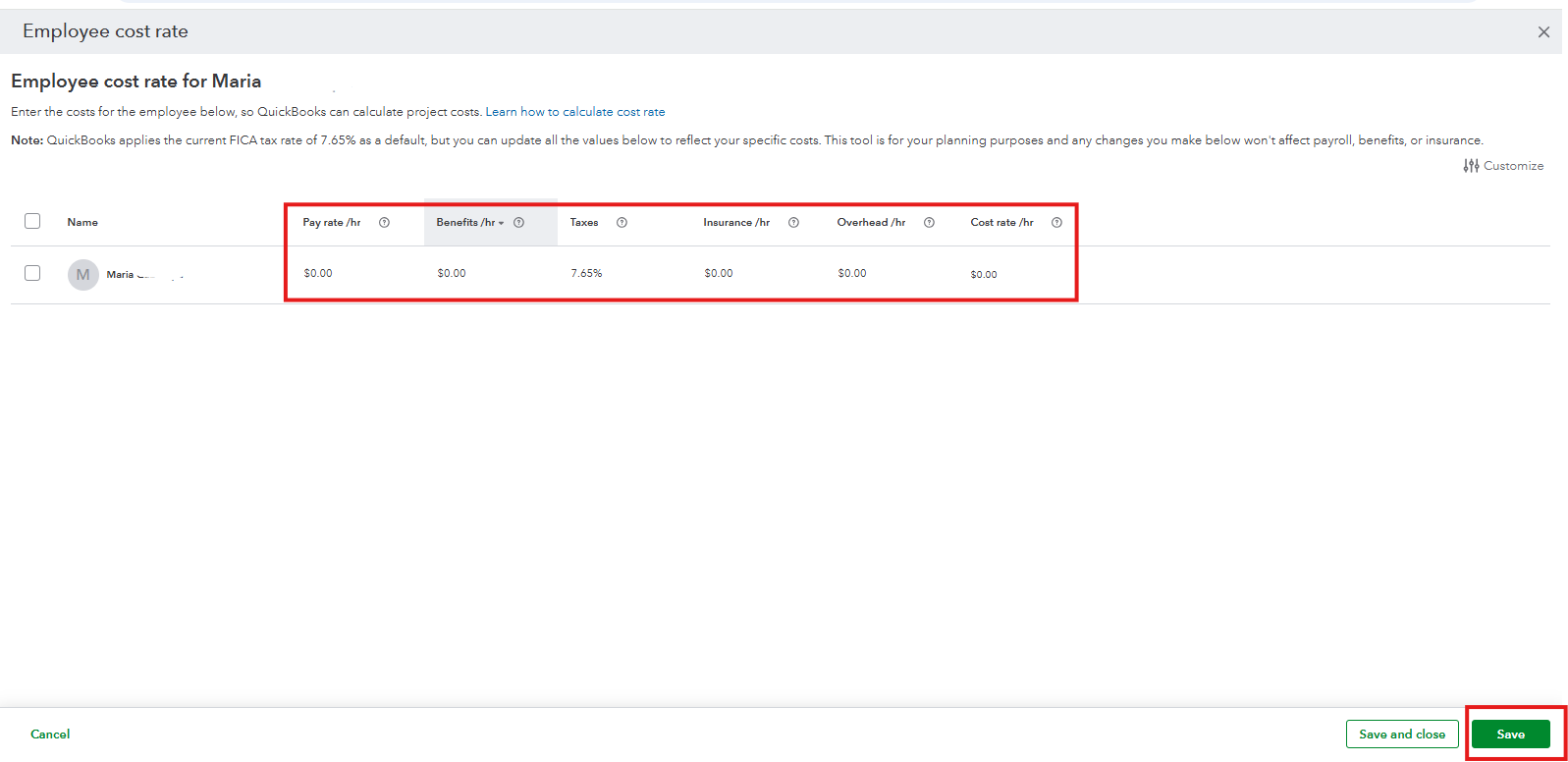
If you added them as vendors, you can visit the Expenses & Bills tab and locate your worker and edit their profile. The Cost rate option is located below. Then, don't forget to save it.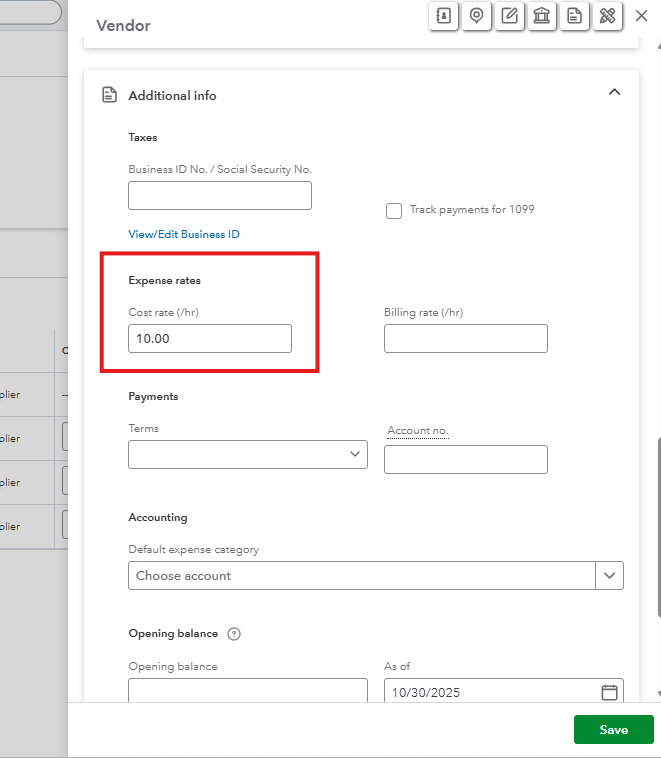
With regard to your previous transactions where the costs weren't calculated, you will need to delete and recreate them. Just make sure to save the amount you enter and the date, and leave the Billable Rate box unchecked.
Feel free to reply if you need additional assistance.
Hi, @info2288.
I just wanted to follow up to check if the resolution we provided helped resolve your issue.
Please let us know if everything is now working as expected or if you're still experiencing any problems. We'll be glad to assist further if needed.


You have clicked a link to a site outside of the QuickBooks or ProFile Communities. By clicking "Continue", you will leave the community and be taken to that site instead.
For more information visit our Security Center or to report suspicious websites you can contact us here


