Turn on suggestions
Auto-suggest helps you quickly narrow down your search results by suggesting possible matches as you type.
Showing results for
I have an invoice from one of our vendors.... they gave us the item as a donation. How do I record this invoice?

I can help you record donations in QuickBooks Desktop (QBDT), mrsstoll.
Let's set up an income and clearing account for charitable contributions. Then, create a product or service item for the donations. I'll guide you on how to do it.
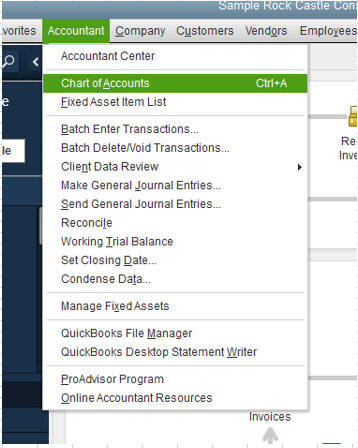
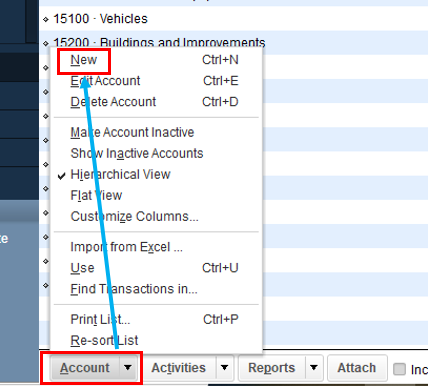
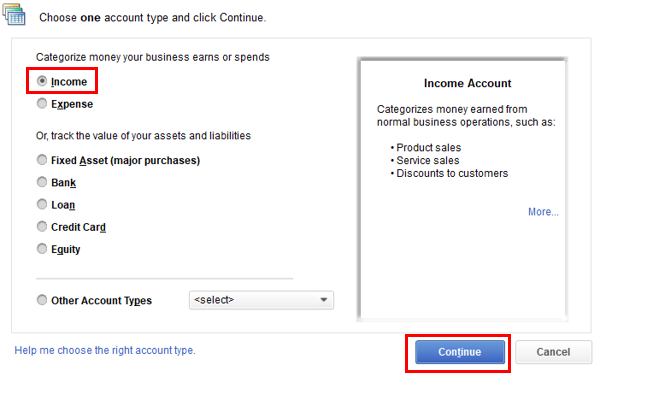
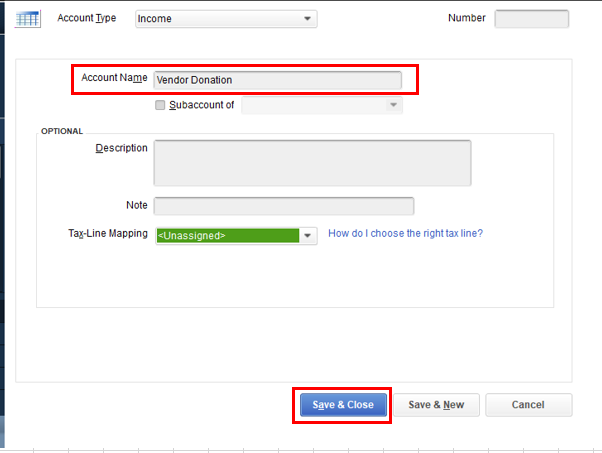
After that, create a clearing account. You can use it to move the money from one account to another when you can't move it directly.
Here's how:
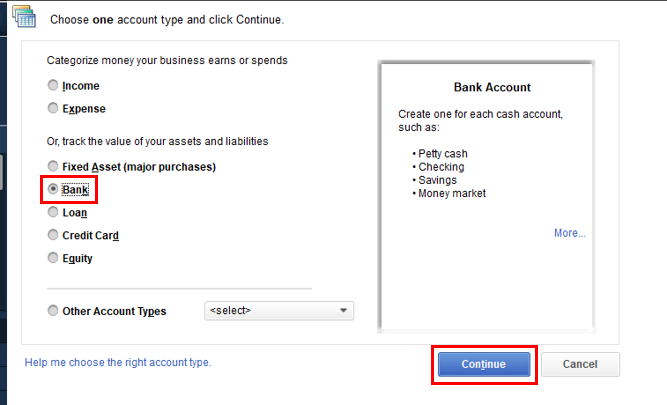
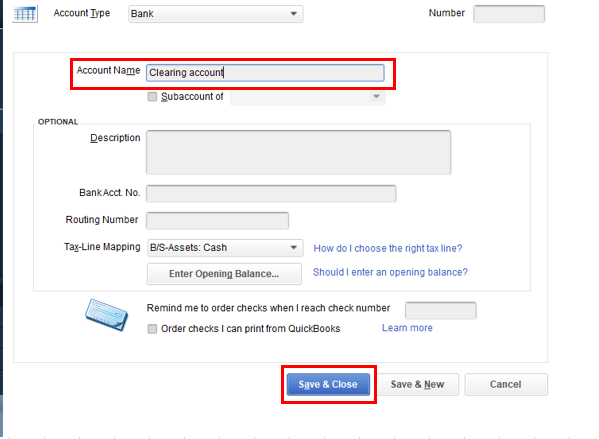
Next, set up the product/service item for the donation.
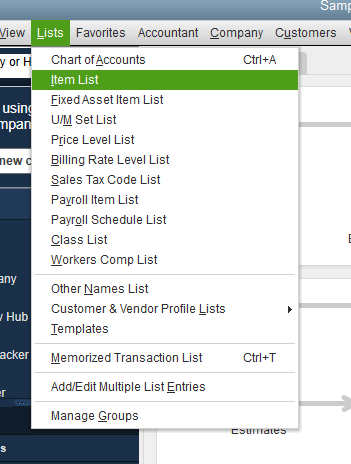
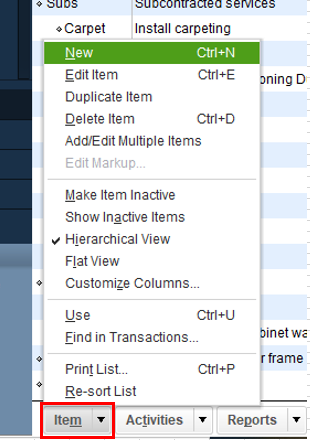
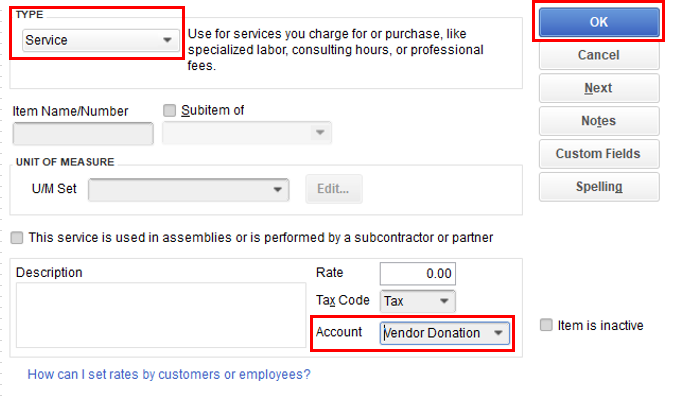
After completing the previous steps, we can proceed to document the donation by entering a sales receipt and generating a bill. Finally, we will mark the account as cleared.
To make a sales receipt:


To enter a bill:


To mark the bill cleared:


I've also suggested seeking guidance from your accountant. They can guide you through the steps and choose the right account to use.
Let me know if you have other questions about entering donations in QuickBooks. I'm always willing to help. Take care.
Just so I understand, your vendor donated an item to your business free of charge but still sent you a bill? If I understand that correctly, it depends on what you're going to do with the item. Are you going to donate it? Sell it? If you're going to donate it, there's nothing you need to record.
If you're going to sell it (and you use QBD to manage inventory), receive the item on a bill at $0.00. If you don't use QBD to manage inventory, add it to your inventory asset account and a corresponding amount to income using a journal entry - debit inventory asset, credit income for the wholesale amount of the item.


You have clicked a link to a site outside of the QuickBooks or ProFile Communities. By clicking "Continue", you will leave the community and be taken to that site instead.
For more information visit our Security Center or to report suspicious websites you can contact us here


