Hello there, @DBETHEA.
Let's send feedback or product recommendations to help improve the features and your experience using QuickBooks Desktop (QBDT).
Yes, you're correct that you'll have to set up a Subtotal item to display the subtotal amount of the items in your sales transactions, like invoices.
I can see how the benefit of being able to show the Subtotal on the packing list, sales order, or invoice's default screens would aid you in managing your income transactions with QBDT. With this, I would encourage you to send suggestions or product recommendations. We'll take them as opportunities to improve the various features of our products.
Your valuable feedback will be forwarded and reviewed by our Product Development team and will help improve your experience while using the program. Here's how:
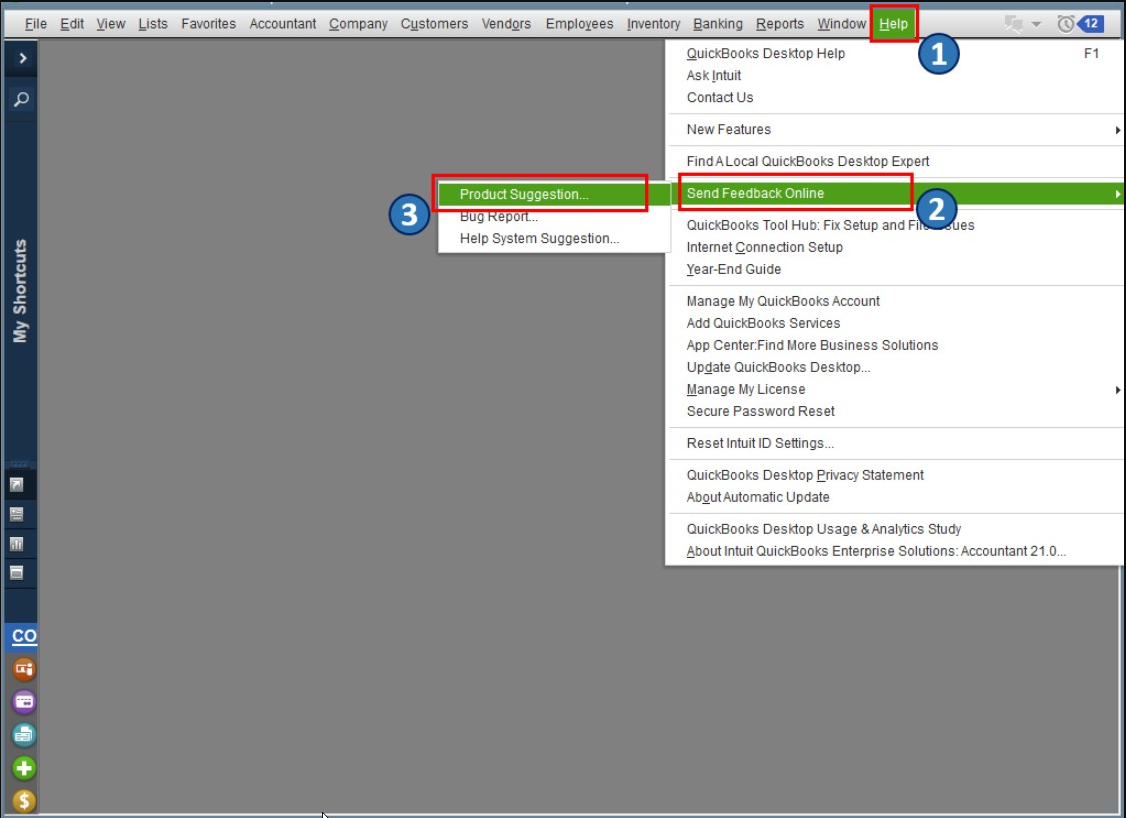
- Go to the Help menu.
- Choose Send Feedback Online.
- Click on Product Suggestion.
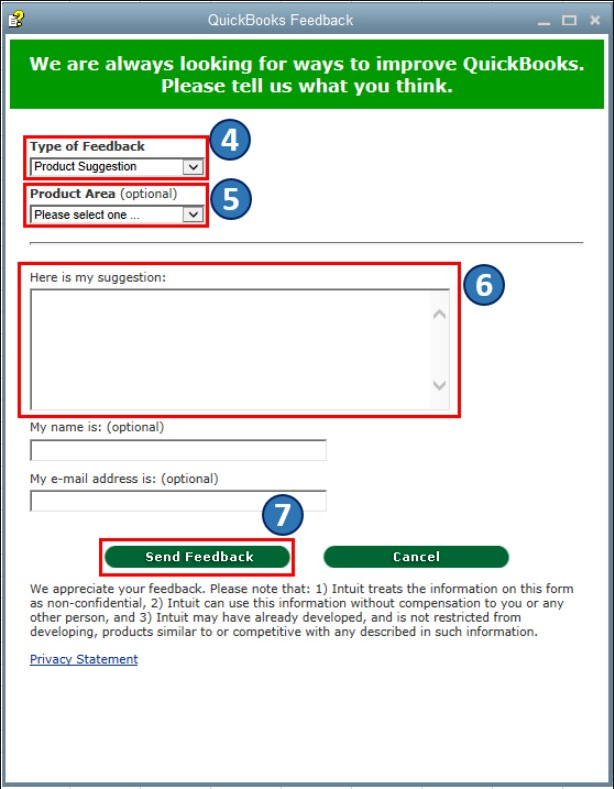
- Click on the drop-down for Type of Feedback and select Product Suggestion.
- Select the Product Area.
- Then enter your thoughts and suggestions.
- Once done, select Send Feedback.
Also, you may want to check out one of our Help pages as your reference to guide you in managing your business's growth and transactions in QBDT: QuickBooks Learn and Support. It includes help articles, Community discussions with other users, and video tutorials, to name a few.
Let me know if you have other feature concerns or questions about managing income and sales transactions in QBDT. I'll gladly help. Take care, and I wish you continued success, @DBETHEA.


