Let me help you fix your estimate issues, DanaBinAZ.
You can select the Modern template under the Design option to see the Review and Approve function. To do so, follow the steps outlined below:
- On the actual estimate, go to Design on the right side.
- Select Modern.
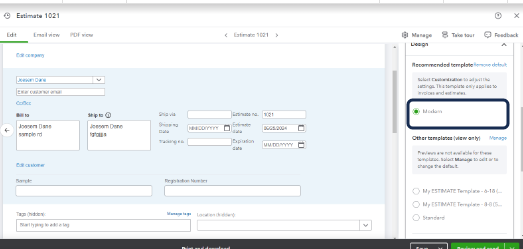
- Click Review and send.
Once done, you'll now see the option on the new layout. I've added this screenshot for reference:
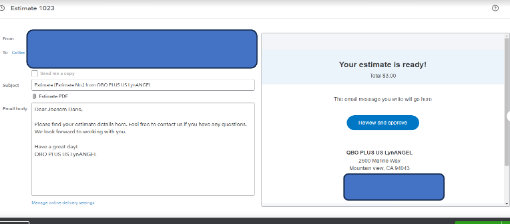
On the other hand, you can select different templates so you can customize the format that you want to send to your client. Here's how:
- Go to the Gear icon, then select Custom form styles.
- Choose the estimate that you want to customize the email to, then click Edit.
- Under Design, click the Change up the template to choose a format
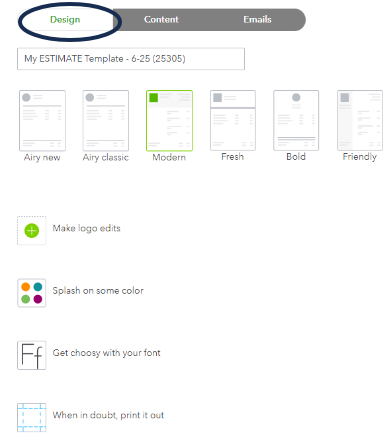
- Click Done.
Furthermore, learn how you can create personalized and professional-looking invoices, estimates, and sales receipts. Please check this article for more information: Customize Invoices, Estimates, and Sales Receipts in QuickBooks Online.
Let us know if you have any other concerns about estimates. We're always right here to cover all your needs.



