Turn on suggestions
Auto-suggest helps you quickly narrow down your search results by suggesting possible matches as you type.
Showing results for
Get 50% OFF QuickBooks for 3 months*
Buy nowI can currently view the Overdue for this year, and last fiscal year in the Insight page. How do I look into the past, beyond last fiscal year if there are any more overdues? Please advise. Thank you!

Hello there, @Erss.
I'm here to help you run an overdue report for the last fiscal years in QuickBooks Desktop.
To do so, let's filter the date of the report. Here's how:
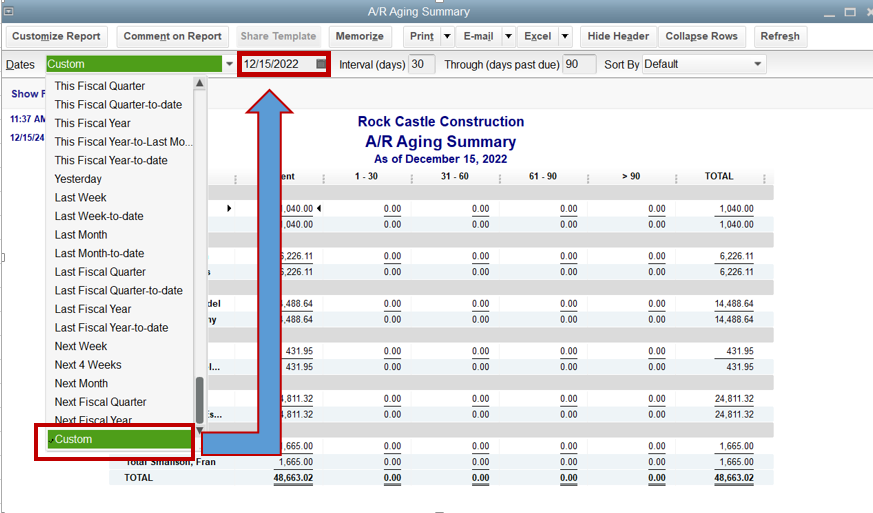
Additionally, feel free to browse through this article to help you personalize your reports with the information that matters the most to you: Customize customer, job, and sales reports in QuickBooks Desktop.
You can always ping me if you need further assistance in pulling up reports in QBDT. Take care and have a great day!
Thank you!
If I need to search past last fiscal year. Let say 5 years ago, in the Custom date we can put 12/22/2017, and how about the intervals?
Hello there, Erss!
I suggest setting the Dates to All so you will really see all past-due invoices.
You can have a 30, 60, or 90-day interval. The maximum is 99 days, which can only be applied to transactions that have been overdue for 999 days. Anything older than that will be listed together without intervals.
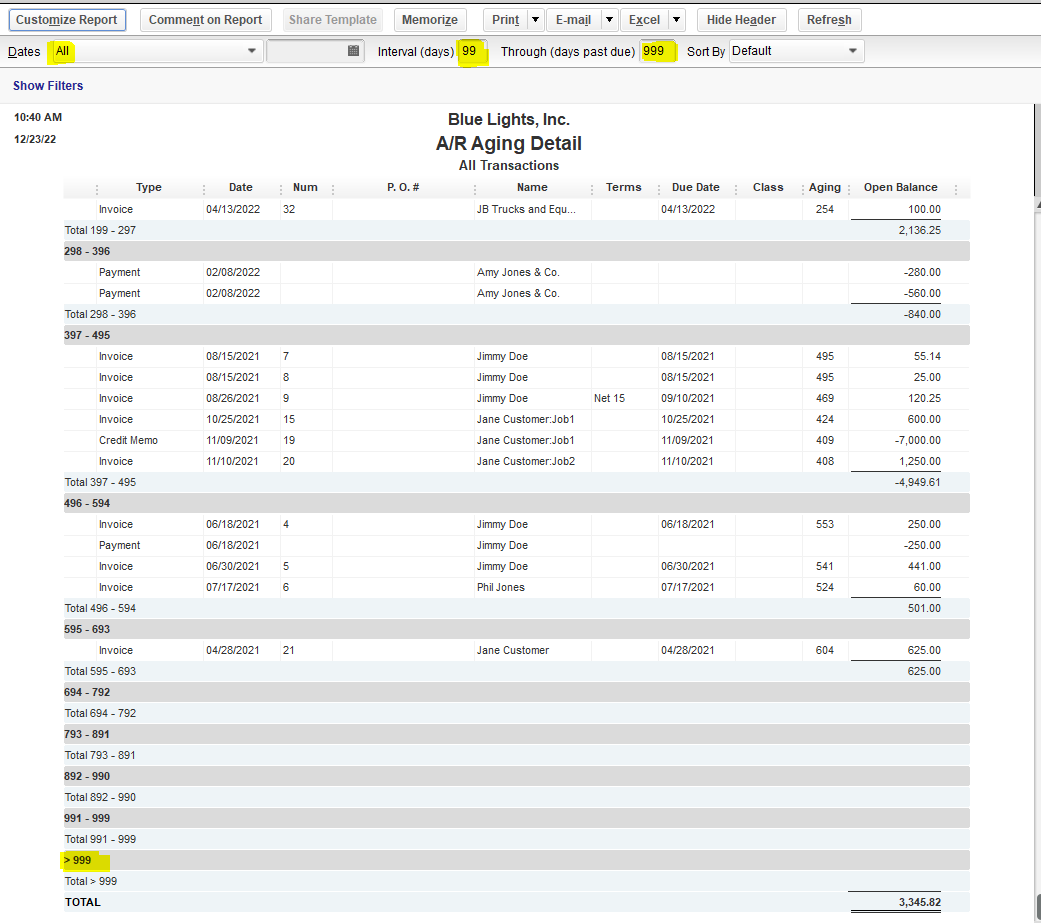
Feel free to comment below if you need more assistance with the report. Take care!


You have clicked a link to a site outside of the QuickBooks or ProFile Communities. By clicking "Continue", you will leave the community and be taken to that site instead.
For more information visit our Security Center or to report suspicious websites you can contact us here


