Let’s address this issue by performing troubleshooting steps to make sure customer statements are sent to your clients successfully, Rusty.Sometimes, outdated cache files in your browser can affect the program's functionality. In this case, let’s clear your browser’s cache to ensure the program runs smoothly. You can also switch to another compatible browser for the best experience when using QuickBooks Online (QBO). In the meantime, you can send a customer statement by going to the +Create button. Here’s how:
- Go to the + Create button and select Statement.

- Check the box next to the customer you want to send the statement to.
- Fill in the customer’s email address, choose the Statement Date, and select the Statement Type.
- Click Save and Send.
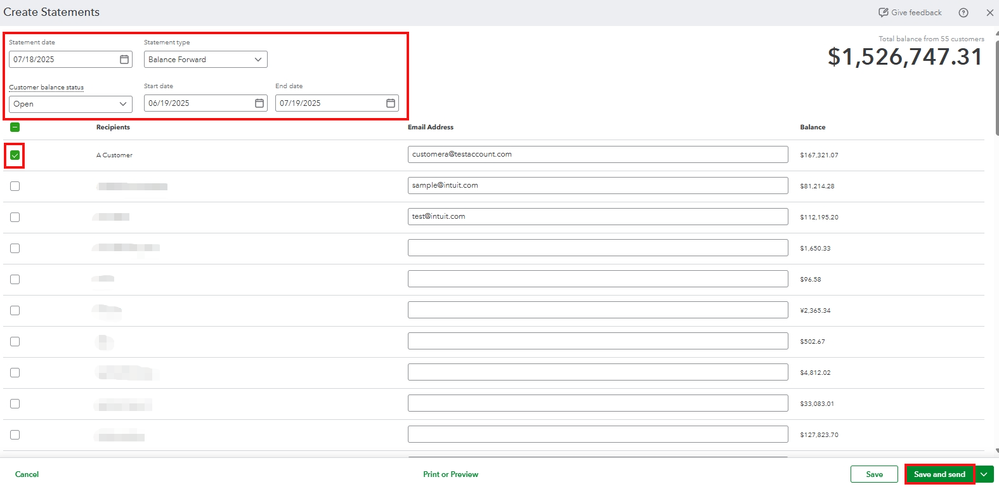
- Hit Send.
We’ll be here if you need more guidance with QBO-related concerns.


