You'll have to make sure that bank deposit is entered and transactions are categorized correctly to show it during reconciliation, Wendy.
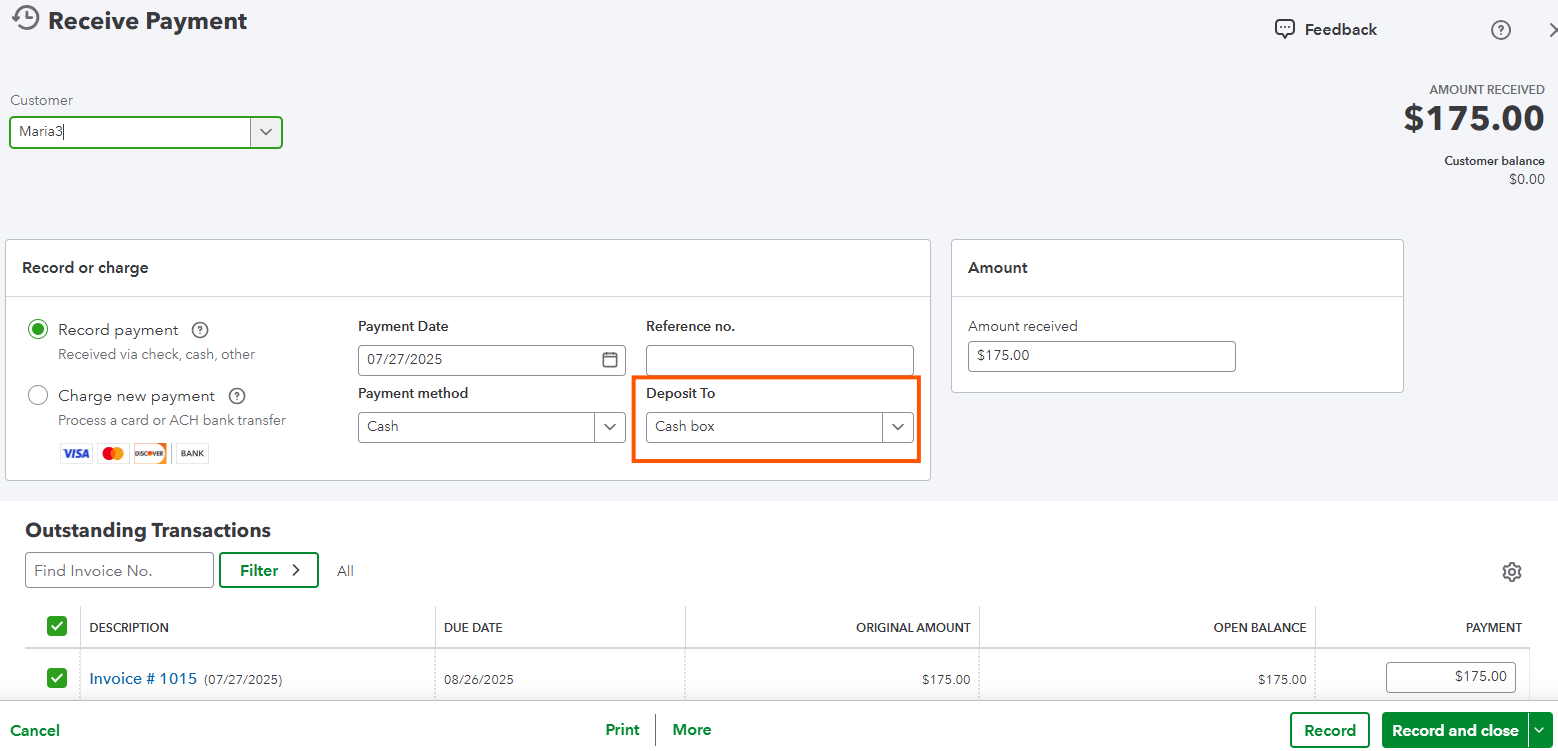
Once you receive a payment, you'll have to deposit it to the correct bank account. This will ensure it appears in your bank register and is available during the reconciliation process. I've got this screenshot for your reference:
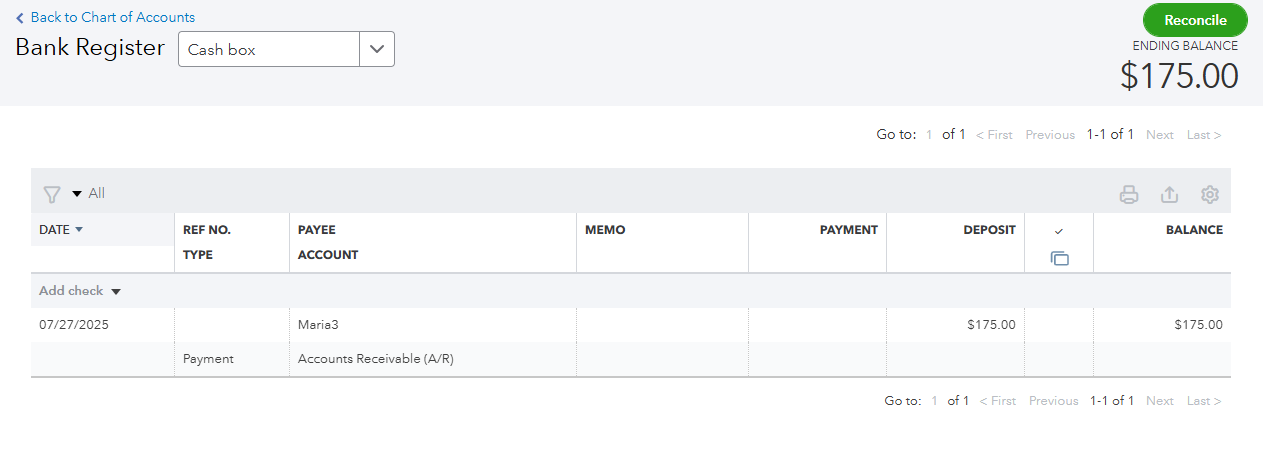
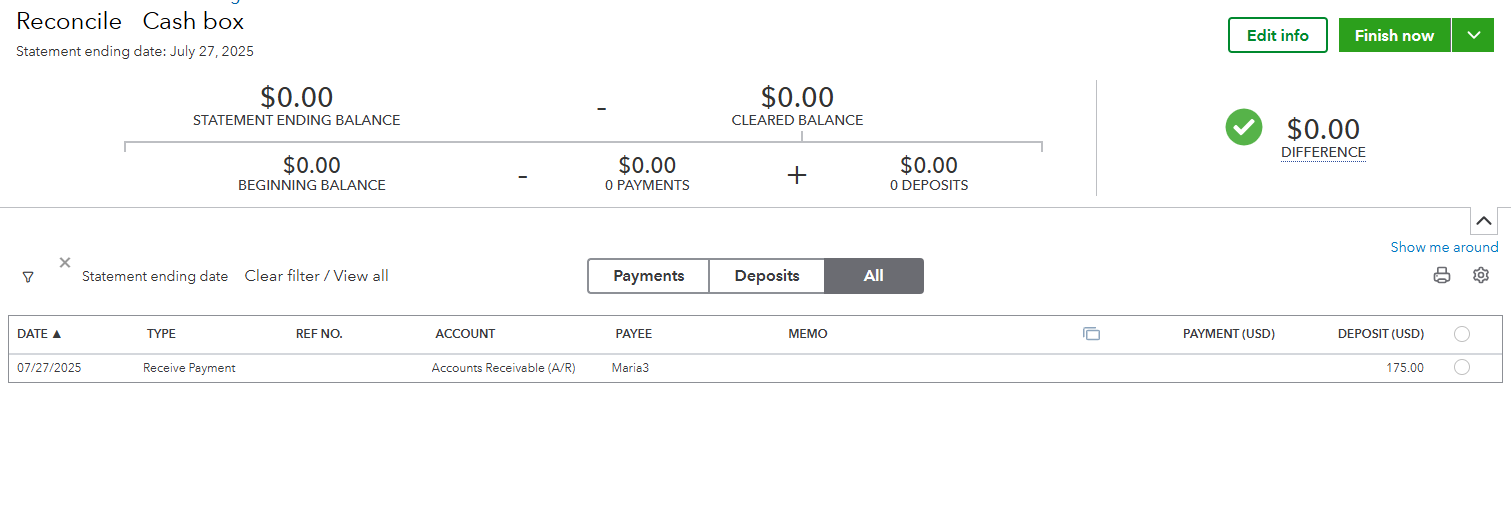
If it is still now showing, make sure you've selected the correct date and filter.
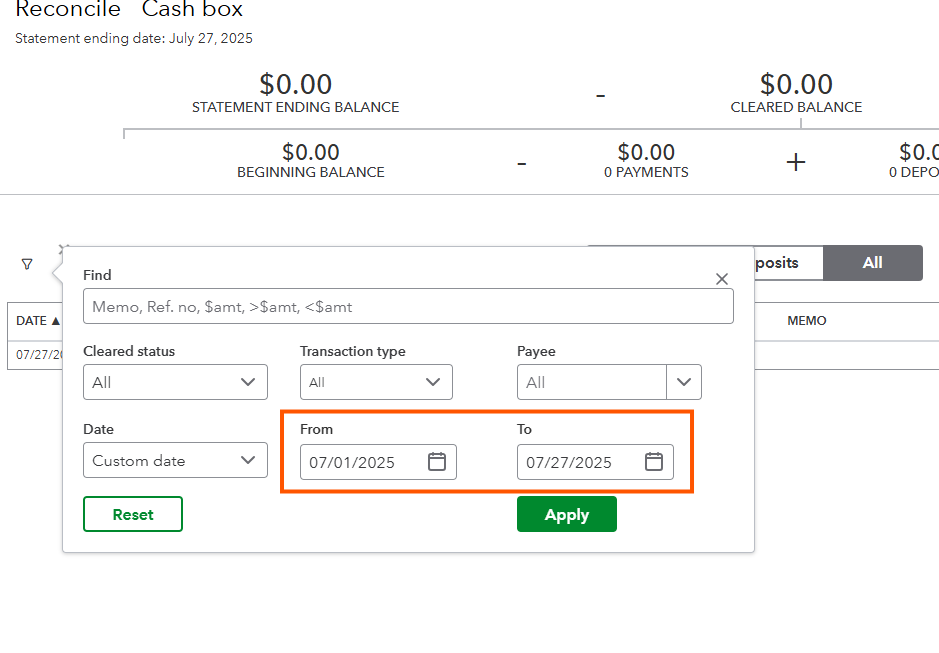
You can also check this out for more detailed steps when reconciling an account: Reconcile An Account in QuickBooks Online.
If in case yo want to streamline or automate when categorizing or reconciling transaction in your Banking page, feel free to connect with our QuickBooks Live Expert Assisted team. They will help you save time and simplify the process.
By following the steps above, your deposits should show up in your reconciliation. If there's anything else that you need help with, let me know so I can get back to you.


