Turn on suggestions
Auto-suggest helps you quickly narrow down your search results by suggesting possible matches as you type.
Showing results for
Get 50% OFF QuickBooks for 3 months*
Buy nowI need to post an overpayment to American Express. The bill was over paid. The bill for march was entered through bill pay and closed. I realized when doing the bank rec, that the owner made an overpayment of $5000 in March and will apply to Aprils bill. My question is how do I post the credit to American Express and apply to April’s bill.
Thank you,

Welcome to the Community, @Checksandbalance! To record the overpayment, you can enter it as a vendor credit and then apply it to April's bill. By recording it as a vendor credit, you indicate to the system that your client has more cash in the bank than what was owed on the March bill.
To create the credit, follow these steps:
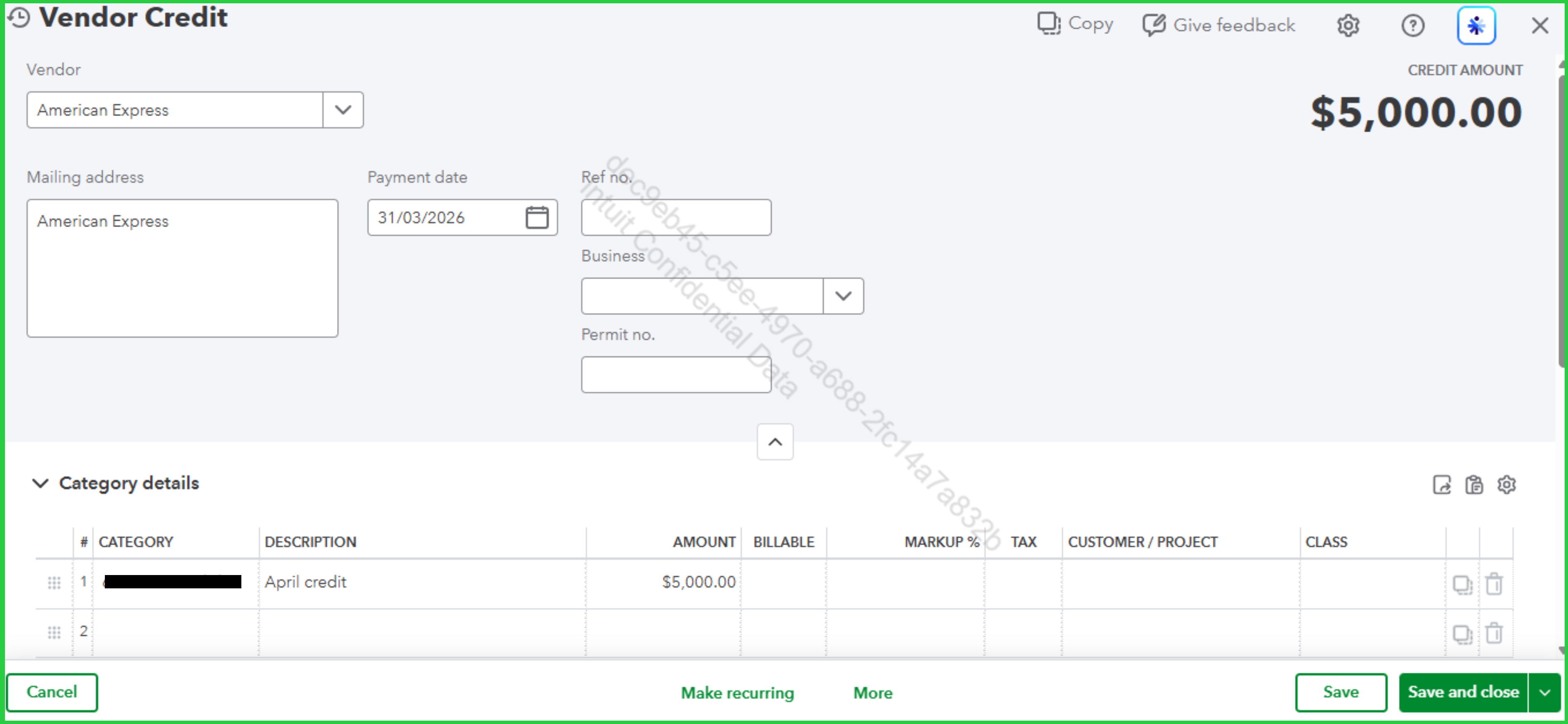
When the April bill comes in, apply the vendor credit by following these steps:
If you want to learn how to record refunds for expenses or checks, please visit this article: Enter vendor credits and refunds in QuickBooks Online.
Should you have any questions, please feel free to leave a comment in the thread.
Thank you so much for your response Eduardo, I really appreciate it. I am not sure what expense account to use, since the overpayment was made in error and not related to any expense in March.
I am going to utilize the credit against April’s expenses which I don’t know as yet.
In this case what can I do to post this bill so I can do my bank reconciliation for March?
Thanks again,
Ann Marie.
Hi, Ann Marie. First, if you haven’t already, create a prepaid expense account (Type: Other Current Asset). This account will serve as a temporary holding account for the overpayment. You will then record an expense transaction for the $5,000 using this category.
When the actual payment clears your bank feed, you can Match it to both the original bill and this new expense entry. This ensures that your QuickBooks records accurately reflect your bank statement, enabling you to reconcile them effectively.
Beyond that, when you eventually receive the April bill and create the Vendor credit, be sure to select the same prepaid expense account. This effectively clears the balance out and applies it to your actual costs. Before finalizing these entries, I recommend consulting with an accounting professional. They can confirm this is the preferred workflow for your specific business structure and ensure your books remain perfectly organized.
Don't hesitate to reach out if you have further questions.
Yikes, you're getting bad advice from QB employees. They may be AI. You can't use a Vendor Credit because this doesn't involve accounts payable (A/P).
Use a Check or Expense transaction. Select the appropriate bank account as the payment account then choose your AMEX CC liability account as the Category. Don't select an expense account (or a prepaid expense account) because an overpayment on a credit card is a reduction of your cc liability, not an expense or an asset in the case of a prepaid expense. After doing that, you should have a $5K credit that can be applied to AMEX cc charges.


You have clicked a link to a site outside of the QuickBooks or ProFile Communities. By clicking "Continue", you will leave the community and be taken to that site instead.
For more information visit our Security Center or to report suspicious websites you can contact us here


