You'll want to ensure that you haven't applied any filters that are hiding your expense transactions, infant2kinder.
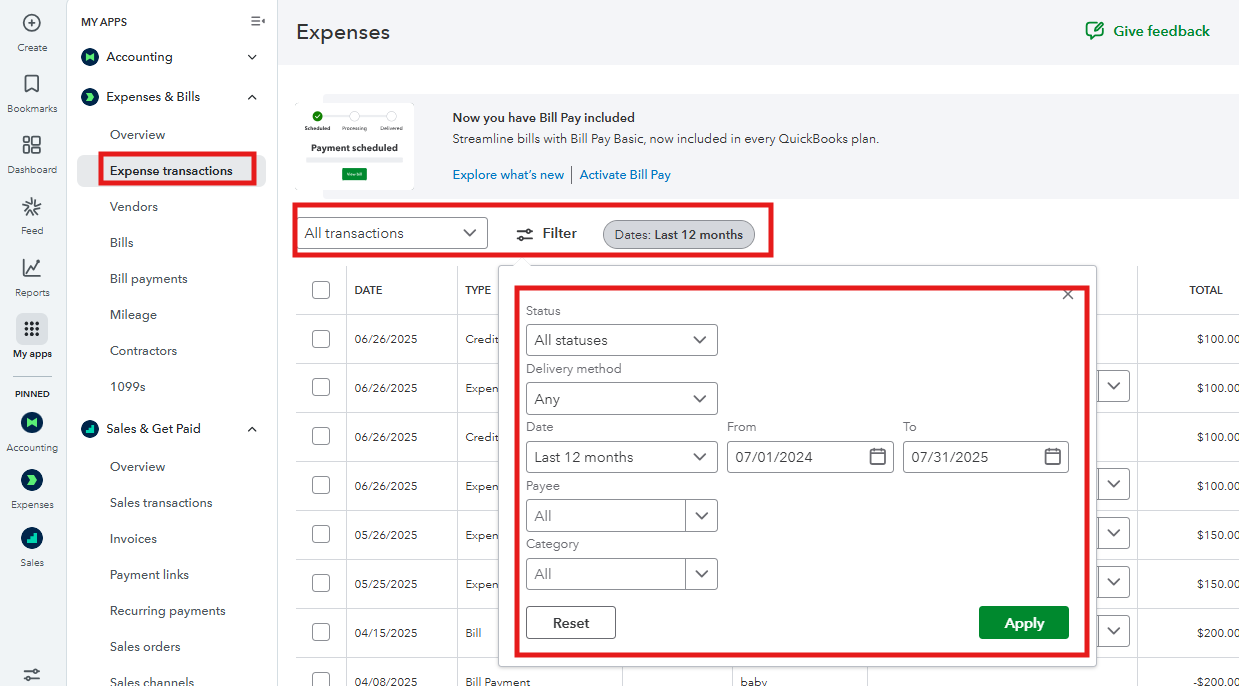
Let's return to the Expenses menu and review the filter options. You can clear all filters or set them to All to ensure nothing is excluded. See screenshot for reference.
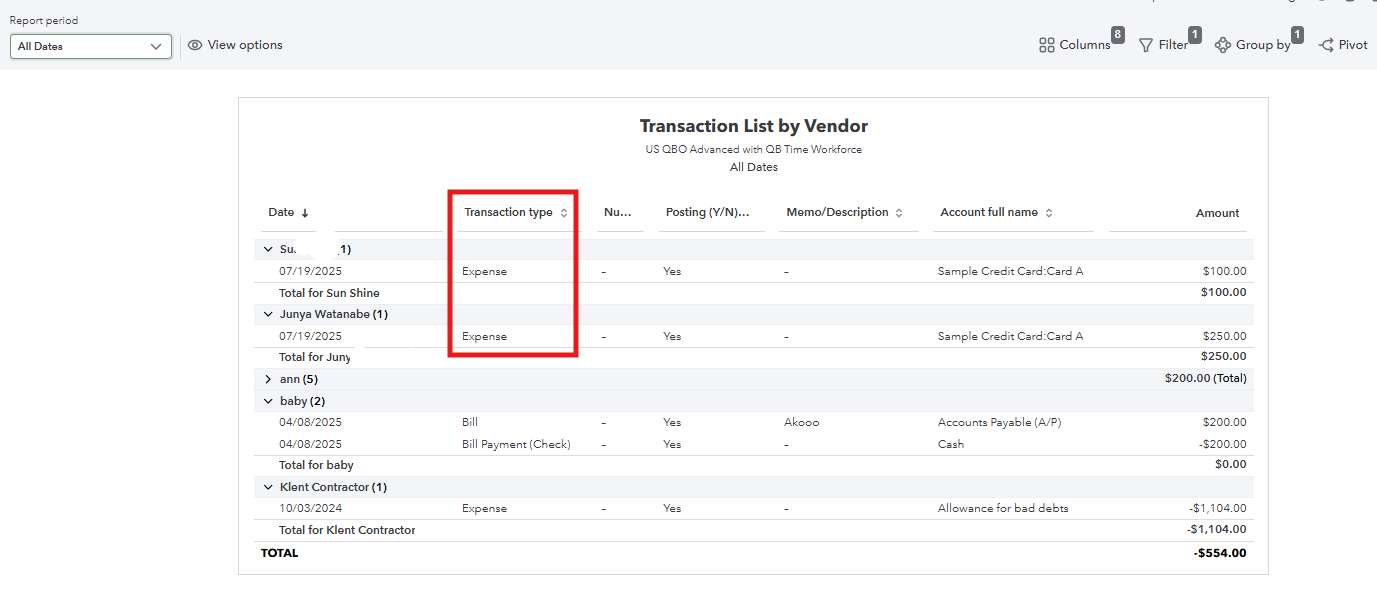
On the other hand, you can run the Transaction List by Vendor report to check the expense transactions you've created. Then, check the Audit log to see if someone deleted the transaction and restore it into QuickBooks.
Transaction List by Vendor.
For Audit Log.

If the issue persists, browser problems, such as cached data, can prevent QuickBooks Online from displaying information correctly. To resolve this, I recommend clearing your browser's cache. This ensures that your browser loads fresh data directly from the server.
Follow the steps below:
You can also use other supported browsers to see if the problem is specific to one browser.
Feel free to reach out to us again if you have any other questions related to QuickBooks. We’re happy to help.


