You've reached the right place for help, rcooke88.
In QuickBooks Online, the information from the vendor profile is use to populate on the purchase order (PO). Then, you'll be required to select a customer name in the Ship to field to have its address show up.
Let me show you how to input the shipping address on the customer profile:
- Go to the Sales menu, and then choose the Customers tab.
- Look for and open the customers associated with the purchase orders.
- Select Customer details, and then click the Edit button.
- On the Customer Information page, check if you have entered the shipping address. If you haven't already, please enter one.
- Make sure to check the Same as the billing address box, and then click Save.
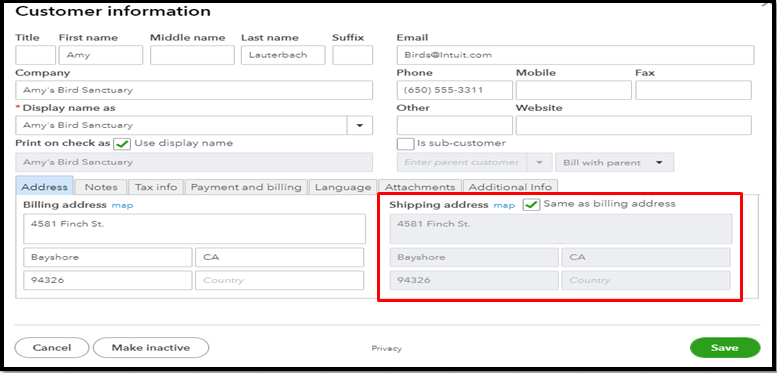
Once done, we can create a dummy purchase order to check if the shipping address populates.
You can always get back to me if you have additional questions when managing PO shipping addresses. Have a great day ahead.


