If you've already set up QuickBooks Payments, one possible reason the payment option is not showing on your invoice could be that the Add payment link to PDF option is not yet turned on, @mmlawncarelandscaping5.
Once QuickBooks Payments is enabled, the Add payment link to PDF feature becomes available for all invoices. To display payment options on an invoice, simply activate this feature as needed.
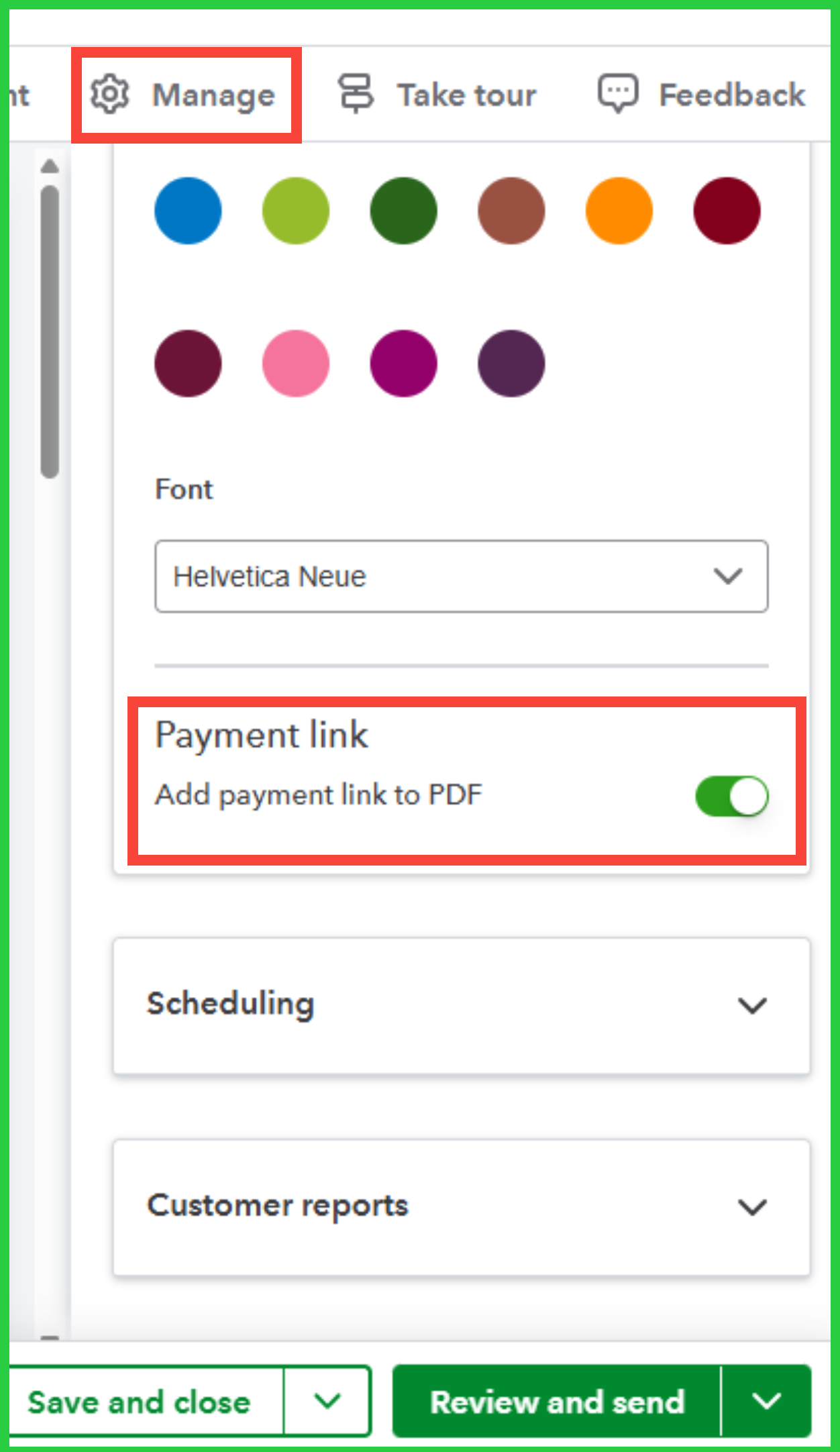
Here's how to turn it on:
- Go to Invoices, then locate the specific invoice where you'd like the payment options to appear.
- Click the Manage icon.
- In the Design dropdown menu, toggle on the Add payment link to PDF feature.
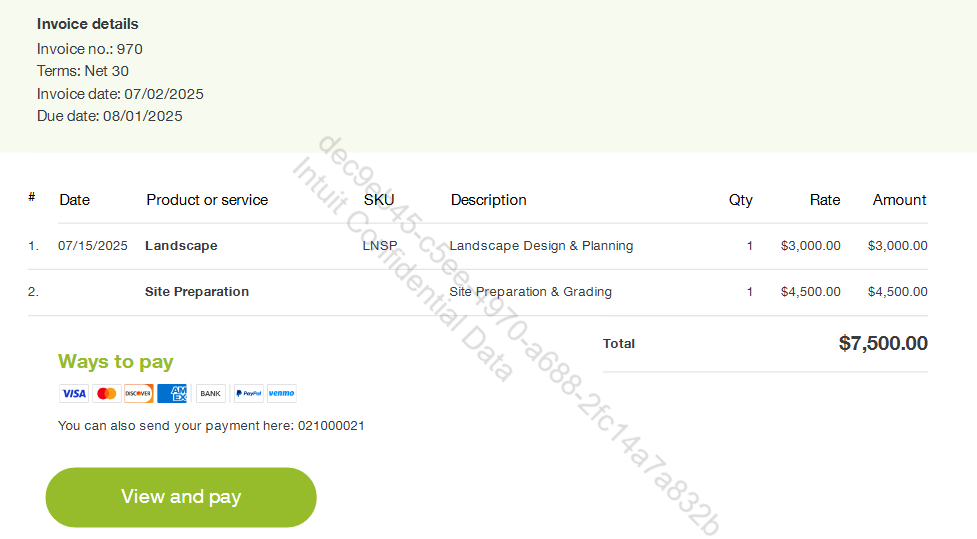
Here's how it will display on the invoice:
Also, you might find this article helpful for tracking invoice payments in QuickBooks: Record an invoice payment.
Feel free to revisit this thread at any time if you need additional support or have further inquiries about payment options on invoices in QuickBooks.


