I understand the issue with your employee's negative vacation balance in QuickBooks Time, B1ancaedna. We'll need to follow a step-by-step process to correct the discrepancy and address the underlying syncing issues.
First, we need to verify that your time-off policies in QuickBooks Online Payroll and QuickBooks Time are a perfect match. A mismatch in rules is the most common cause of balance problems. Ensure these details are identical in both systems:
- Accrual Rate: The number of hours earned per pay period or per year.
- Accrual Frequency: The schedule for earning hours (e.g., per paycheck, annually).
- Maximum Balance: The maximum number of hours an employee can save. If an employee has reached this limit, their balance will stop accruing and may appear negative if they use more hours than they have available.
If the policies are correct, the issue could be a temporary syncing problem. You can force a manual sync to update the balances.
In QuickBooks Time, click the QuickBooks button and select Sync Now to refresh the connection.
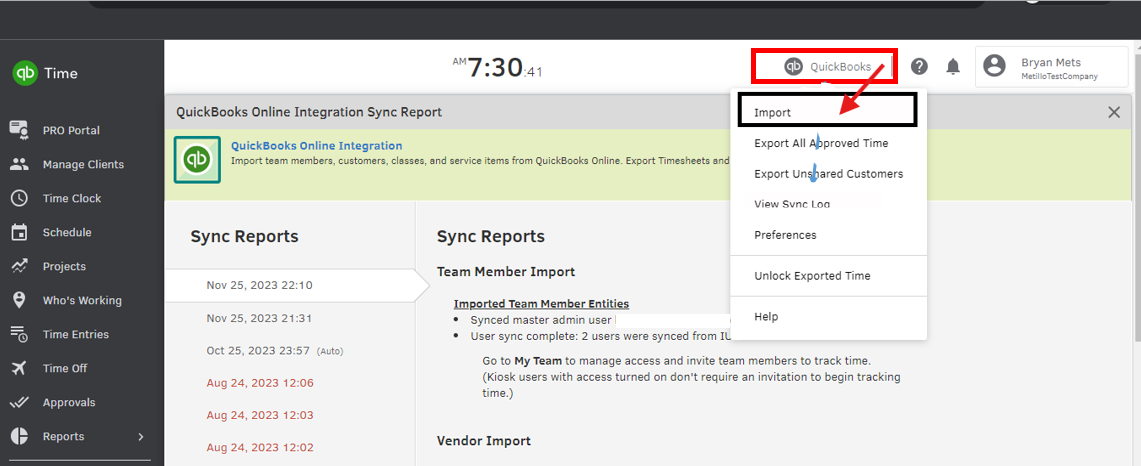
If the discrepancy persists, I recommend making manual adjustments to ensure the vacation pay balance matches QBO Payroll.
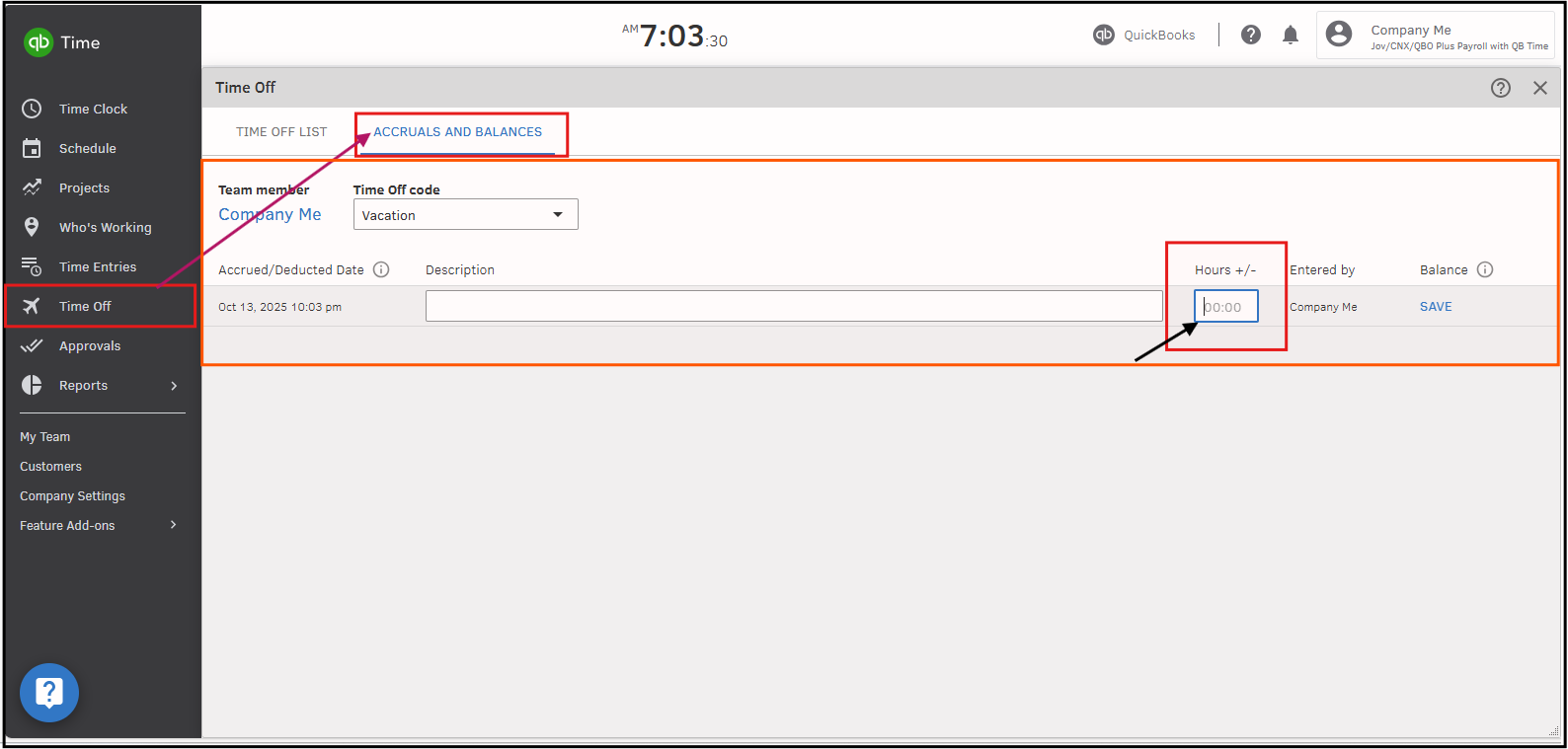
Here's how to update the Vacation Accrual in QB Time:
- Navigate to the relevant employee profile in QuickBooks Time.
- Go to Time Off, select the Accruals and Balances for Vacation Hours.
- Enter the correct starting vacation balance to match the current balance in QBO Payroll.
If you have any other concerns, I would be happy to assist you again.


