You can mark your employee's lunch time as unpaid by applying the break rules to their timesheet, kkramer16745.
To start, make sure you have an unpaid lunch break rule set up. This can be done by setting up either an automatic or a manual break. Ensure that the break is marked as unpaid and is applied to all members or to specific individuals to minimize the need for future edits. Here's how:
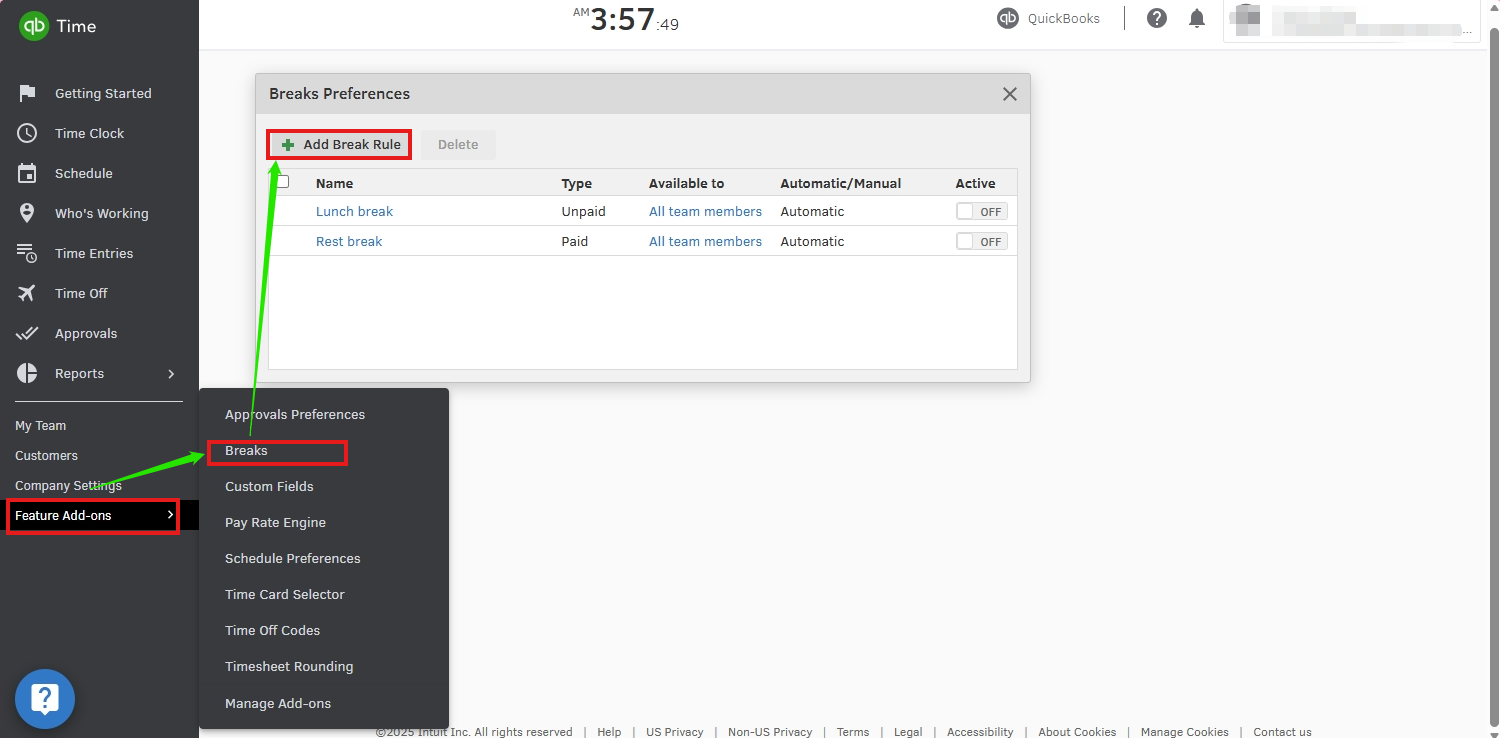
- Go to Feature Add-ons.
- Click Breaks, then Add Break Rule.
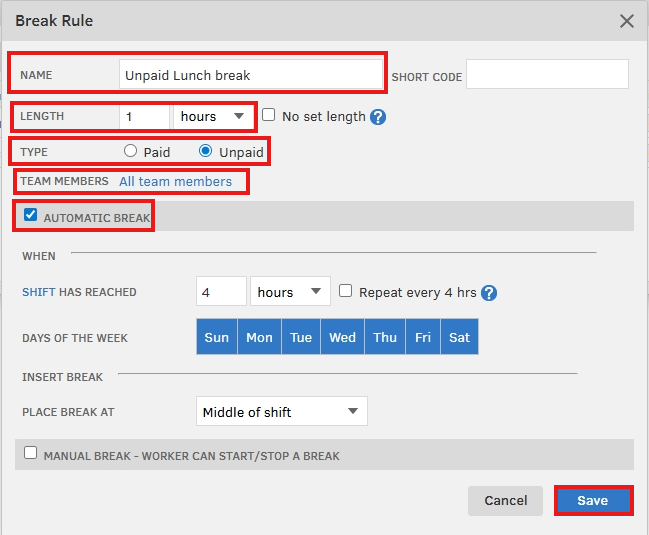
- Enter the name of your Break rule.
- Choose a length of your unpaid lunch.
- Ensure to choose Unpaid.
- Tick either Automatic Break or Manual Break, then Save.
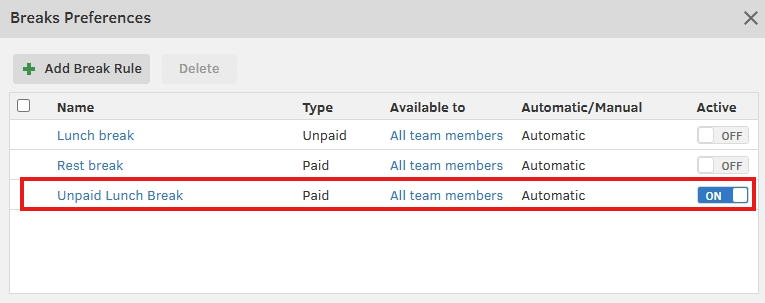
Next, edit your employee's timesheet to adjust the time entry. Here's how:
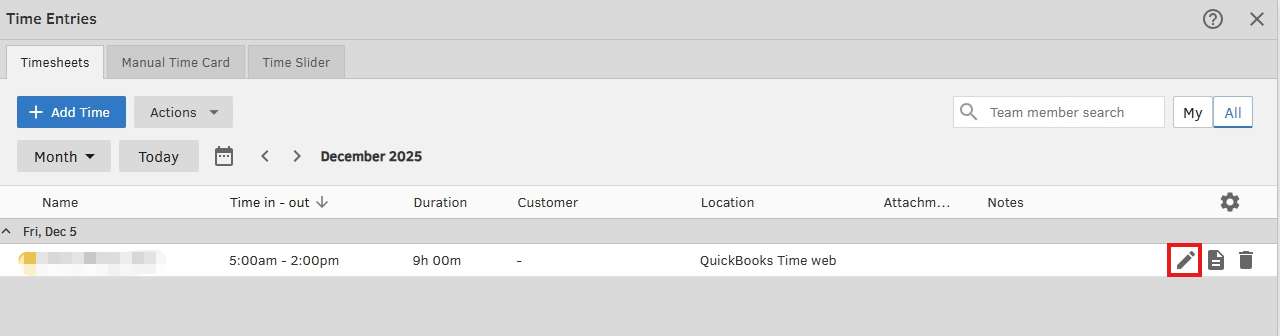
- Go to Time Entries, then click Timesheets.
- Find the existing time entries with paid lunch.
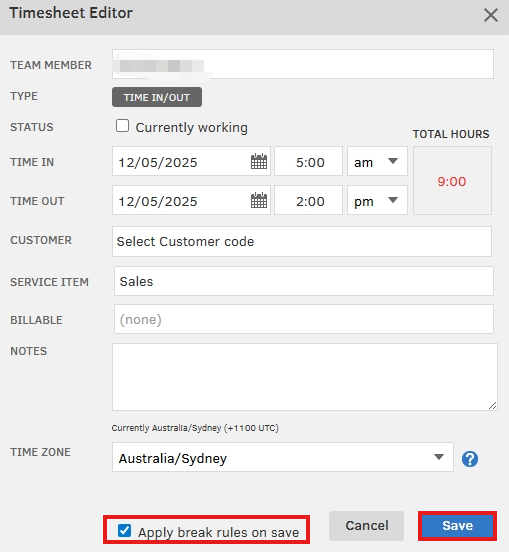
- Click the pencil icon to edit.
- Tick the Apply break rules on save to adjust the time.
After that, in QuickBooks Online payroll, run payroll after adjustments to reflect the unpaid lunch and for accurate calculations.
For detailed information about using the breaks feature, check out this article: Set up and manage breaks in QuickBooks Online and QuickBooks Time.
The Community is always here if you need anything else.


