Turn on suggestions
Auto-suggest helps you quickly narrow down your search results by suggesting possible matches as you type.
Showing results for
Get 50% OFF QuickBooks for 3 months*
Buy now
Hi, Suzannek.
Yes, you can run the 1099 Transaction Detail Report to access all the 1099 information in one place. This report details all transactions for vendors eligible for 1099 and can be customized to suit your needs.
Here's how:


You can also check out this article for more details on how to run various 1099 reports in QuickBooks Online (QBO): Create 1099 reports.
Please let us know if you have further questions about running 1099 reports in QBO.
It is missing a lot of info and there is no way to customize. No address. No tax id. No email. And a lot of useless info when trying to pull 1099 info. It just five a name and the amount paid. That's it. The accountants need more than that!
Hi there, suzannek.
I understand how inconvenient it is when some information is not accessible in the 1099 Transaction Detail report, especially for accounting tasks. As a workaround, you can generate it separately from the Vendor Contact List report to access specific information.
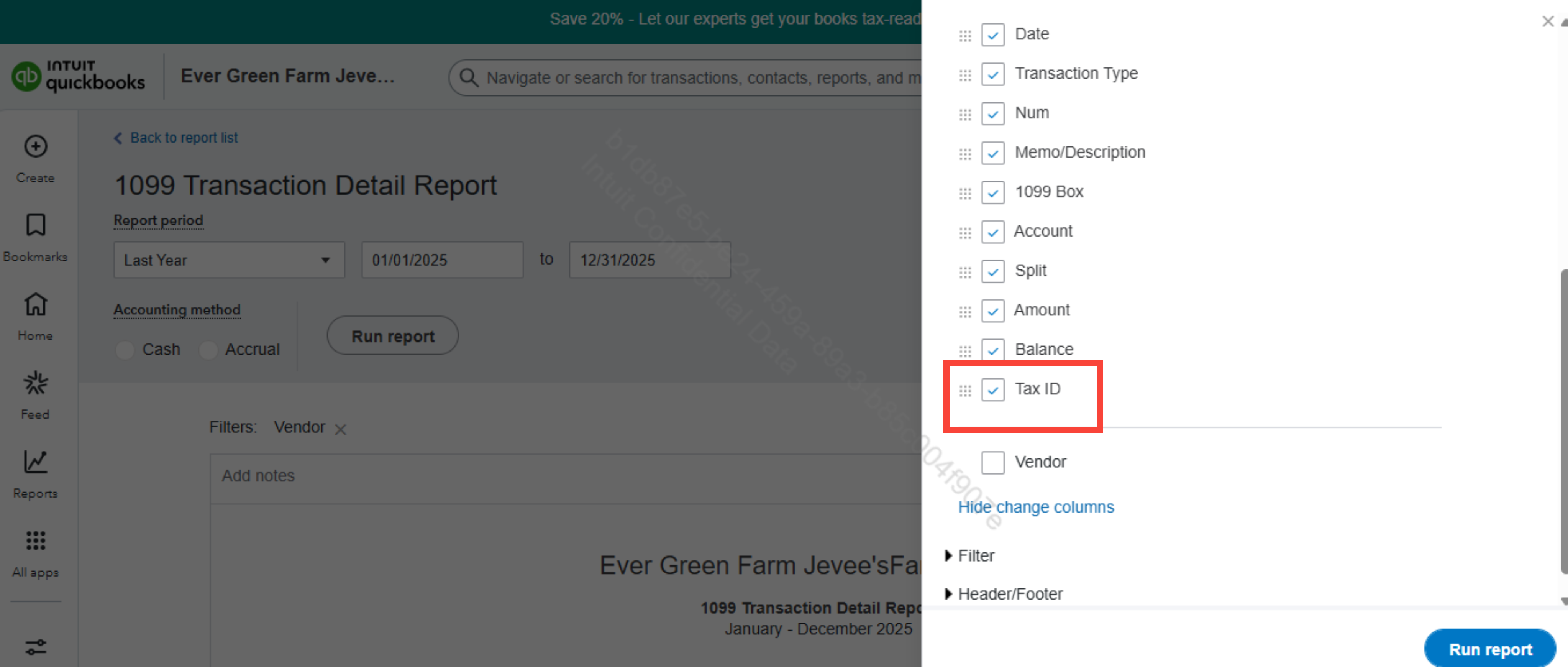
For the 1099 Transaction Detail Report, this report allows you to view the Tax ID for your vendors. Go back to Customize report and click Rows/Columns.
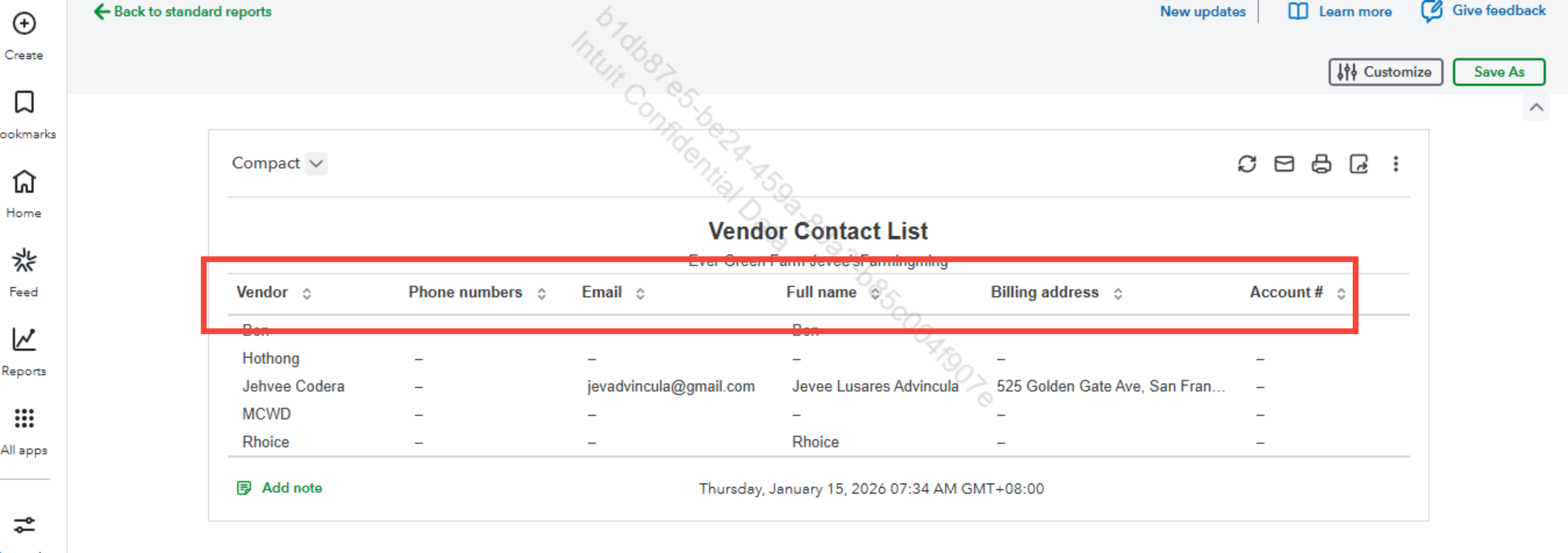
For the Vendor Contact List report, this report provides detailed contact information, including the Email addresses and physical addresses of your vendors.
While these reports provide valuable information, they are separate in QuickBooks Online, and no combined report consolidates all this data in one view. If you need both sets of information together, you can export the reports to Excel and merge the data manually for a unified view.
Feel free to return here anytime you need assistance.
Hi there, Suzannek.
I wanted to follow up and check if the guidance provided helped address your concern regarding accessing and customizing 1099-related information in QuickBooks Online. Were you able to generate the Vendor Contact List report and the Tax ID information successfully?
Please let us know if the workaround of exporting and merging the reports in Excel met your needs or if you’re still encountering challenges in pulling the data you require for your accounting tasks.
We’re here to assist further and ensure everything works smoothly for you.


You have clicked a link to a site outside of the QuickBooks or ProFile Communities. By clicking "Continue", you will leave the community and be taken to that site instead.
For more information visit our Security Center or to report suspicious websites you can contact us here


