Hello there, @carefreemisting.
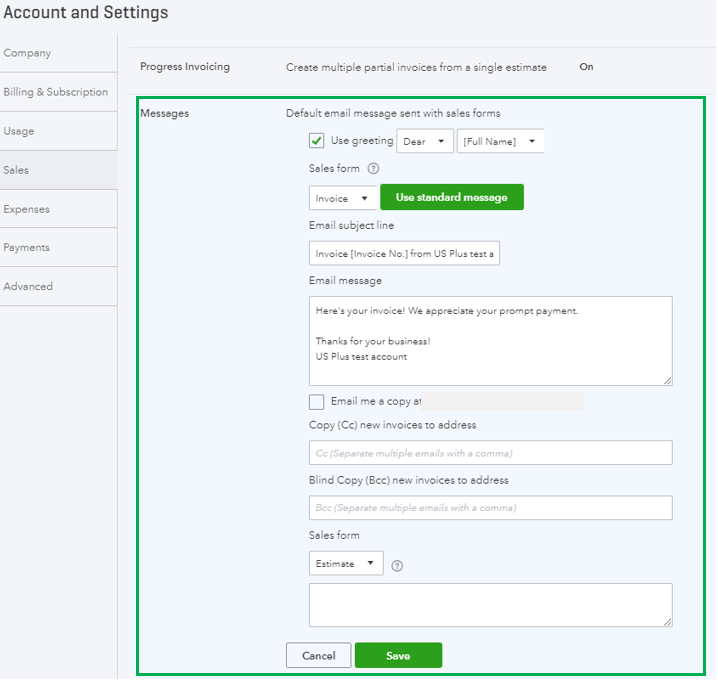
You'll want to go to the Account and Settings page and change your email statement from there. Le me show you how.
In your QuickBooks Online (QBO) account:
- Go to the Gear icon.
- Click Account and Settings.
- Select the Sales menu.
- Click the Messages section.
- Edit the email statement of your invoice or estimate.
- Click Save, then Done.
Here's an article you can read for additional reference: Customize invoices, estimates, and sales receipts in QuickBooks Online.
You can also check this article in case you want to add logos to your invoice: Add, customize, or remove logos on sales forms.
In case you have other concerns, you can always leave a comment below. We'll be around to help. Have a great day!




