The QuickBooks Community forum welcomes you as one of its newest member, mblanc. I’ll share some information about modifying your invoice status so you'll have accurate sales recordings.
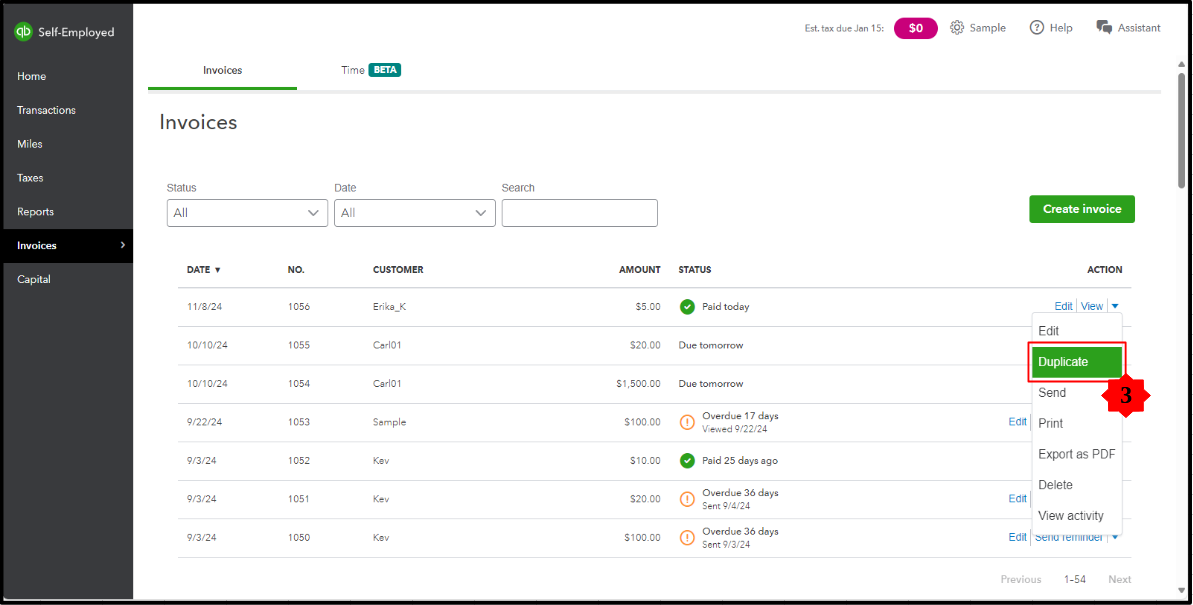
The option to change your invoice status from Paid to Unpaid isn't available in QuickBooks Self-Employed (QBSE). However, we do have a workaround we can follow. You'll need to create a duplicate for the invoice in question and delete the invoice that was marked as paid afterward.
I'll guide you through the process:
- From your QBSE account, hit Invoices.
- Select the dropdown menu under the Action column on the transaction in question.
- Choose Duplicate.
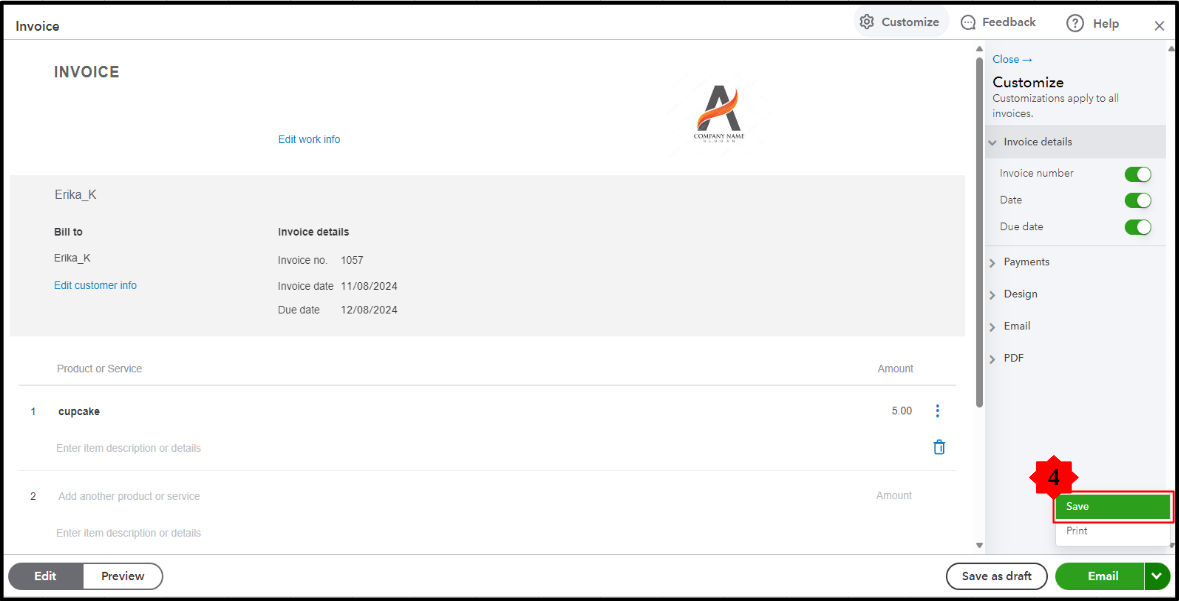
- Review the information and hit Save.
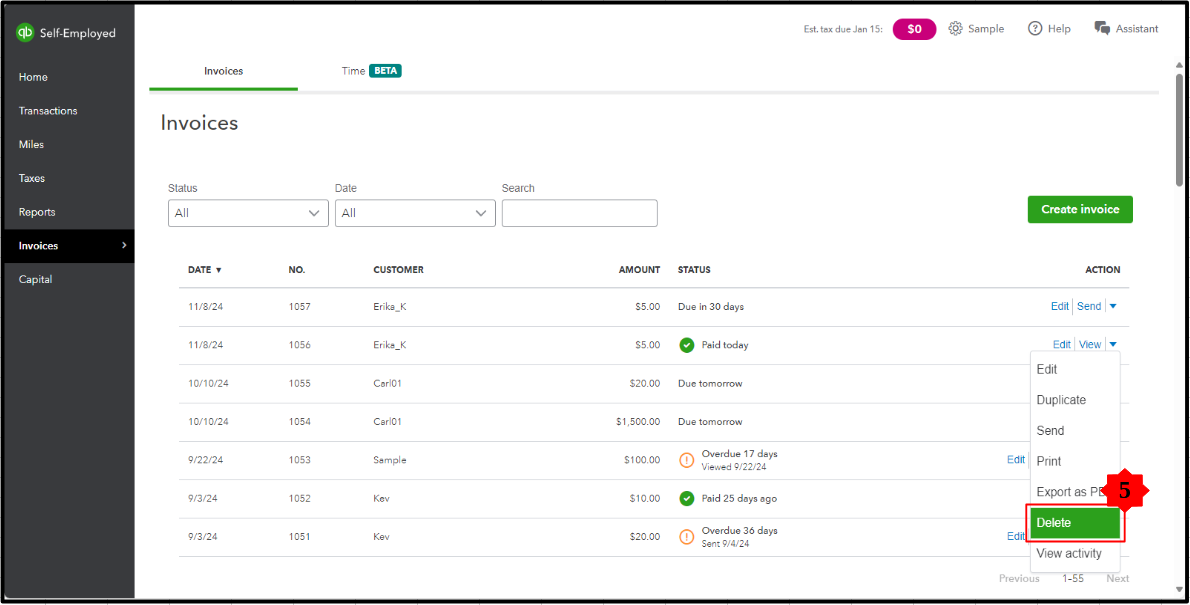
- Once done, Delete the invoice marked as Paid.
Additionally, refer to this article to learn more insights on effectively managing your transactions within the platform: Manually add transactions in QuickBooks Self-Employed.
Understanding how to manage your invoices effectively is crucial for maintaining accurate financial records and ensuring smooth business operations. Let me know in the comments section below if you have more questions about handling your invoice within your QBSE account.




