You can set the date into a custom to change the reporting period, @grapescapellc.
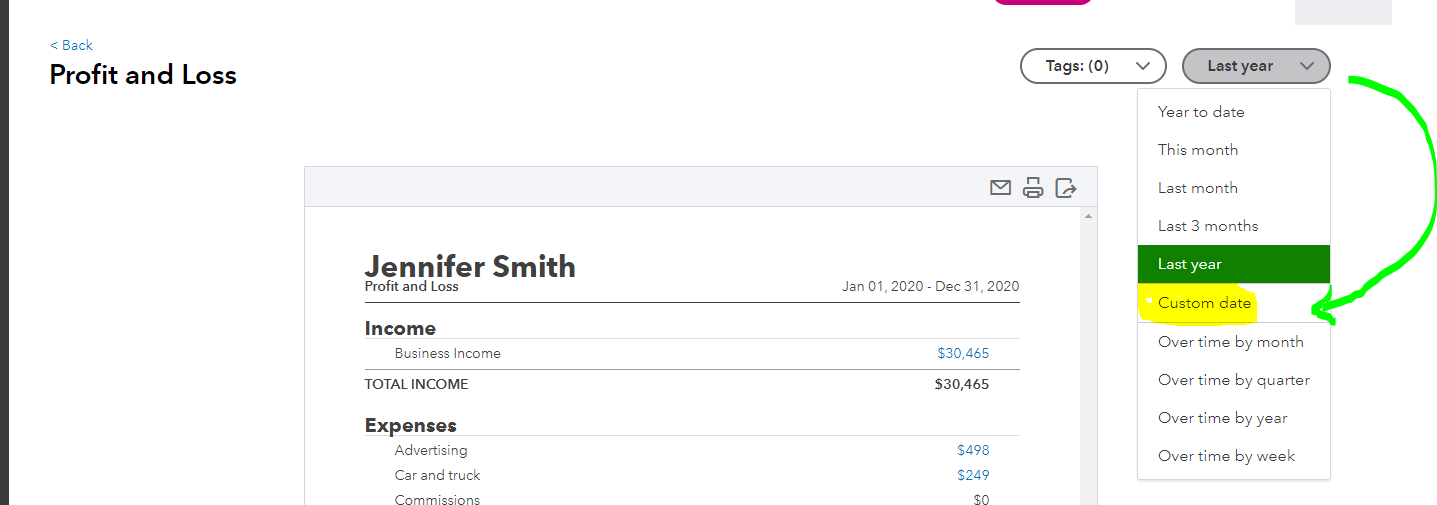
When you go to the Reports menu and view the Profit and Loss report, you can click the Date button on the top right. Select the Custom date from the drop-down list to change the beginning and ending dates.
Here are more detailed steps:
- Select Reports.
- On the Profit and Loss section, click View.
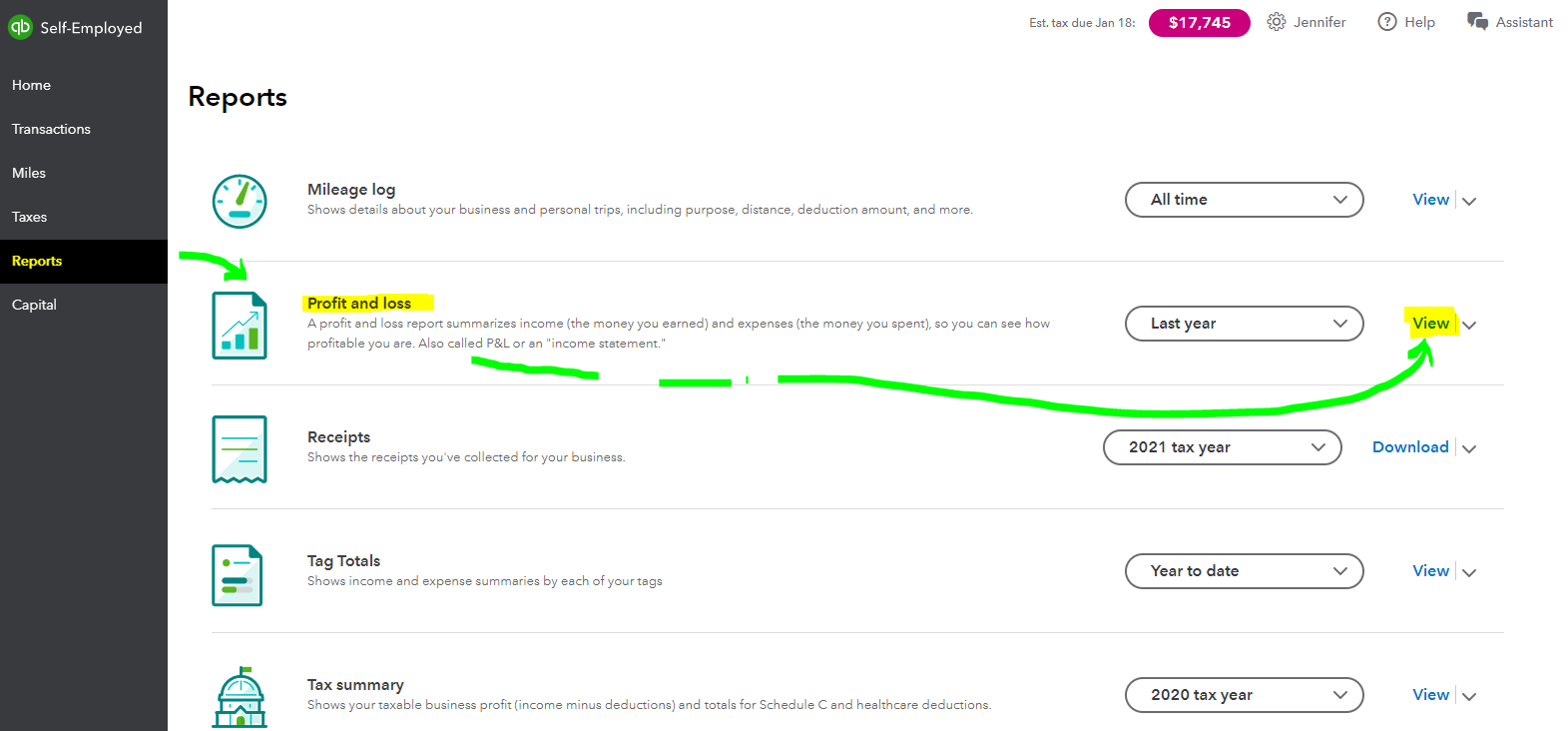
- Select the Date button on the top right that indicates a specific year.
- Choose Custom date.
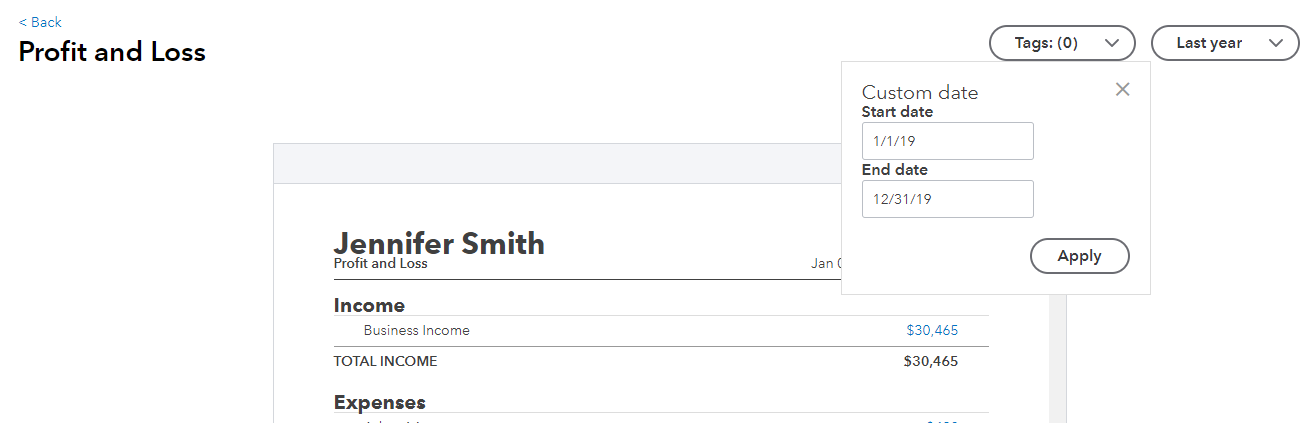
- Enter 1/1/19 for the Start date and 12/1/19 for the End date.
- Hit Apply.
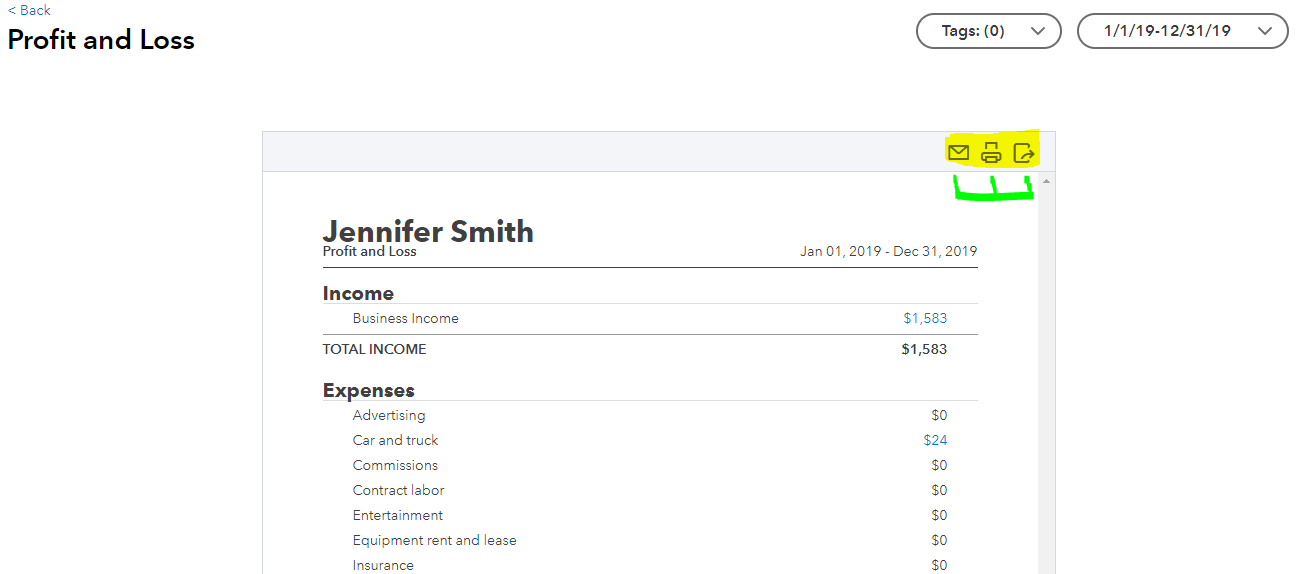
You can now view your 2019 profit statement. In case you need a soft copy, there are utility icons that you can use on the top right corner of the report like the email, printer, and export to PDF icons.
I've also added some articles that might interest you about managing your data to generate financial reports:
Feel free to stay with me and share your updates about running prior financial reports by placing your comment below. Anytime I'll come and help you more. Have a great day ahead.




