Turn on suggestions
Auto-suggest helps you quickly narrow down your search results by suggesting possible matches as you type.
Showing results for
Get 50% OFF QuickBooks for 3 months*
Buy now
I'll help you establish individual accounts for each job in QuickBooks, @tom-bigandlittle.
The good news is that QuickBooks Online (QBO) has a report you can run to achieve your task. And I'm happy to outline the detailed steps with you.
You can run the Transaction List by Customer report and customize it to show the specific information you want to review.
Do the following:
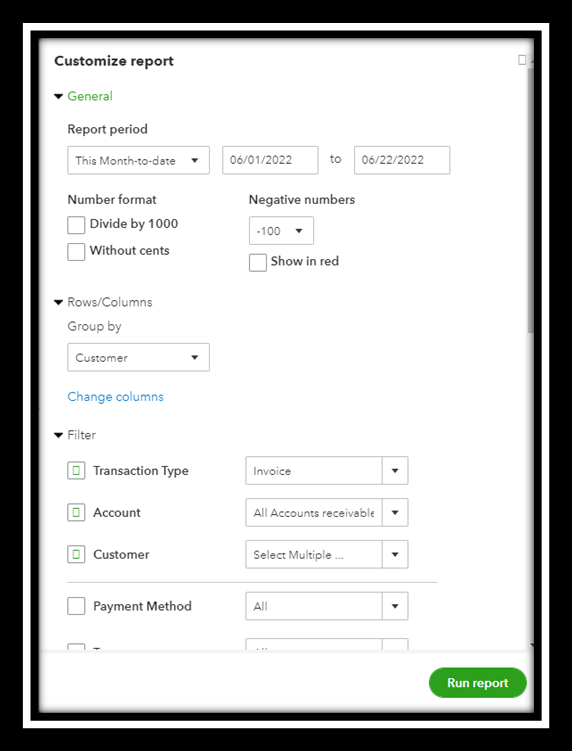
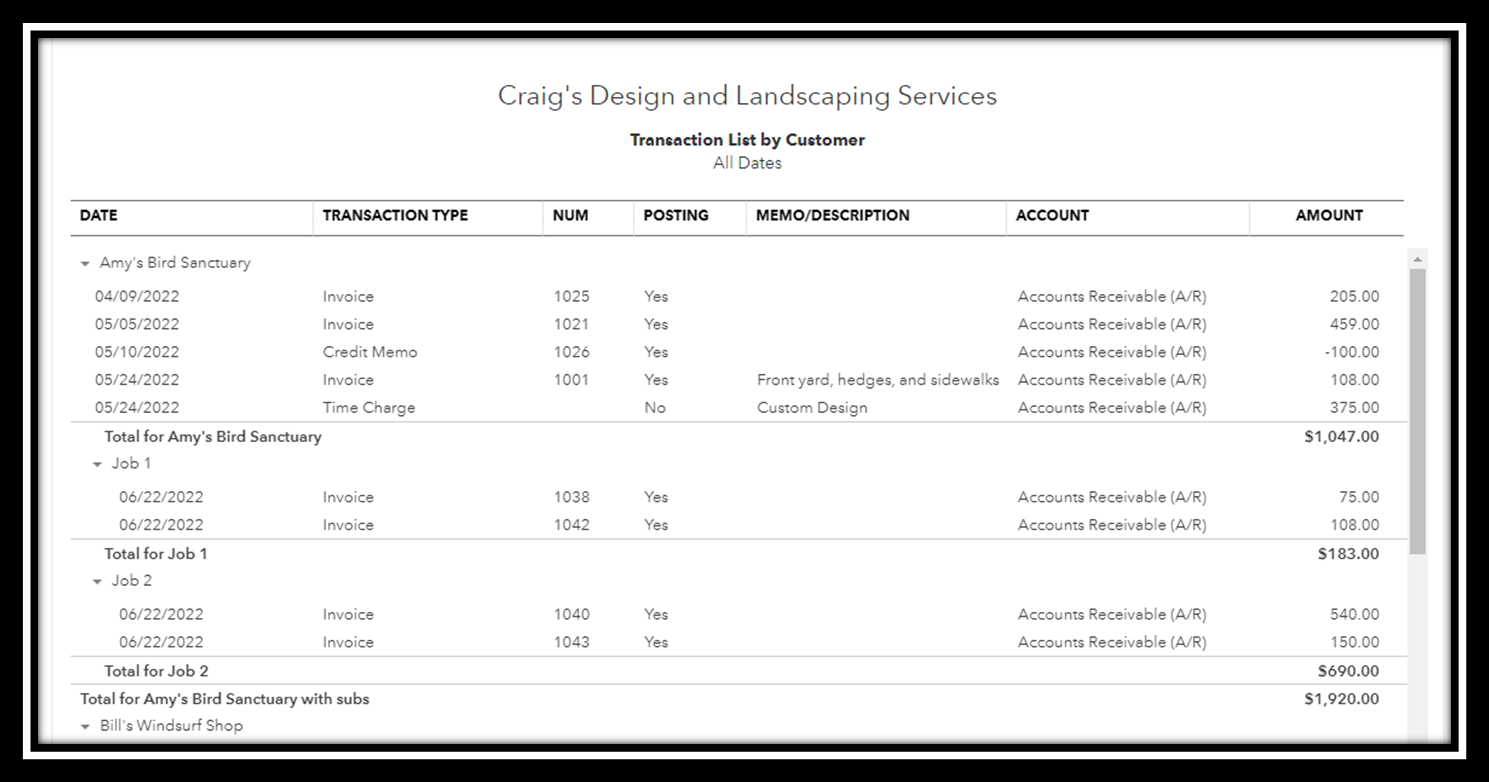
For more details, see this link: Customize reports in QBO.
You can also save this report by clicking on Save customization. It will help you save time since it automatically updates every time there are newly added transactions. For more information, check out this article: Memorize reports in QBO.
In addition, consult the following articles to learn about how to print, export, and email different reports available in your subscription:
I can show you another guide or overview if you have other questions about your report. Feel free to comment below, and the support is just a pole away. Be safe always.
Thank you, that helps some, but not what I want to see. Here is how it would be utilized:
Customer X has 5 jobs
They order service on Job 4.
When I see my customer list, I want to see Customer X and Job 1, Job 2, Job 3, Job 4 and Job 5 under Customer X.
I click on Job 5 and either edit and add to an existing invoice, or start a new transaction/invoice under Job 5.
If the invoice is complete, I can save and send it to Customer X for payment.
I need to see the balance for each job, and the total balance for all Jobs for that customer.
Just like it was in QB Desktop. I know "jobs" isn't available in QB Online, but trying to figure out the best work around to achieve as close to QB Desktop as possible...
You can create a sub-customers in QuickBooks Online,
tom-bigandlittle.
Creating a sub-customer is useful if you want to track individual customers/jobs. Here's how:
To learn more about this process, please check this article: Add and manage customers in QuickBooks Online.
Then, you can pull up the Transaction List by Customer report to see the balance for each sub-customer. Please follow the steps provided by my peer above.
Feel free to check out these articles to get more details in case you want to get more information about customizing reports:
I'll be around if you need anything else.


You have clicked a link to a site outside of the QuickBooks or ProFile Communities. By clicking "Continue", you will leave the community and be taken to that site instead.
For more information visit our Security Center or to report suspicious websites you can contact us here


