You can only edit an existing scheduled report in the QuickBooks Advanced Plan, Kim. The option to modify it for QuickBooks Plus is unavailable.
To access this feature, I recommend upgrading your plan. Here's how:
- In the upper-right corner, click on the Settings icon and select Subscriptions and Billing.
- Ensure your payment information is up to date.
- Under the Billed to You section, select Upgrade Your Plan.
- Choose the Advanced Plan and follow the on-screen instructions to complete the upgrade process.
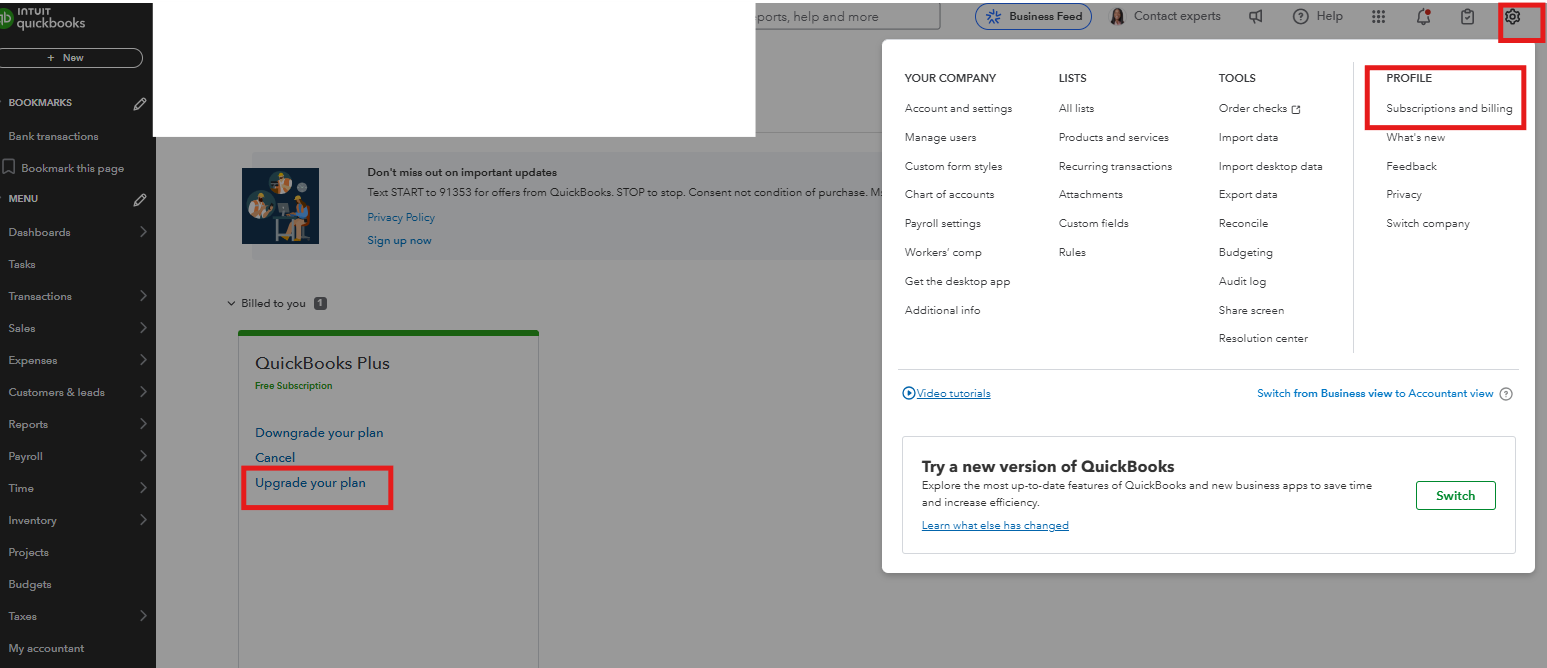
For more detailed information, refer to this guide: Upgrade or downgrade your QuickBooks Online.
Once upgraded, you can edit your scheduled report in workflows with these steps:
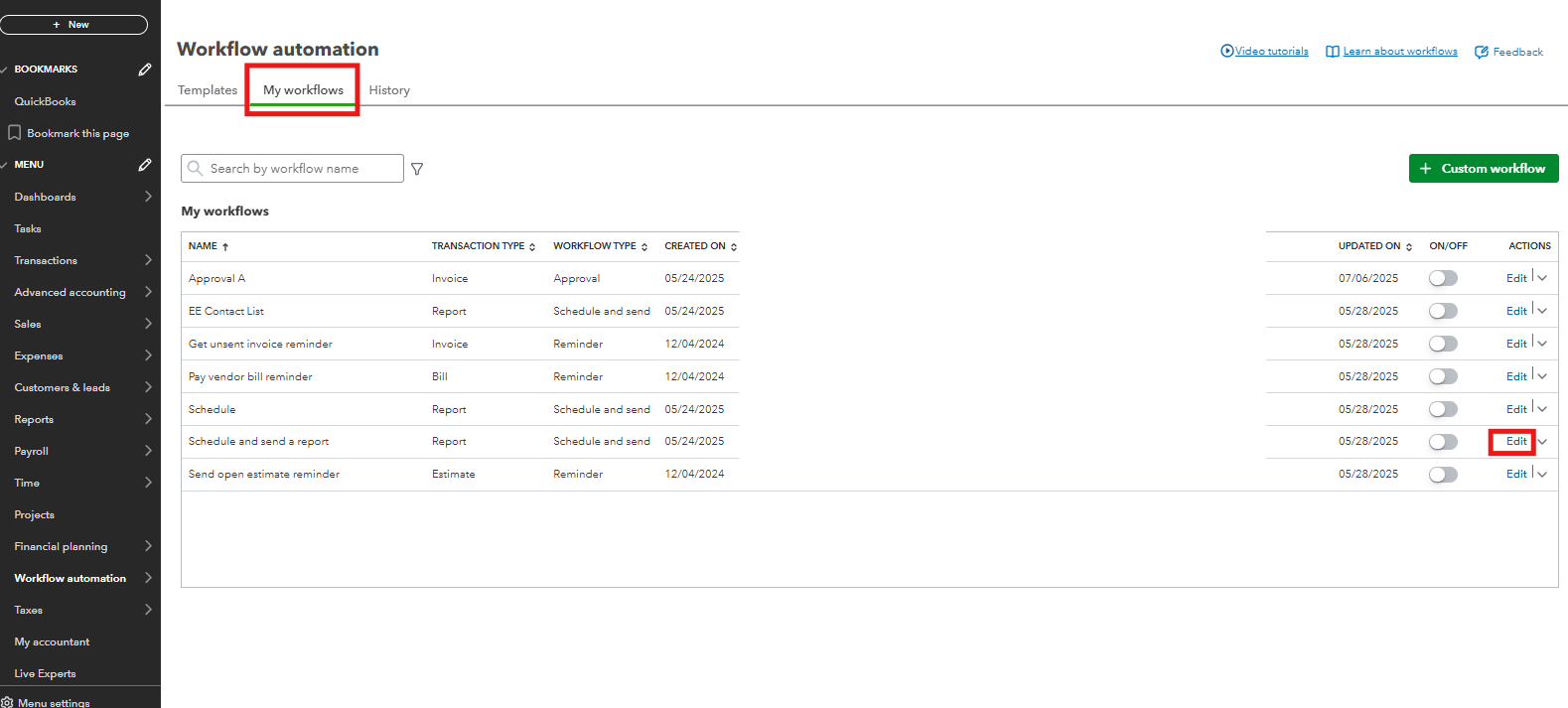
- Go to Settings and select Manage Workflows.
- Locate the scheduled report you want to update and click Edit.
- Make your modifications and set your preferred recurrence for the report.
- Click Save to apply the changes.
Also, this article could be of interest if you want to export reports, lists, and other data from QuickBooks Online.
Please feel free to comment below if you have any other concerns about the scheduled report.




