Welcome to the Community, SA57!
To adjust the beginning balance of an account, you can create an account quick report. Then, double click on the first transaction. Normally, it's the one that say starting or beginning balance. Then, the category is opening balance equity.
- Go to the Gear icon.
- Choose Chart of accounts.
- Click the down arrow beside View register on the account.
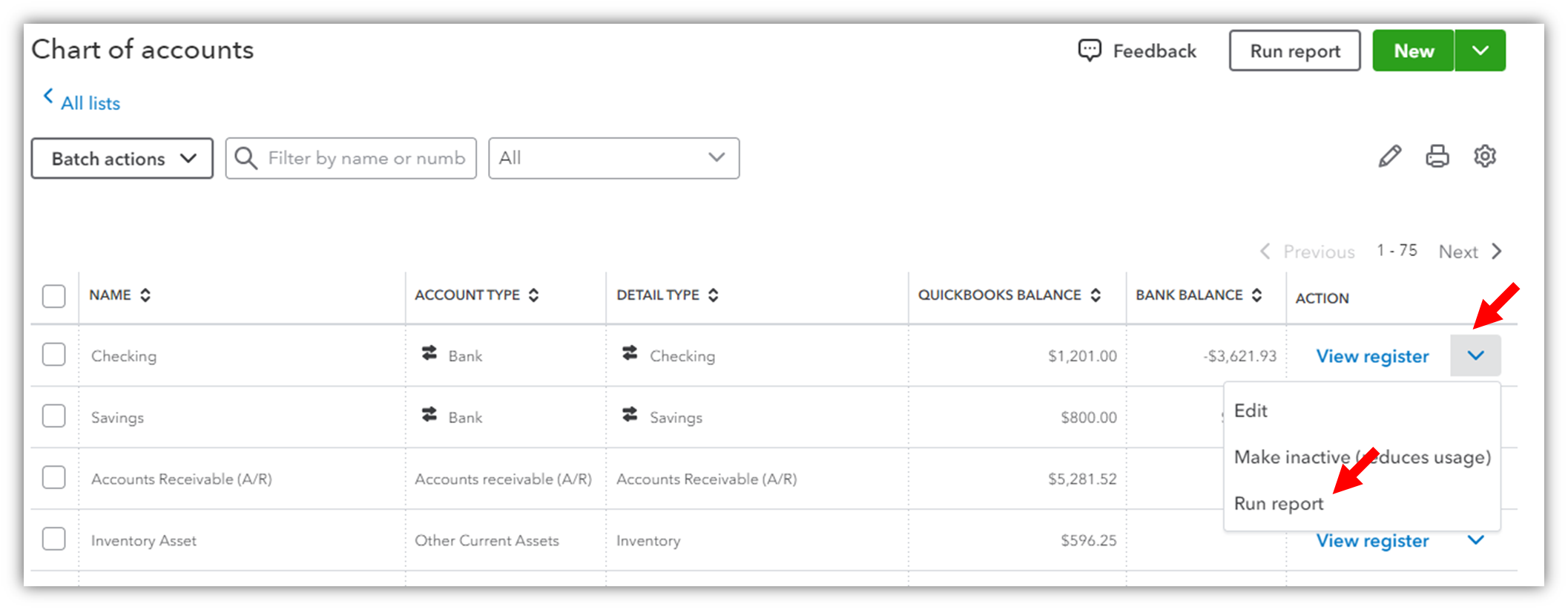
- Select Run report.
- Set the Report period to All dates.
- Find the first transaction that say Opening balance and click it.
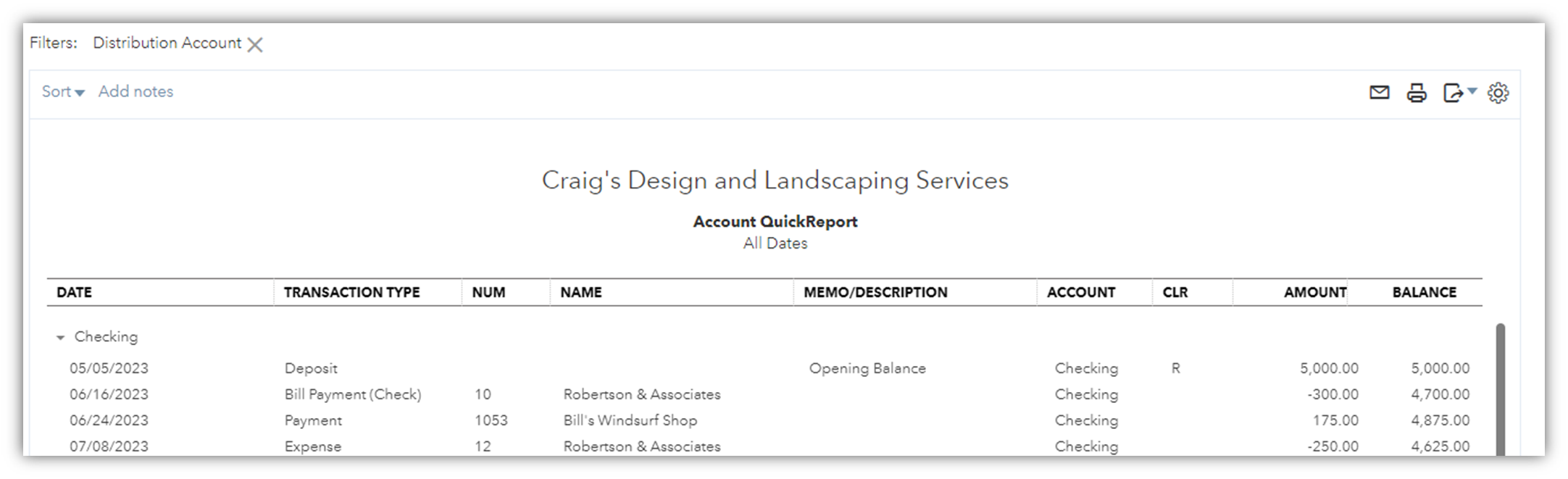
- Change the amount and save the transaction.
Let me know if you have other concerns about changing your opening balance. Take care and have a good one.




