Thanks for joining us here in the Community, bin-liang-2006-g.
I'd be glad to provide some info about approval workflows for estimates in QuickBooks Online.
With QuickBooks Online Advanced, you can use workflows to automate common tasks in the system, like sending payment reminders, or new invoices to customers. Currently, the only options available for estimates are reminders and notifications.
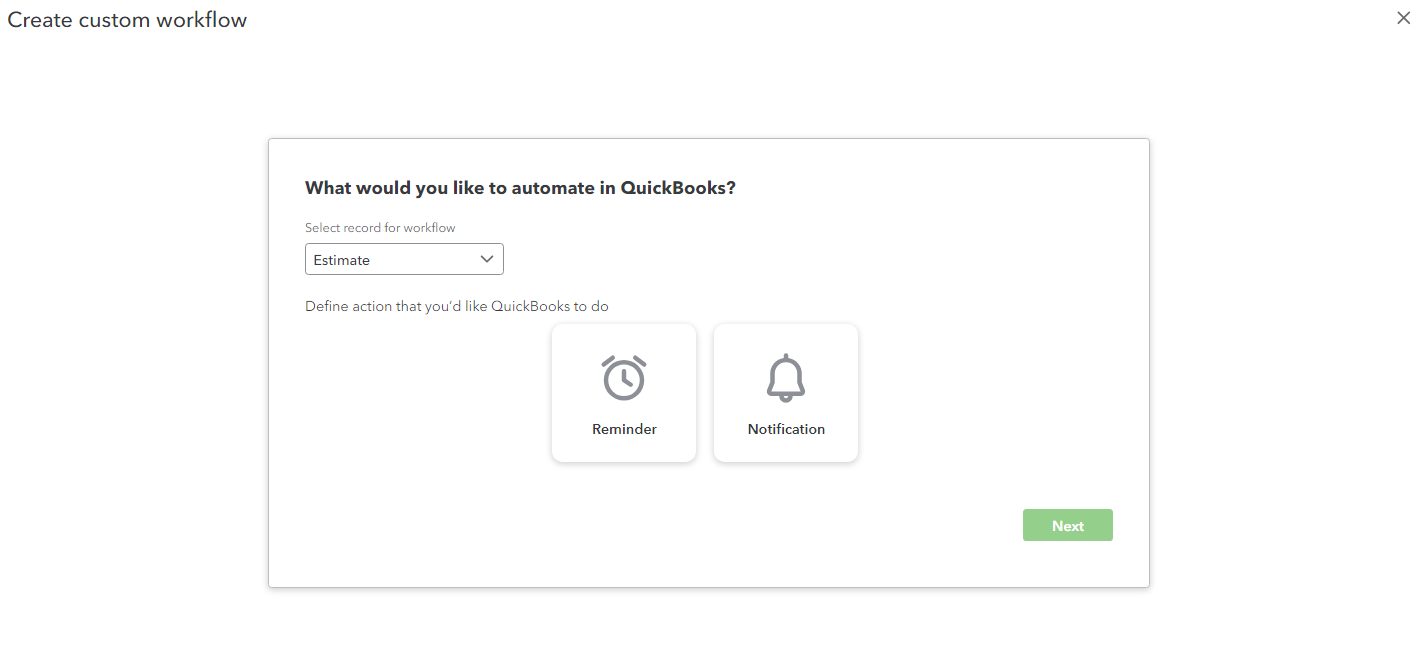
You can access this custom workflow setup by:
1. Clicking the Workflows tab in the left navigation panel.
2. Select Templates.
3. Choose the green + Custom workflow button.
4. Select Estimate from the drop down menu, and choose either reminder or notification.
You may consider using the notification feature to send an email to your manager when an estimate is created or updated.
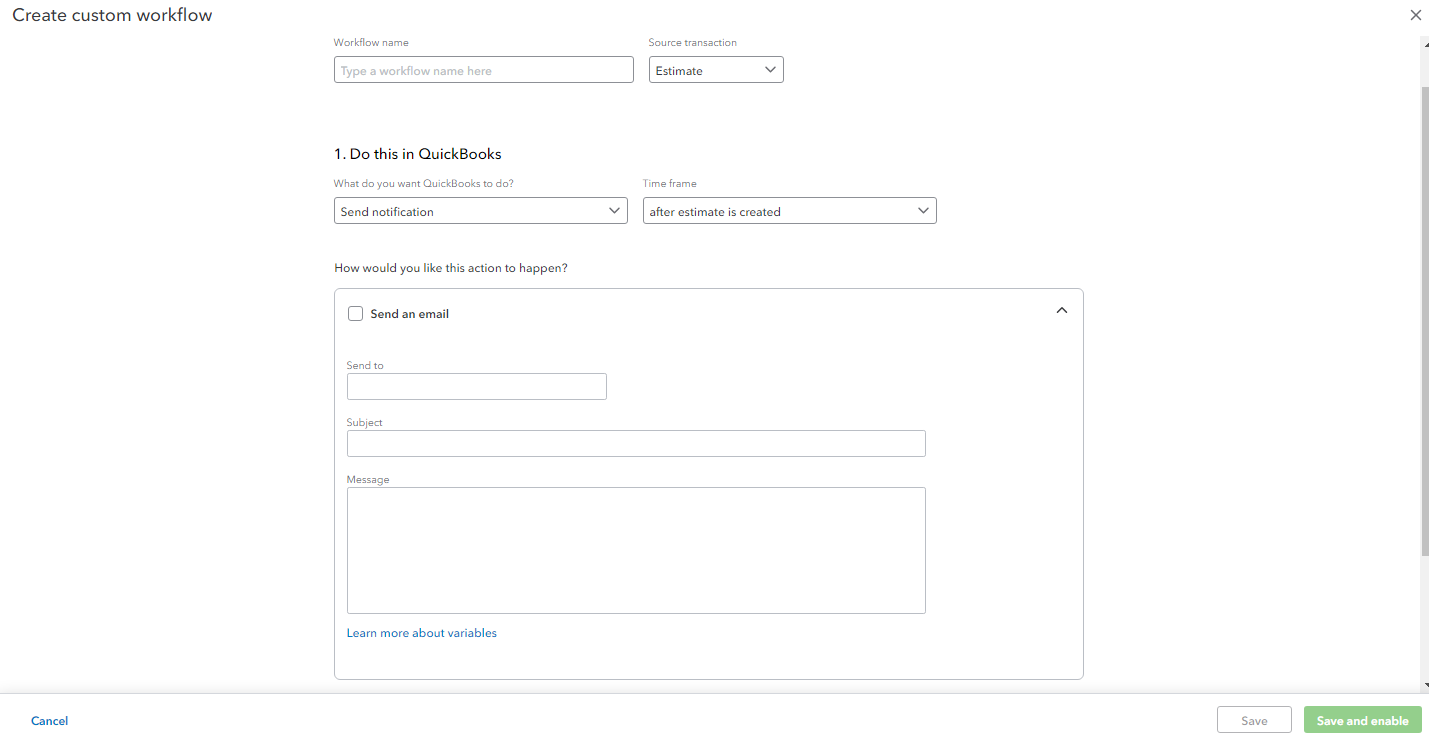
The following article provides additional info about creating custom workflows in QuickBooks Online Advanced.
I also recommend sending feedback to the Product Development Team to let them know you'd like to have an approval option for estimates. This can be done by clicking the Gear icon then Feedback.
Please feel free to reach out in the comments below if you have any other questions. I'll be here to help in any way that I can.




