Hello there, @johannes-goodliv.
The expenses account or category shown on the Expense page are coming from the accounts created from the Chart of Accounts (COA). With that, if you want to delete an expense category, you'll have to go to the Chart of Account in your QuickBooks Online (QBO) to accomplish this task.
Note: We cannot delete an account. Instead of deleting it, you can make it inactive. This stops showing from the category lists when creating a transaction.
You can follow the steps below to do it:
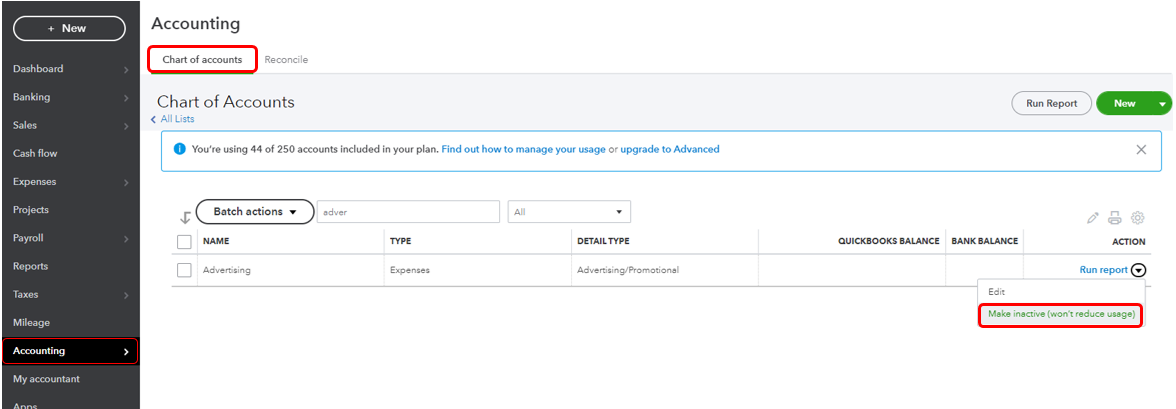
- Go to the Accounting menu.
- In the Chart of Accounts tab, find the account you want to make inactive. You can utilize the search box to easily find the account.
- Once you find the account, click the drop-down arrow under the Action column.
- Then, select Make inactive.
For more info about managing COA, check out these articles:
Please know that I'm always here to help you anytime. Just go back here whenever you need assistance. Take care and have a good one, johannes-goodliv.




