I'll help you print a past invoice in QuickBooks Self-Employed (QBSE), @markshelp1.
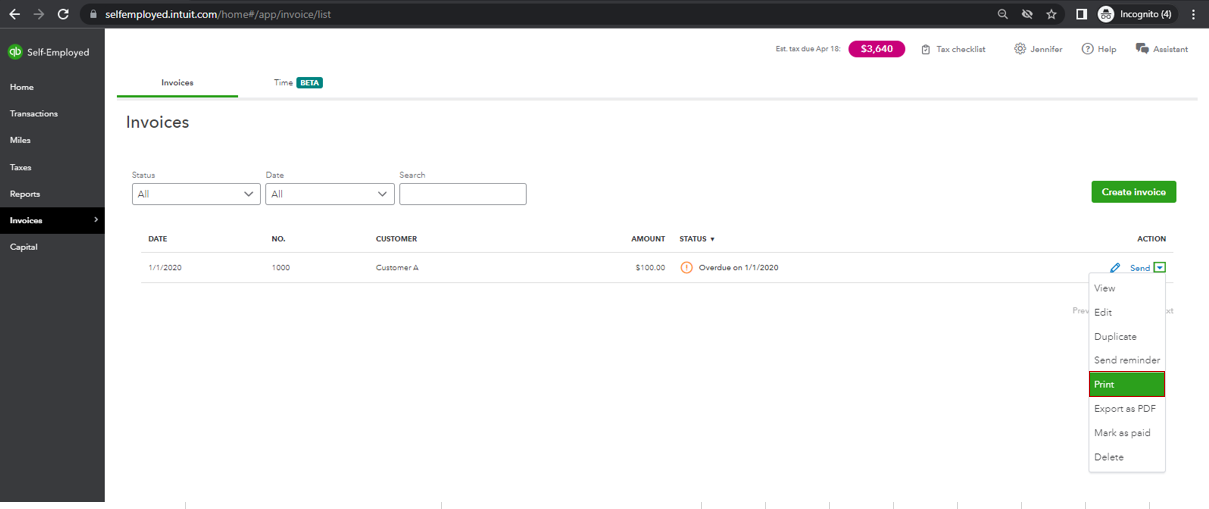
You can print your old invoices through the Invoices page. From there, you can filter the Status, Date, and utilize the Search feature. Here's how:
- Sign in to your QBSE account.
- Click on Invoices, then locate the transaction.
- Select Print.
- Tap on the Print icon to proceed.
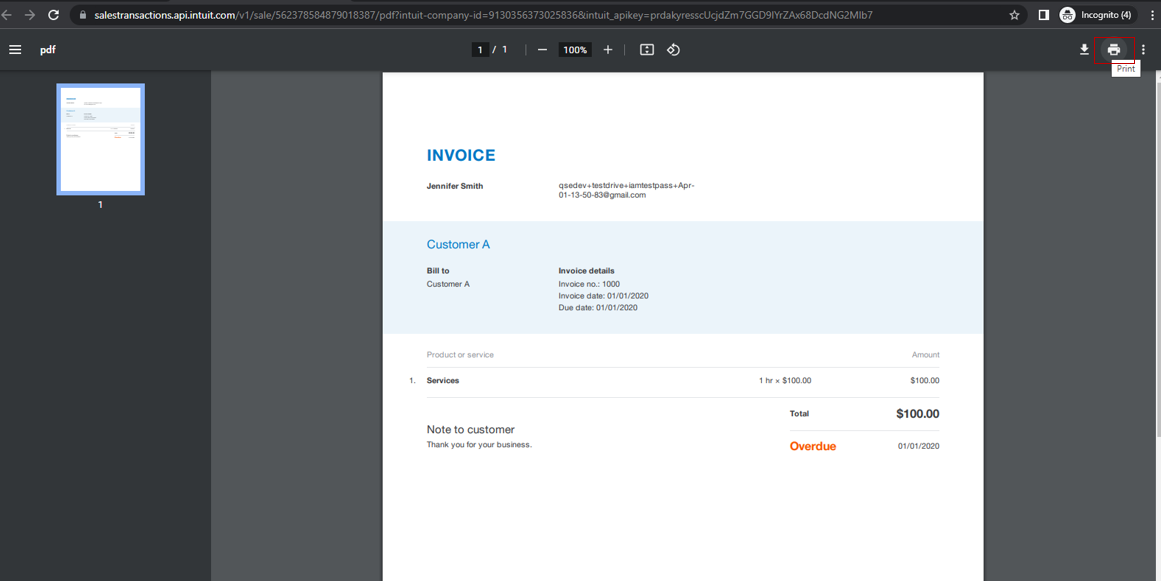
If you wish to, you can also save the transaction as PDF by clicking on Export as PDF under Action.
For more tips while working with your invoices, you may review the resources from this article: Create invoices in QuickBooks Self-Employed.
You can also run through your reports to keep track of your entries including your income and expenses. I'm adding these materials as your guides:
Please feel free to drop your comment below if you have follow-up questions while printing your old invoice. I'm just a few clicks away to help. Have a good one!




