Thanks for joining the Community, hai-tang2010-yah.
You can print invoices from your Invoices screen.
Here's how:
- In the left navigation bar, go to Sales, then Invoices.
- Find an invoice you want to print.
- Under its ACTION column, use your Drop-Down Arrow (▼) icon.
- Select Print.

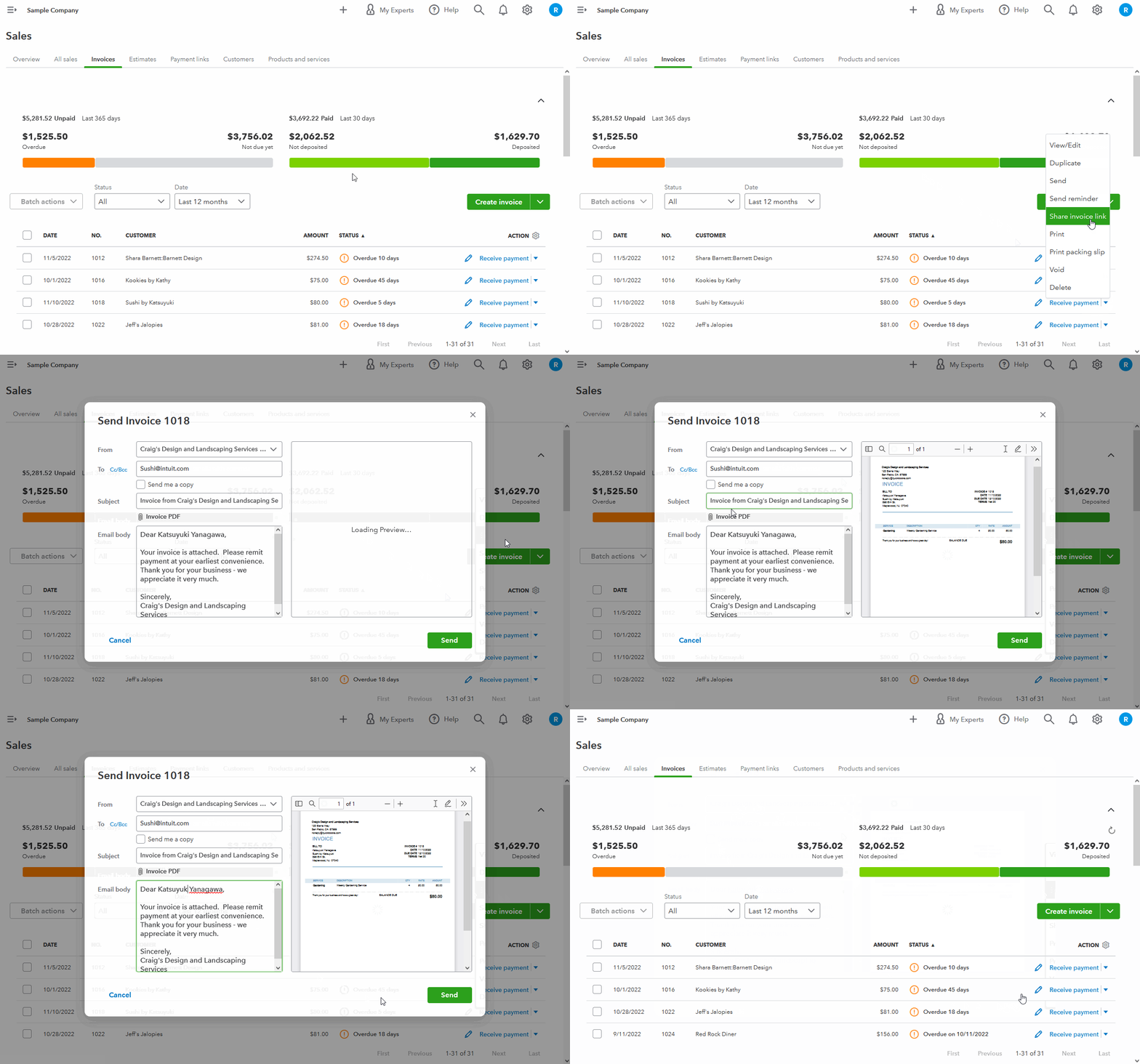
You can also electronically send copies of invoices to customers:
- From the Invoices screen, find an invoice you want to send.
- Under its ACTION column, use your Drop-Down Arrow (▼) icon.
- Click Send.
- Review the From, To, Subject, and Email body information. Make changes if necessary.
- Select Send.
I've also included a detailed resource about working with invoices which may come in handy moving forward: Invoices overview
I'll be here to help if there's any additional questions. Have an awesome day!




