Turn on suggestions
Auto-suggest helps you quickly narrow down your search results by suggesting possible matches as you type.
Showing results for
Get 50% OFF QuickBooks for 3 months*
Buy now
Good day, user23838.
I want to ensure that we're on the same page. Can you tell me more about your concern? Where on your QuickBooks account page does the Category details column disappear?
You can also add a screenshot as a visual guide.
I'll be keeping an eye on your response.
Adrian,
The category column doesn't disappear, but all of the chart of accounts are no longer available to use.
There should be several more accounts below the one that is at the end of the list that the category shows as available.
I have tried relogging into QBooks but still no change in the available accounts.
Then logged in on a different computer and still no change in the available accounts.
Any insight would be appreciated.
Nan
Adrian,
The category column doesn't disappear, but all of the chart of accounts are no longer available to use.
There should be several more accounts below the one that is at the end of the list that the category shows as available.
I have tried relogging into QBooks but still no change in the available accounts.
Then logged in on a different computer and still no change in the available accounts.
Any insight would be appreciated.
Nan
I appreciate you for coming back to the thread and adding extra clarification about your concern, user23838. With this, I'll ensure you can see several accounts in QuickBooks Online so you can use them smoothly.
When managing your Chart of Account section in QuickBooks, you have to customize the page properly so the right data shows up including the different accounts. With this, please ensure that the filter field is blank and the other field is set to All. This is to ensure that all accounts or categories appear.
Here's how:
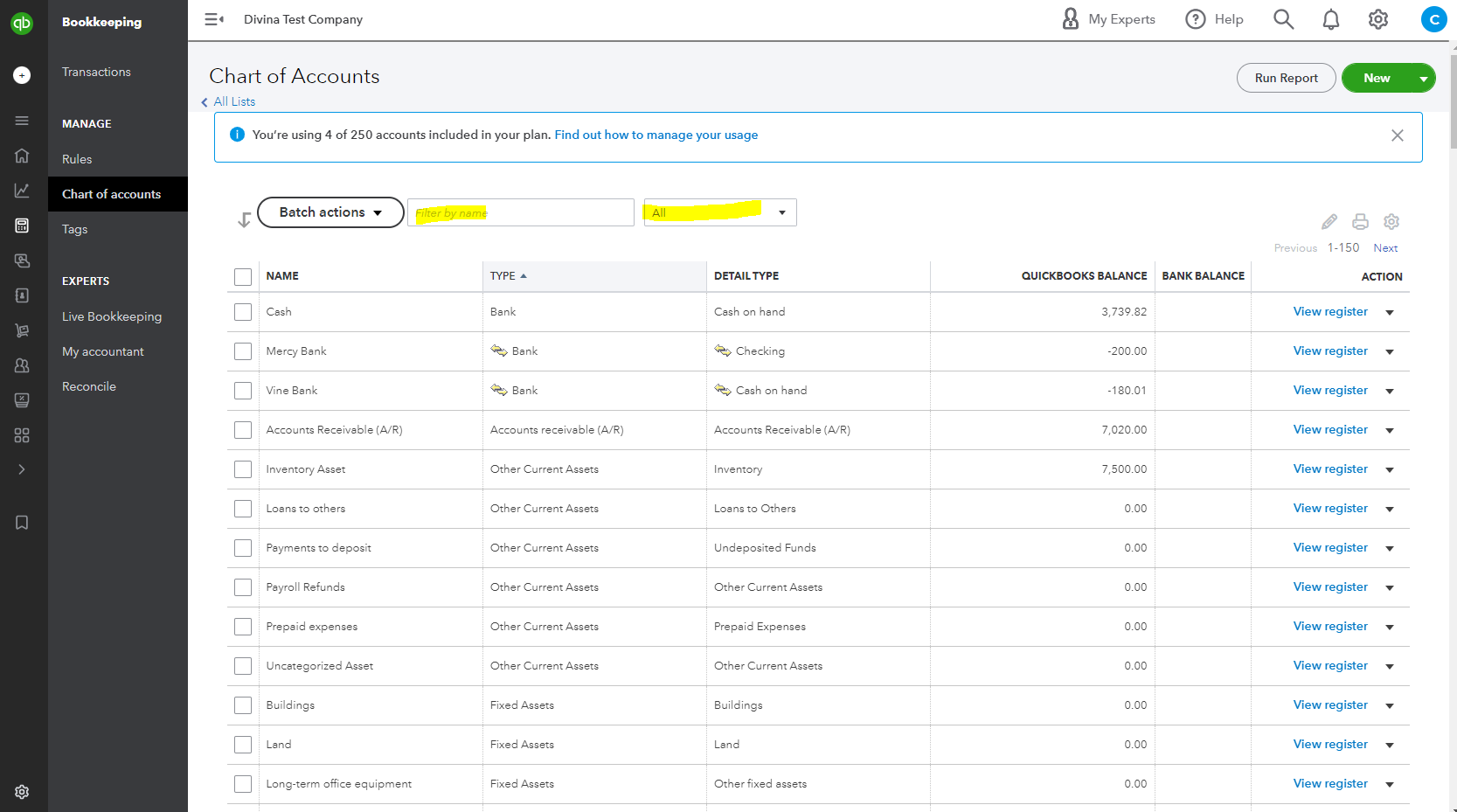
On the other hand, keep in mind that there are usage limits in QBO, which means that you can only have a certain number of accounts depending on your subscription. For example, if you're using the Essential version, the maximum number of created accounts that can be viewed is 250. You may open this article to see further details: Learn about usage limits in QuickBooks Online.
If the same thing happens after performing the steps above, I suggest contacting our QuickBooks Support Team. They have the tools to pull up your account in a secure environment and they'll be able to investigate the cause of the problem.
You're always welcome to tag me in your reply if you need more help managing your chart of accounts in QBO. I'll be more than happy to back you up anytime, user23838. Have a great day!
You may have to upgrade to the Plus or Advanced subscription. That's what I had to do.


You have clicked a link to a site outside of the QuickBooks or ProFile Communities. By clicking "Continue", you will leave the community and be taken to that site instead.
For more information visit our Security Center or to report suspicious websites you can contact us here


