Turn on suggestions
Auto-suggest helps you quickly narrow down your search results by suggesting possible matches as you type.
Showing results for
Get 50% OFF QuickBooks for 3 months*
Buy nowMy inventory on QB online has not been updated for over 2 years, and when adjusting the inventory on-hand it creates an inventory shrinkage account that equates over $1.3M which is wrong. How do I fix the inventory and get on the right track instead of creating a ginormous expense.

Trying to answer your question requires more information. What is the inventory value in QBO and what is your actual inventory? Is your inventory in QB $1.3M higher than your actual inventory? Have you been adding to inventory and not reducing it when sold somehow? Did you file taxes and report your inventory and cost of goods sold correctly on your tax returns? It would help if you can provide some more info.
I agree with what Rainflurry said, Will_iam.
In QuickBooks Online, you'll have the option to manually adjust an item's quantity on hand without recording a purchase or sale to match your actual stock. The software will automatically create an Inventory Shrinkage account after saving the adjustment. This is a default account where all the adjustments or changes you've made are recorded.
You may have adjusted the quantity without reducing it when sold which causes the amount to go higher than your actual inventory. Kindly share more information so we can provide the right solution in resolving the problem.
While waiting for more details, I recommend reviewing the inventory quantity adjustment entries and making any changes if necessary.
Here's how:
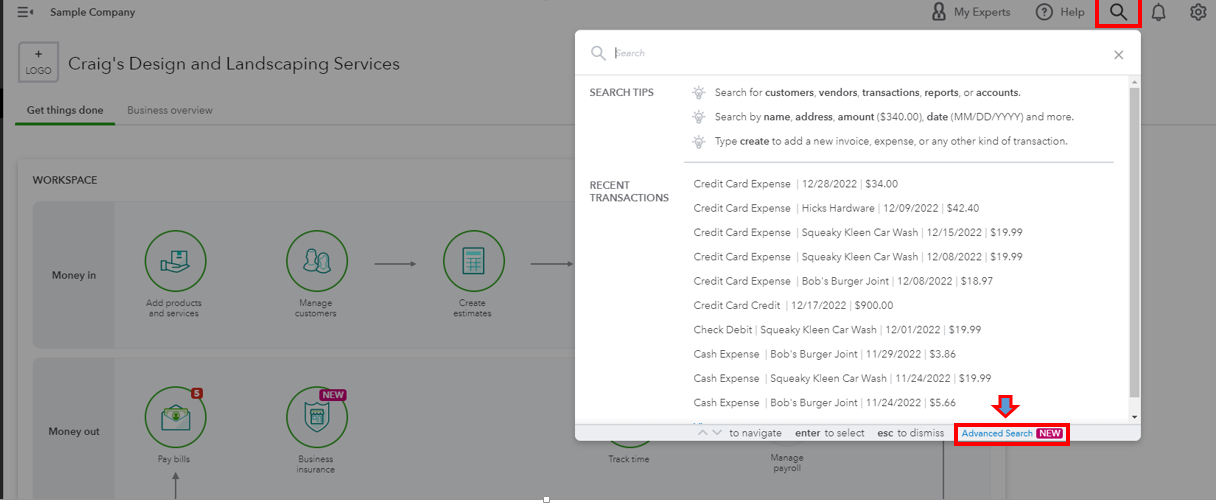
You can use this resource for more detailed information: Adjust inventory quantity on hand in QuickBooks Online.
I've also added this article to view information on the things you buy and sell: Use reports to see your sales and inventory status.
We'll keep an eye on your response, don't hesitate to add any details below. Take care and stay safe.
This is a 3-year-old thread. Please refrain from promoting products you sell, as it violates the Community Guidelines. Here is what the Community Guidelines say:
Don't do this:


You have clicked a link to a site outside of the QuickBooks or ProFile Communities. By clicking "Continue", you will leave the community and be taken to that site instead.
For more information visit our Security Center or to report suspicious websites you can contact us here


