It's nice to have you here, @mleschber.
I'm here to guide you through the steps to enable account numbers on your financial reports.
If you can't find the numbers in the Profit and Loss report, make sure to check the company settings if the account numbers are enabled. These steps will help you verify and update the Chart of Accounts preferences:
- Tap the Settings ⚙ menu and select Accounts and settings.
- Go to the Advanced tab, and click the Chart of accounts section.
- Click the slider beside Enable account numbers.
- Mark the Show account numbers checkbox. This will display the account numbers on reports and transactions.

- Don't forget to press Save, then Done.
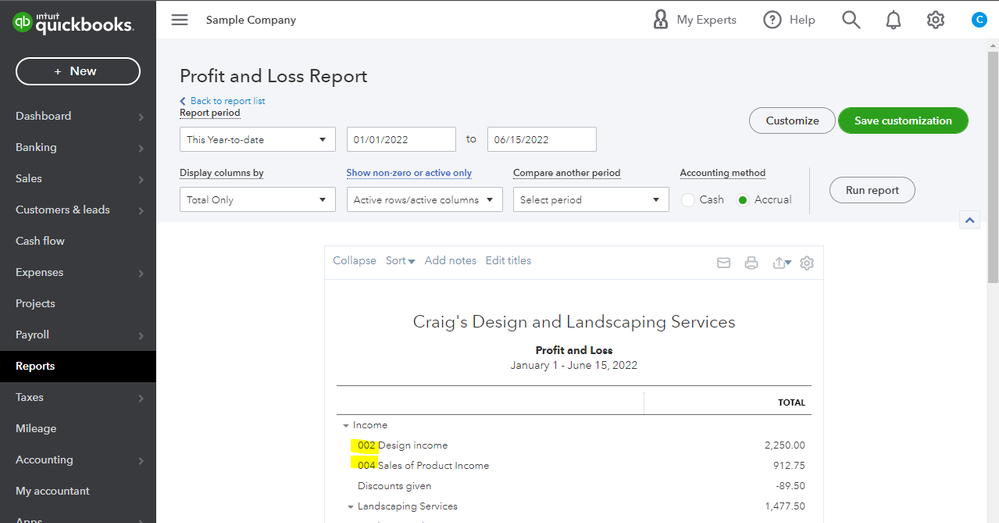
After that, the numbers will be displayed on the report. See this screenshot:
Check out the following links about navigating QuickBooks Online and handling your Chart of Accounts:
For other questions or concerns about managing your Chart of Accounts and reports, mention me anytime. I'll do my best to be of help.




