Having your payroll taxes to work properly is my priority, @erikamaebenitez.
I appreciate you for performing a couple of steps to get this matter sorted out.
To help identify the reason why the payroll taxes link is not working, I recommend reaching out to our Customer Care Team. They have the tools to check the root cause of this hurdle since the browser troubleshooting didn't work.
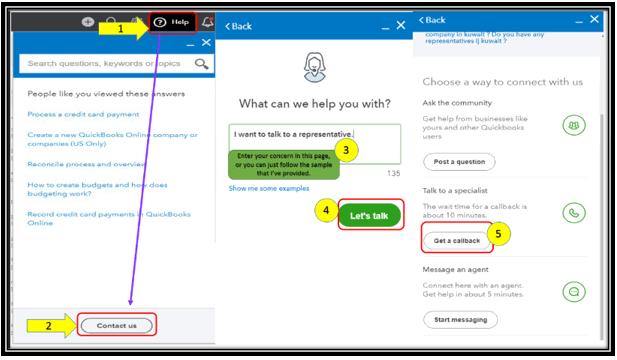
To reach them:
- Click on Help at the top menu bar.
- Hit on the Contact Us button.
- Enter a brief description of the issue in the What can we help you with? box.
- Press on Let's talk.
- Select on Get a callback.
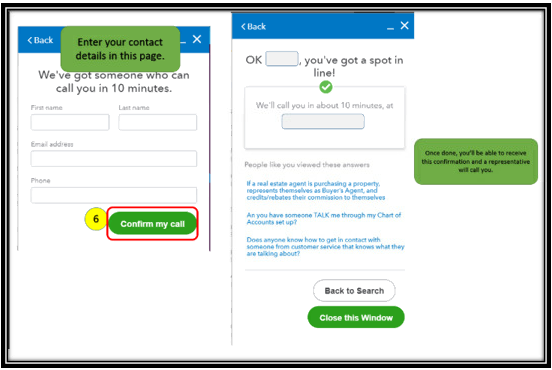
- Key in your contact details, then tap on Confirm my call.
I'm also adding this reference that you utilize to guide you in paying and filing your taxes in QuickBooks Online: Learn how to pay or file state and federal payroll taxes online.
I'm just a few clicks away if there's anything else you need. I'll ensure you're all set. Wishing you all the best in everything that you do.




