It's nice to have you in the Community, @Buford808. I'm here to lend a hand with your concern about handling early payment discounts in QuickBooks Online.
You can utilize the Discount Percent or Value feature to apply early payment discounts to your customers. We can manually apply it to your invoices.
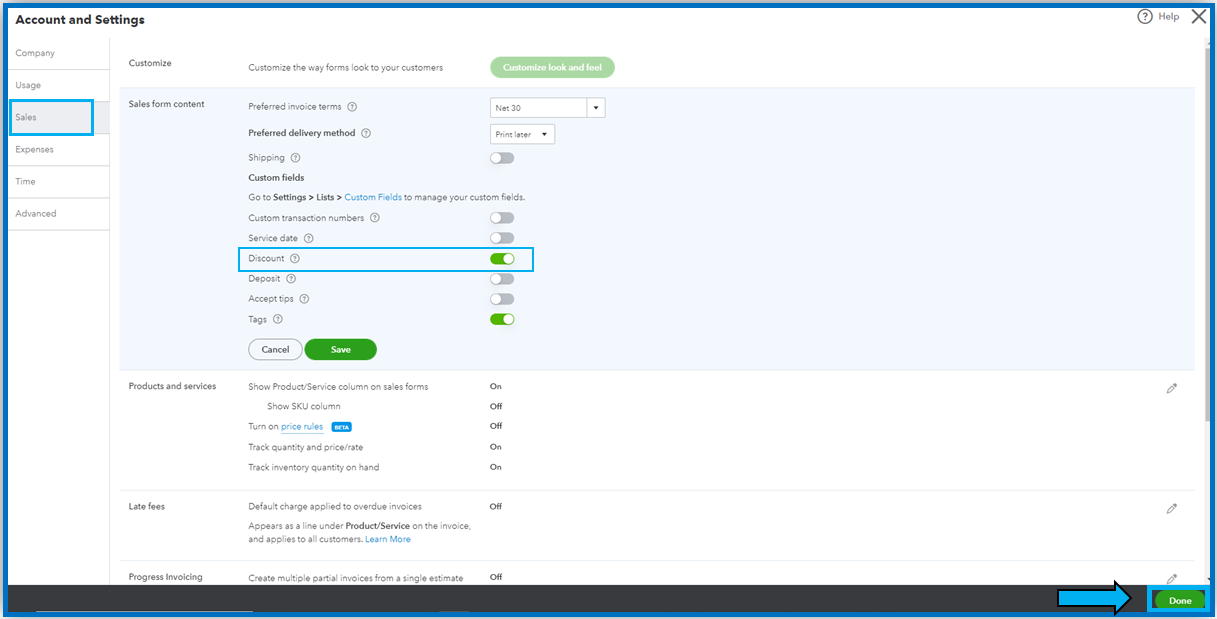
If you haven't already, turn on the discount setting. I'll show you how:
- Select Settings and then Account and Settings.
- Click Sales.
- In the Sales form content section, tick Edit ✎.
- Put a checkmark in the Discount checkbox.
- Hit Save and then Done.
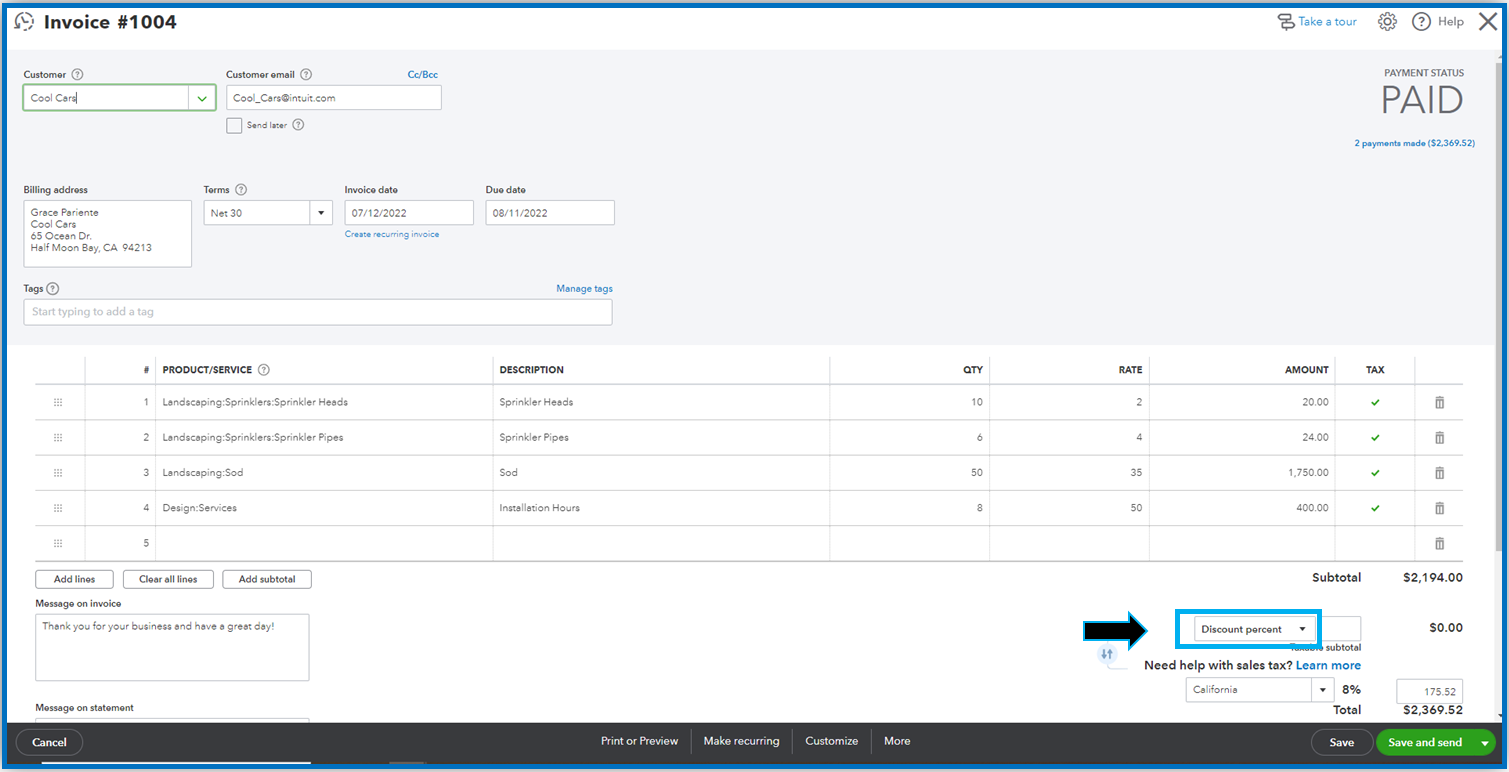
From there, you can then apply it to the invoice. When your customer pays early, you can go back to the invoice and apply the discount to zero out the balance. Here's how:
- Go to the Sales menu, then choose the Invoices tab.
- Locate the invoice that was already paid but with a remaining balance.
- On the lower right of the invoice, click Discount Percent (value).
- Enter the early payment discount amount, then Save and Close.
You can also visit this guide about adding discounts to invoices in QuickBooks Online: Add a discount to an invoice or sales receipt in QuickBooks Online.
I've also added these great resources if you want to pull up invoice reports and help you modify them based on the information you need as well as how to save their current customization settings:
Please let me know if you have any questions about managing invoices. I'll be right here to help. I wish you the best.




