Hi iteshura-gmail-c,
Welcome and thank you for getting help with the Accounting tab, and about checking your transaction journals. I'll be happy to assist.
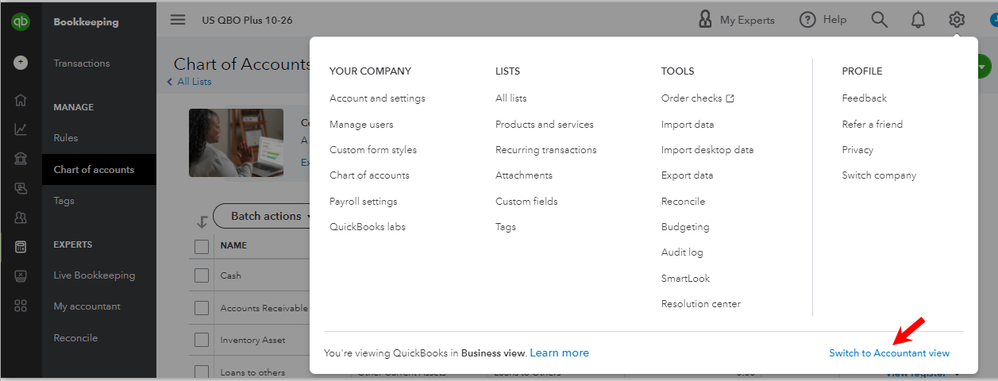
If your QBO is in Business view, you won't see the Accounting tab in the left navigation bar. You can switch to Accountant view to see it. On the other hand, a transaction journal can be reviewed by clicking More on any transactions pages and selecting Transaction journal. This step works whether you're in the Business or Accountant view.
Switching views:
- Go to the Gear icon in the upper right-hand corner.
- Click on Switch to Accountant view.
Checking the transaction journal:
- Open any transaction.
- Click More at the bottom.
- Choose Transaction journal.

The Community team is just around to help you if you need more assistance. Take care and have a good one!




