Turn on suggestions
Auto-suggest helps you quickly narrow down your search results by suggesting possible matches as you type.
Showing results for
Get 50% OFF QuickBooks for 3 months*
Buy now
Thanks for reaching out to us, winnmobile.
I'm here to guide you in matching that transaction.
You can go to the Banking page to match the downloaded income transaction with one you already entered in QuickBooks Online. Here's how to do it:
I've also added some articles below that will help manage your downloaded online banking transactions:
If there's anything else that I can help you with, please don't hesitate to tag me in the comment section. I'm always here to back you up.
when i go to match the banking income transaction, there is not a matching option. when i check my reports, i see the sales receipt as closed/paid via square. when i created the sales receipt, i stated that it was paid via square. and then 3 days later that money shows up in my banking as deposited via square but the sales receipt does not show up as a match-able option.
Thanks for getting back, and I appreciate you for sharing more details, @winnmobile.
If you find no matching option from the Action column, you can click the transaction in the Banking tab to find a match manually. The following are the things that you need to check to ensure you're able to see the sales receipt you've created in QuickBooks Online:
Also, make sure that the receipts are deposited into the Undeposited Funds account so it will show in the Match transactions window. The account will serve as a clearing house before it gets deposited to the actual bank account.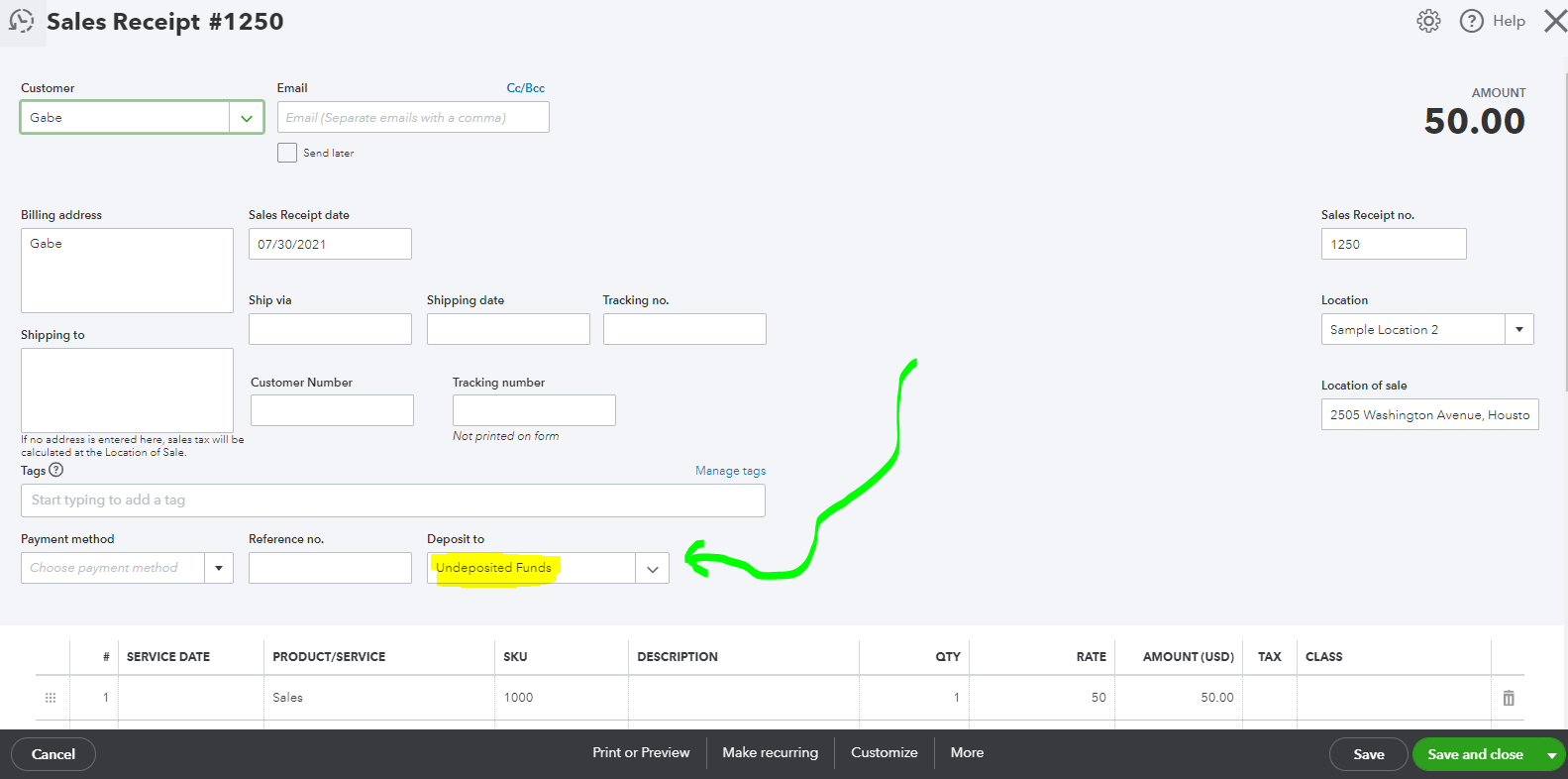
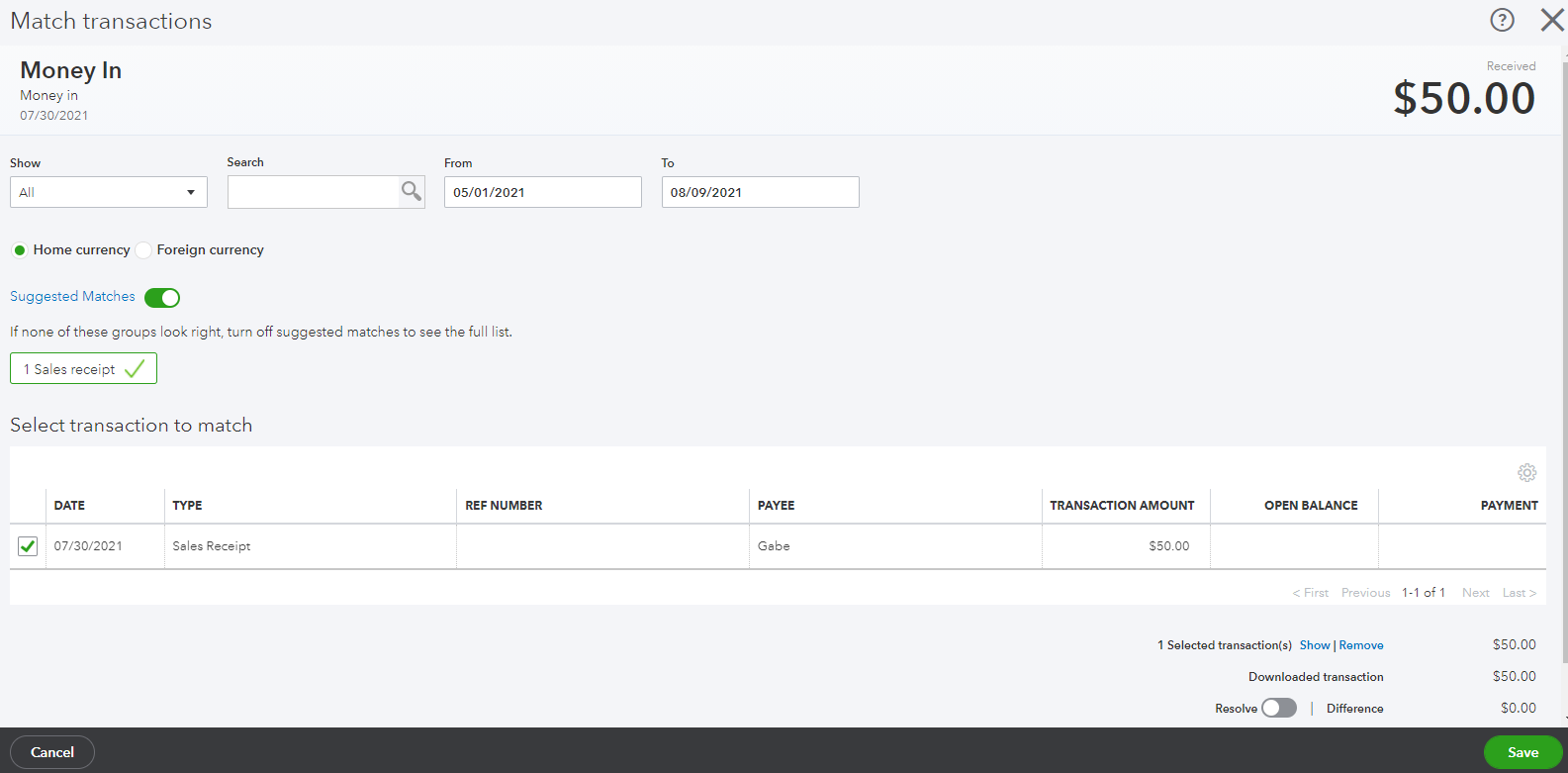
Once done verifying it, you can now match these transactions in the For Review tab. I'll show you how:
In addition, you're able to categorize or review these transactions in QuickBooks Online: How to review and match downloaded transactions in QBO?
Feel free to read this article to learn what to do in case you aren't able to download bank transactions or if you're having a bank error: Steps to do when bank transactions won't download or having a bank error.
If you have additional questions in mind about matching and categorizing transactions, please let us know. We're always ready to help you. Stay safe and healthy!


You have clicked a link to a site outside of the QuickBooks or ProFile Communities. By clicking "Continue", you will leave the community and be taken to that site instead.
For more information visit our Security Center or to report suspicious websites you can contact us here


