Hi there, JP.
To change the width of columns in a QuickBooks Online report, like the QuickBooks Statement of activity report, simply drag the vertical lines between the column headers to adjust the width. This allows you to easily expand or shrink the columns to better view the data you need.
Here's how:
- Go to Reports and select Standard reports.
- In the search bar, type Statement of activity.
- In the Report page, locate the vertical line between any of the column headers.
- Hover your cursor over this line and drag it to adjust the column width.
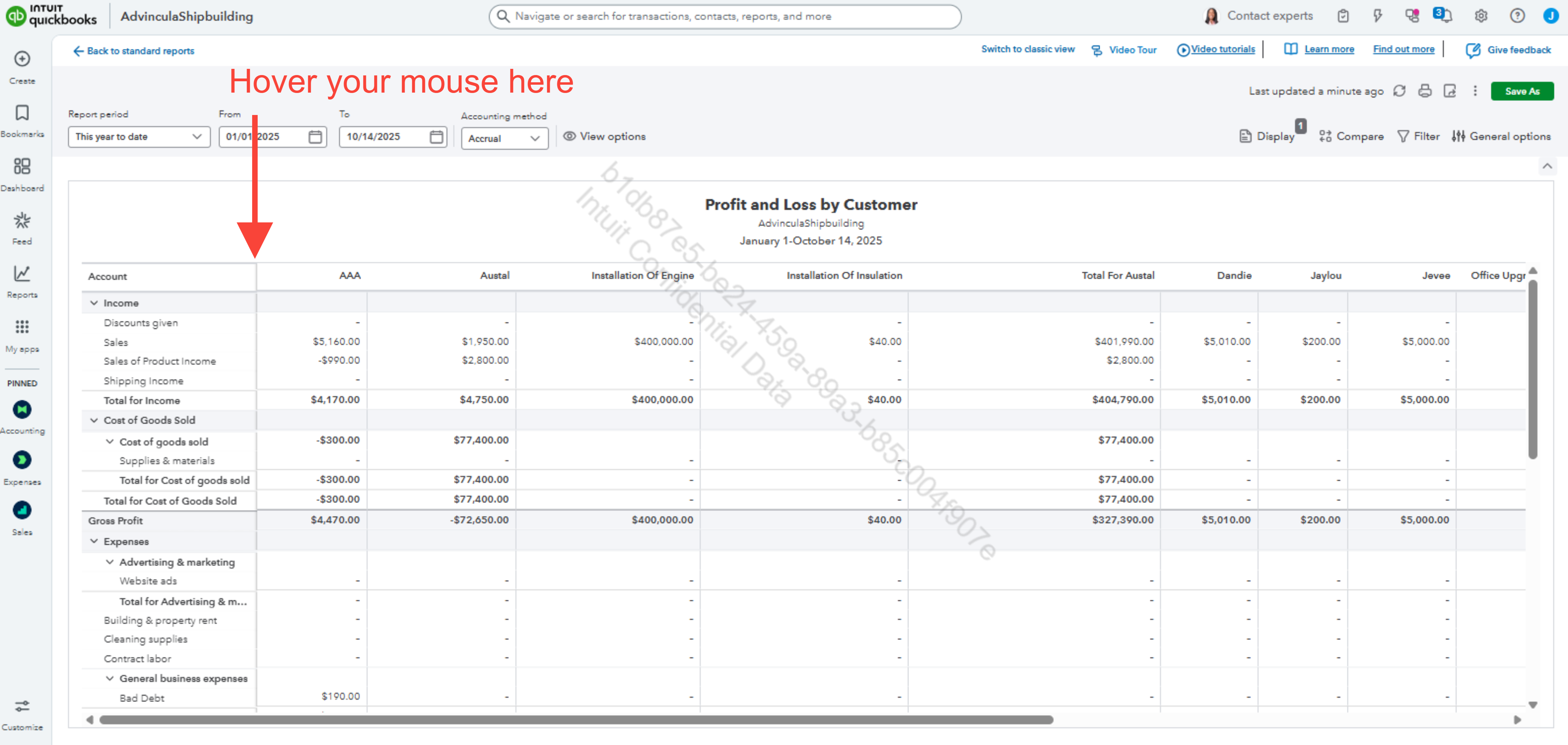
This applies not only to the Statement of activity but also to other reports, such as the Statement of financial position report or any similar reports.
Before we finish, I suggest you explore QuickBooks Live Expert Assisted to streamline your accounting, maintain precise financial records, and access professional support. This could free up valuable time, allowing you to concentrate on expanding your business.
If you have any additional concerns, please share them with us.




