Thank you for posting your concern here in the Community forum. I'll provide the steps to help you confirm the status of your invoices in QuickBooks Online.
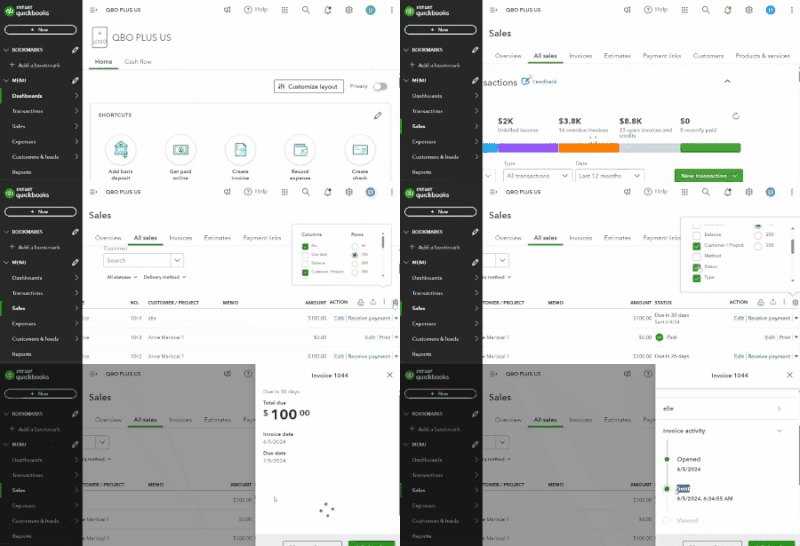
You can check the current status of the transaction by either going to the All Sales tab or selecting the invoice. By clicking the invoice, a pop-up window will appear, and under Invoice Activity, you'll find the status.
For a better reference, please refer to the screenshot below and follow the provided steps:
- Go to Sales and select All Sales.
- Click the small gear icon at the top right corner.
- Put a checkmark on the Status option to add it as a visible column.
- Click Save as default.
I'm adding these articles to guide you in managing invoice and other payments in QuickBooks Online:
If you have more questions about your invoices in QuickBooks Online, leave a comment below. I'll be sure to get back to you ASAP! Have a great day ahead!




