I'll guide you on how to delete your credit memo, @dfwlaundry-remin.
With just a few clicks, and you're all good to go. Let me guide you how:
- Go to the Sales menu in your QuickBooks Online (QBO) account.
- Select the All Sales tab.
- Click the Filter drop-down arrow, and select Credit memos in under the Type
- Modify the filters for your preference and click Apply for the changes to take effect.
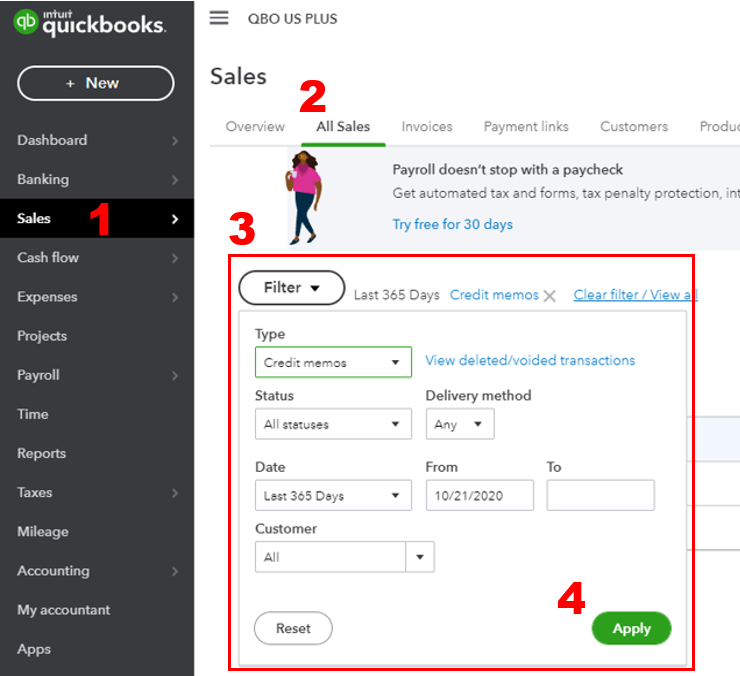
- Locate and select the credit memo to open it.
- Click More from the bottom page of the credit memo and select Delete.

In case you'll need to apply a credit for your customer in the future, you can utilize this article for guidance: Create and apply credit memos or delayed credits in QuickBooks Online.
If there's anything else you need assistance with aside from your credit memos, you can always add it in your reply. I'll be more than happy to work with you again. Stay safe!




