Turn on suggestions
Auto-suggest helps you quickly narrow down your search results by suggesting possible matches as you type.
Showing results for
Get 50% OFF QuickBooks for 3 months*
Buy now

Thank you for adding your first post to our forum today, valentis-consult. I'm pleased to help you create a new invoice using the time entries you've recorded in QuickBooks Self-Employed (QBSE).
Yes. The system allows you to create an invoice from the existing time entries. Since you don't see this option, I recommend performing the process through a private window to narrow down the result. The procedure can assist in removing any cache-related issues that may have caused the problems. You can utilize either of the following keyboard shortcuts:
Once logged in, follow these steps to record your invoice.
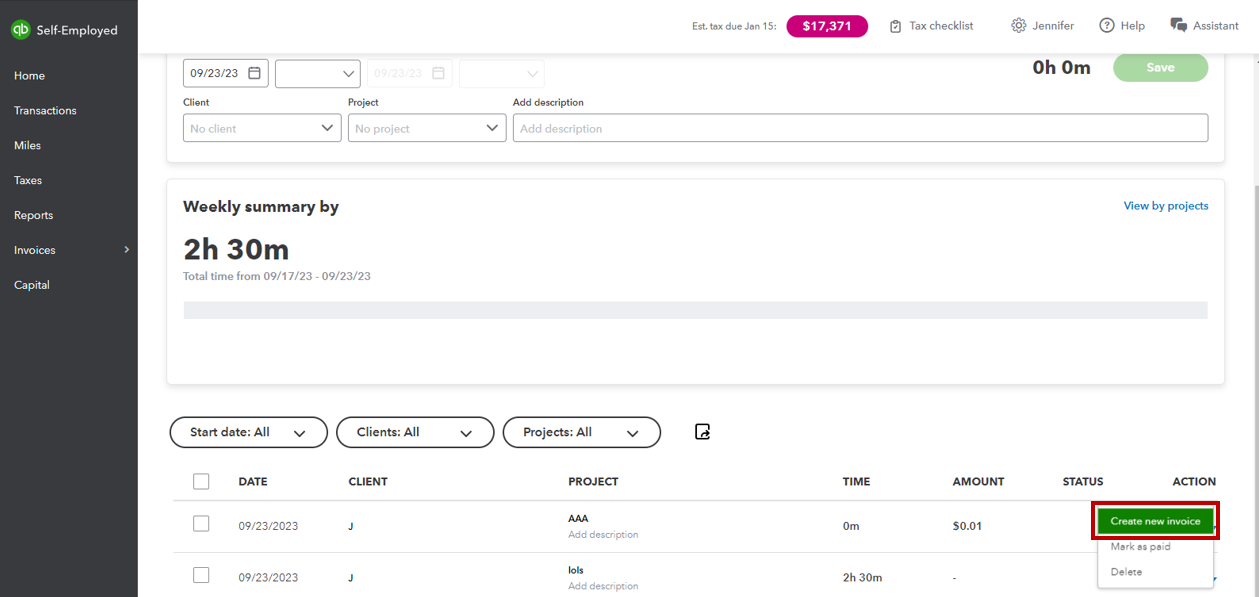
If it works fine, switch back to your original browser, then clear its cache to refresh the system.
If the issue continues, you can contact support for further investigation and assistance.
On the other hand, you can review the details from this article to gain more insights while working with your invoices in our system: Create invoices in QuickBooks Self-Employed.
Aside from that, you can also enter your income and expenses through the Transactions menu. I'm adding this material for your guide: Manually add transactions in QuickBooks Self-Employed.
Please feel free to add a comment below if you have any additional questions or need further assistance with your invoices and time entries in QBSE. I'm here and ready to help you with just a few clicks. Have a great day!
I don't get a drop down under actions for the time entry row. I just have one option Edit.
That was my question: why don't I see that option.
Thanks for the prompt reply, @valentis-consult. We understand that performing the troubleshooting steps provided by my colleague above should've fixed the issue and shown the dropdown icon to create an invoice in your time entries. Let me direct you to the best help possible.
Since the issue persists, we recommend contacting QuickBooks Self-Employed (QBSE) Live Support. They have the complete tools to pull up your account in a safe environment. Moreover, you can discuss how come that you don't have a dropdown icon to create an invoice in that field. Then, find a fix for it.
Here's how to contact support:
Additionally, you can utilize this article to help manage your transactions:
Let us know how it goes, @valentis-consult. We want to ensure that the issue is fixed by replying to this post. Take care, and thanks again.


You have clicked a link to a site outside of the QuickBooks or ProFile Communities. By clicking "Continue", you will leave the community and be taken to that site instead.
For more information visit our Security Center or to report suspicious websites you can contact us here


