I can share some details about the reports so it will show up in number order, @cab21.
You can change the memorized report that appears on your list. Then make sure to customize it By Account and sort it in ascending order. Let me show you how.
- Open the memorized report.
- On the Report window, select Customize Report.
- Click the Sort By dropdown then choose Account.
- In the Sort in column click Ascending order.
- Select Memorize.
- When you get a prompt, you can either:
- Select Replace if you want QuickBooks to overwrite the existing memorized report.
- Select New if you want to keep the existing report and create another one.
I've added a screenshots for visual reference.
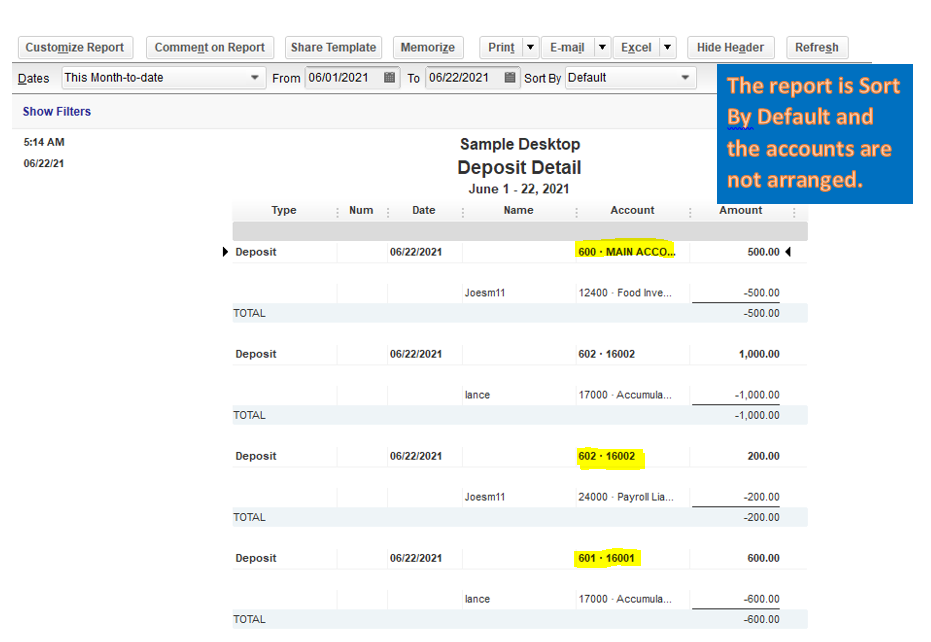


For additional references about running, customizing, and editing memorized reports in QuickBooks Desktop, you can open this article: Understand reports.
You'll also want to keep track of your sales and expenses by customizing customer, job, and sales reports. Here's an article that you can visit: Customize Customer, Job, and Sales Reports in QuickBooks Desktop.
Please know that I'm just a reply away if you need any further assistance running reports in QuickBooks Desktop. Wishing you and your business continued success.




