Welcome to the QuickBooks Community, @aats-gh.
I'm happy to share with you the steps to update your customer's information. Please follow the steps below:
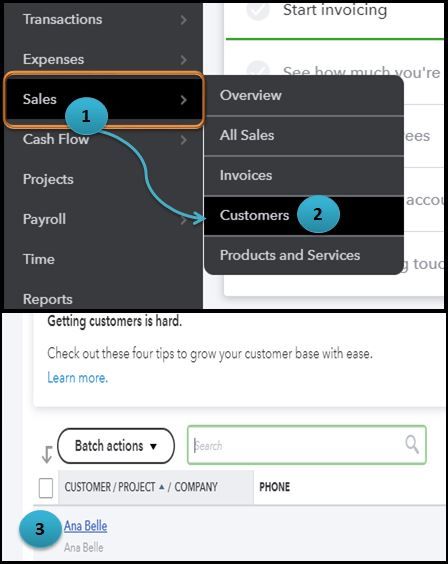
- Go to the Sales menu.
- Select Customers.
- From the Customer page, click the name of the Customer you want to edit the information.
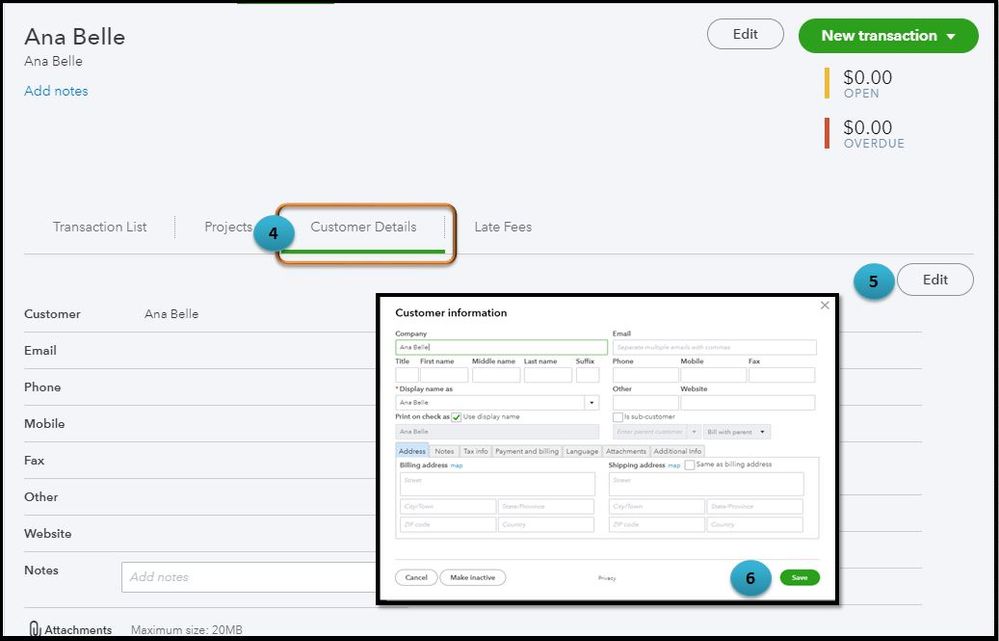
- Choose the Customer Details tab.
- Tap the Edit button.
- Enter necessary information and hit Save when done.
For more information you can refer to this link: Edit customer information.
Also, in QuickBooks Online (QBO) you have the option to view the summary of your customer's invoices, payments, credits, and balances. You'll know more by going through this article link: Create and view customer statements.
Let me know if you need more help. I’ll be a few clicks away.





